Paper forms alternative
Geocadra vs paper forms
Keep the checklist your inspectors know. Lose the clipboard, the re-typing and the photo folder.

The verdict
Geocadra vs paper forms in short
Paper is quick in the field and slow everywhere after. Geocadra keeps the checklist, checks it before submit, puts the photos and the place on the record, and builds the report from what was collected.
A paper form costs nothing to print and a lot to process. Someone types it into a spreadsheet, reads the handwriting, matches the photos and writes the report. Every step is a chance for an error that nobody sees until the client does. Geocadra keeps the form your inspectors already know and removes the steps after it: the inspection is stored the moment it is submitted, with its photos and its place on the map.
Side by side
Geocadra vs paper forms, feature by feature
| Feature | Geocadra | paper forms | |
|---|---|---|---|
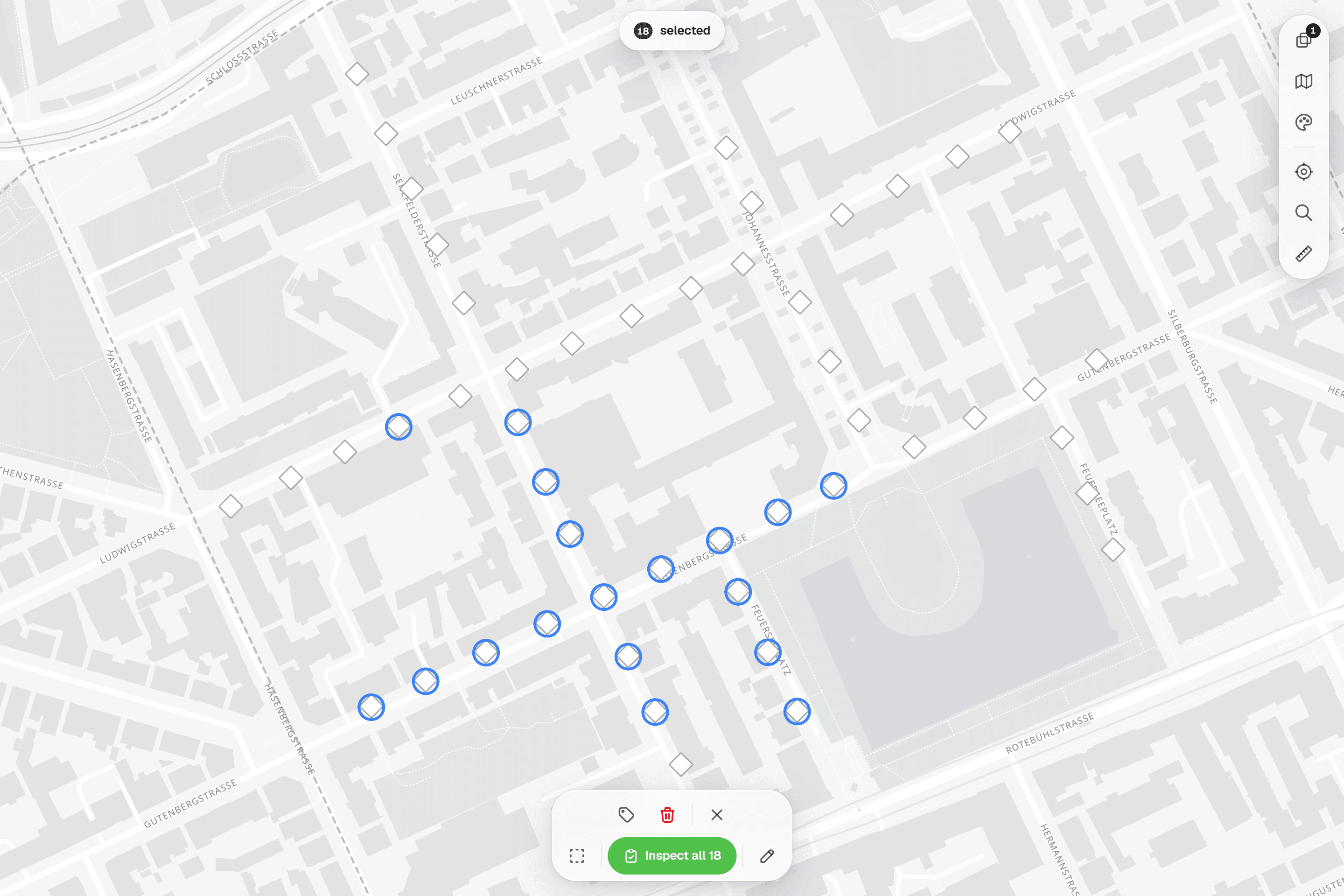
| Capture on a map over aerials | Yes | No | Locations are written down or marked on a printed map |
| Forms with formulas and conditional questions | Yes | Yes | |
| Required fields checked before submit | Yes | No | A missed box is found at the office, if at all |
| Photos stored with the record | Yes | No | Photos are taken separately and matched by hand |
| Every inspection kept, with who and when | Yes | By hand | Earlier rounds are in a filing cabinet |
| One live copy for the whole team | Yes | No | The office sees the form when it arrives |
| PDF reports built from the data | Yes | By hand | Reports are written from the typed-up data |
| No re-typing at the office | Yes | No | Every paper form is typed into a computer afterwards |
| Searchable records | Yes | No | Finding an old form means going through the archive |
| Capture without signal | Yes | Yes | Geocadra: offline in the mobile apps; the web app needs a connection |
Why switch
Why teams choose Geocadra over paper forms
Nothing to type up afterwards
On paper, the inspection happens twice: once in the field and once at a desk. In Geocadra the record exists when the inspector submits it. The office sees it on the map and in the grid straight away, and exports, reports and drawings read the same data. The evening of typing disappears, and so do the typing errors.
02A form that is never half filled in
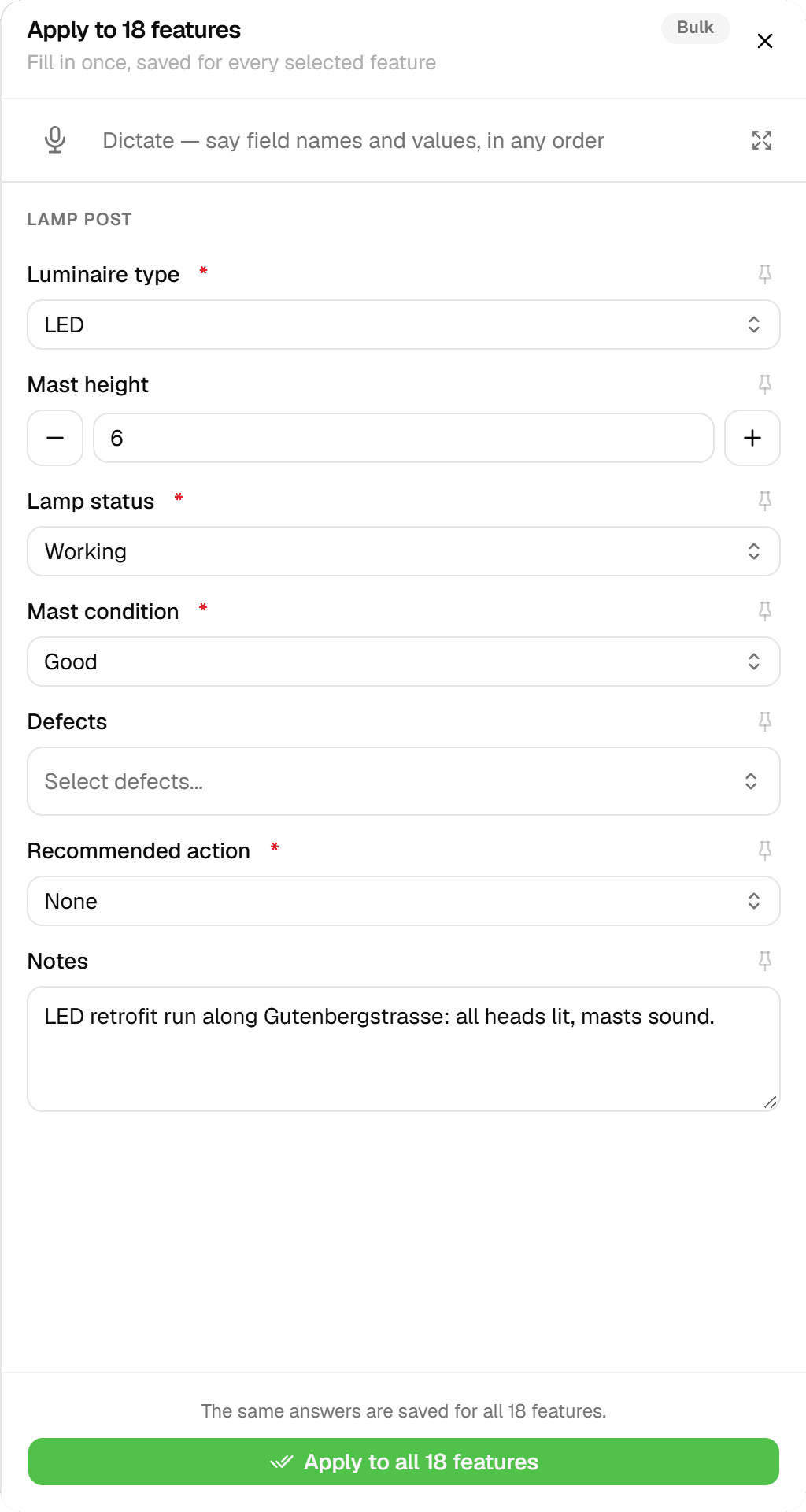
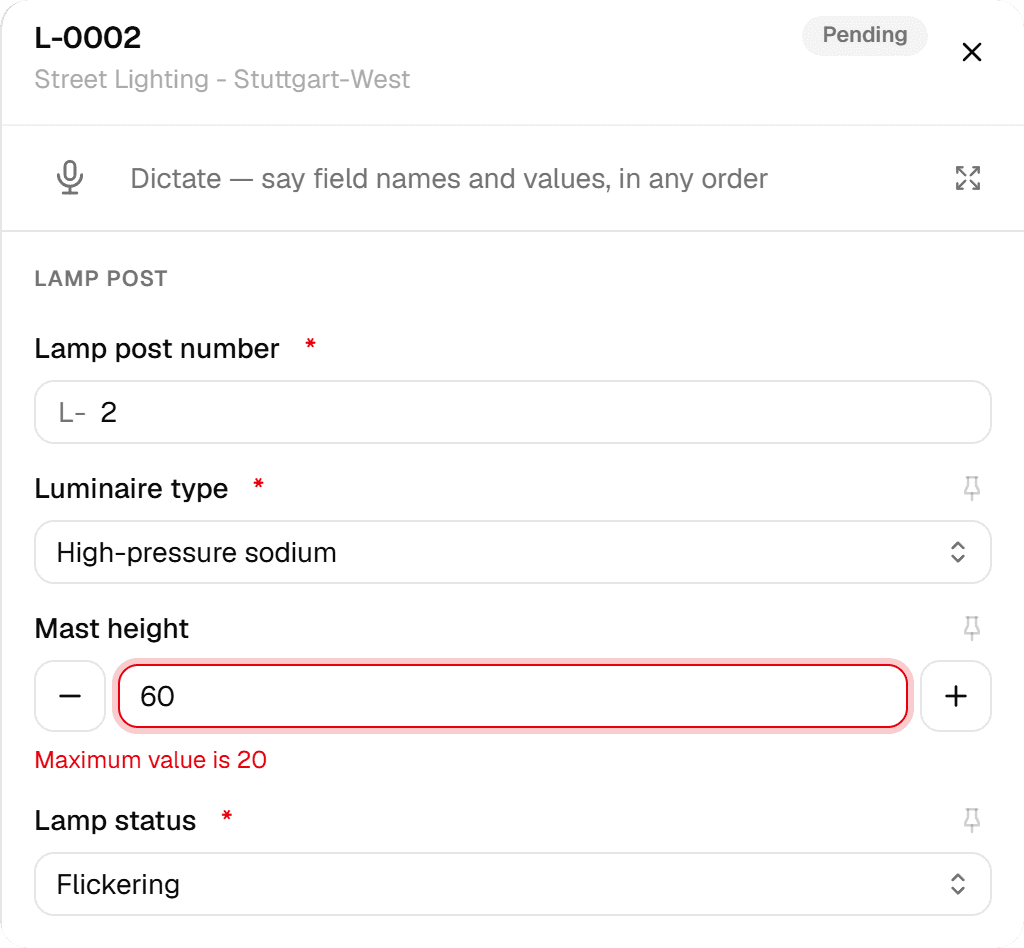
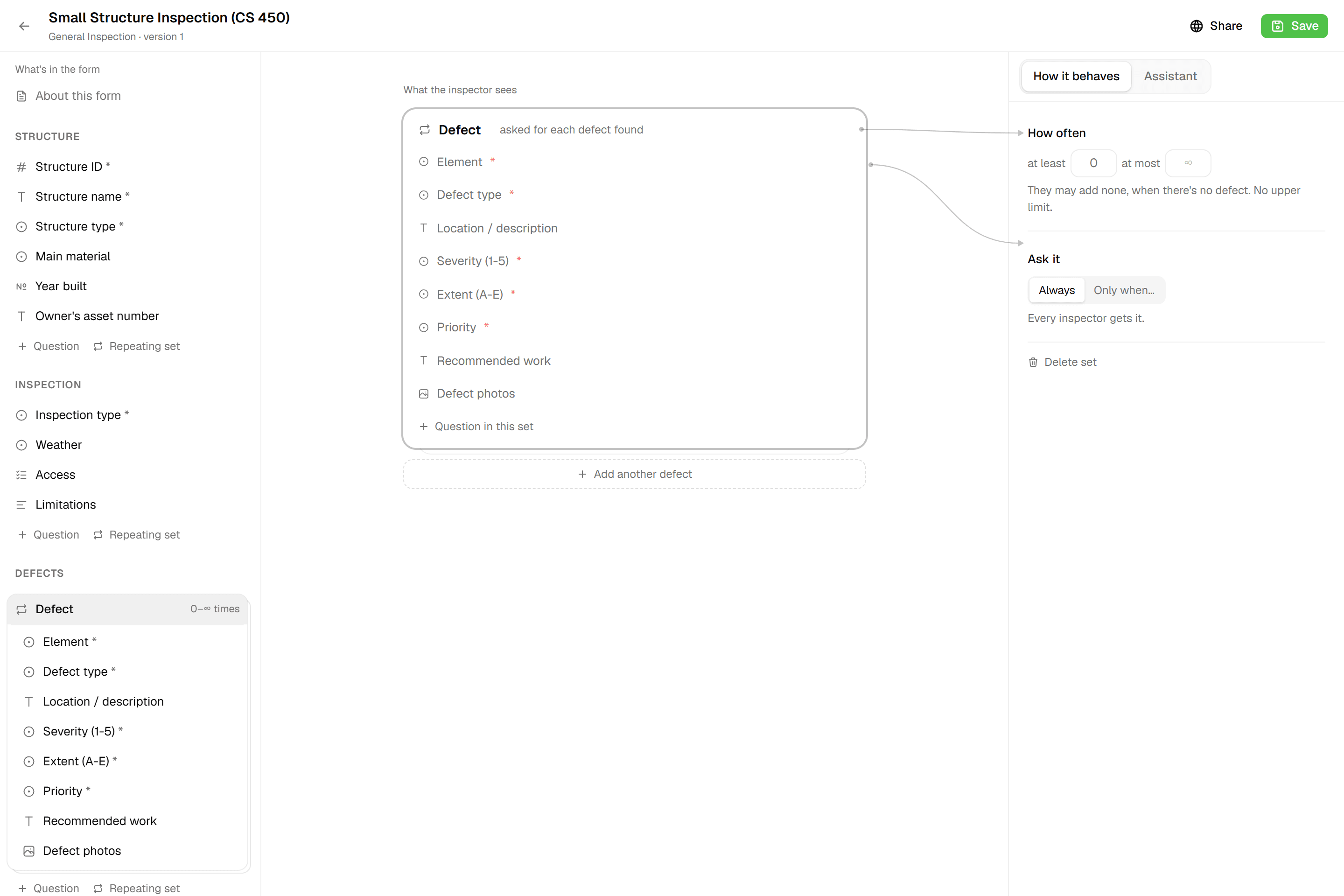
Paper cannot remind anyone of the box they skipped. A Geocadra form marks fields as required, keeps numbers within their limits and only asks follow-up questions when they apply. It will not submit until the record is complete, so the gaps are caught in the field, while the inspector is still standing at the asset.
03Photos and place on the record
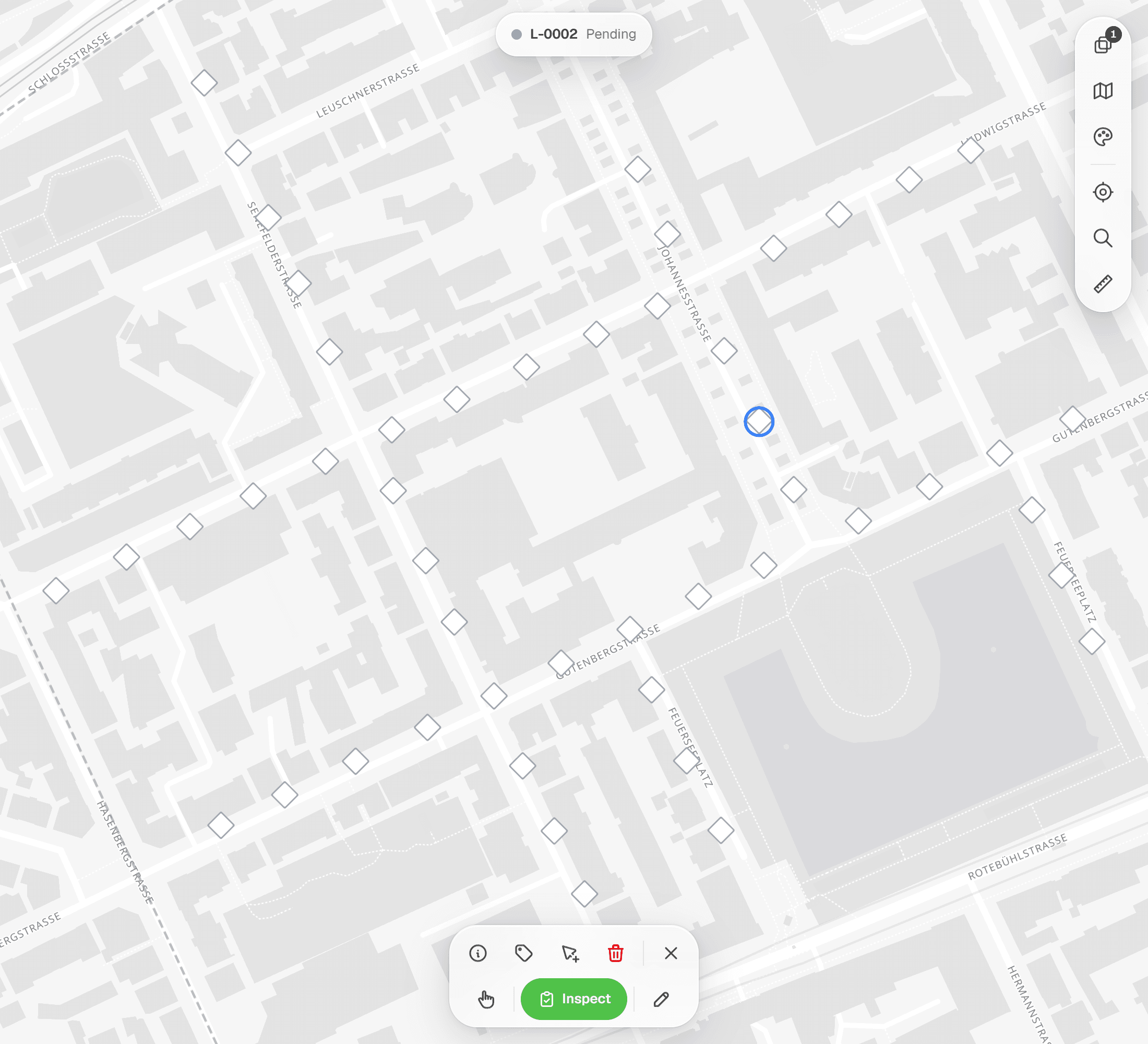
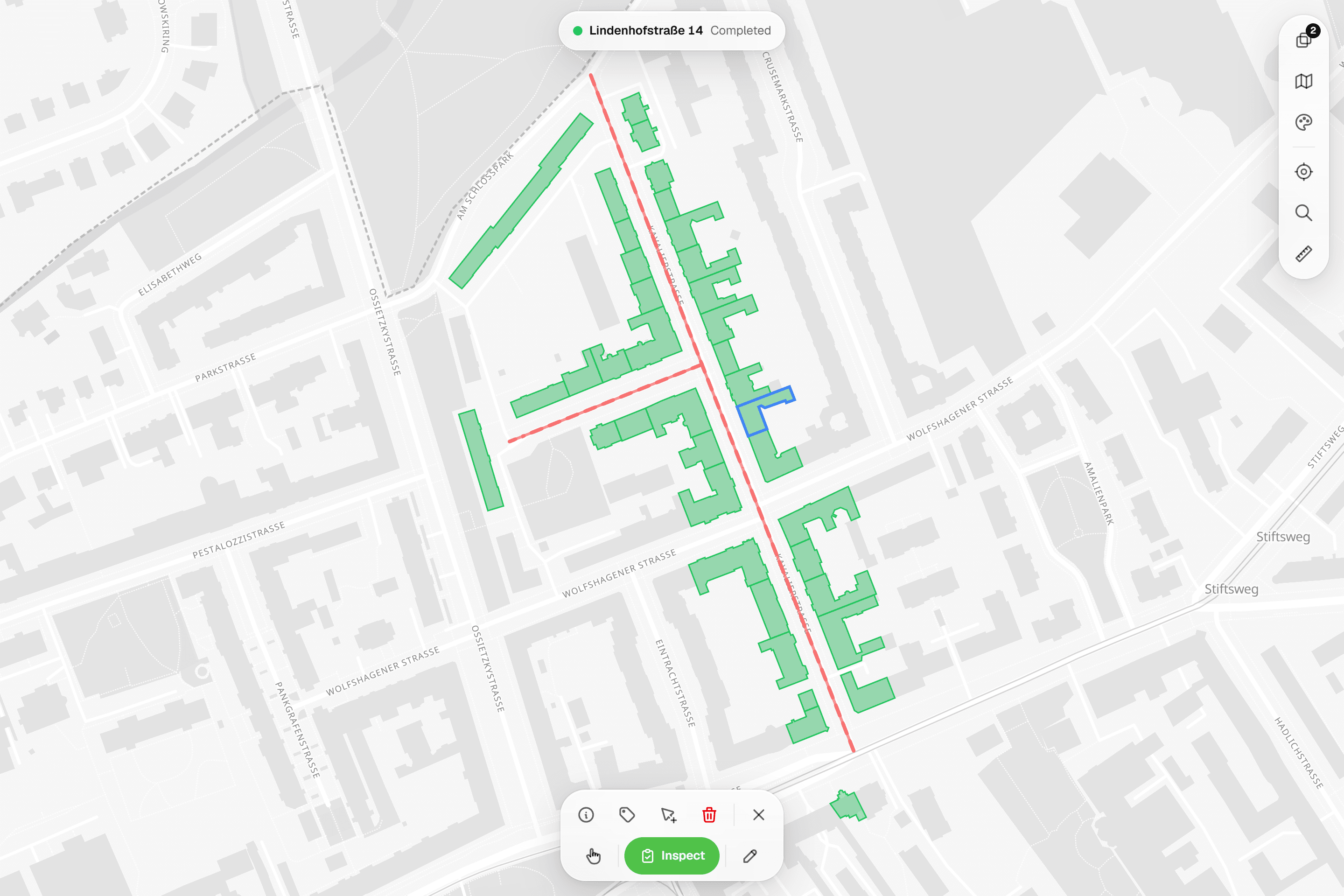
With paper, the camera roll and the form meet again at the office, by file name and memory. In Geocadra the photos are taken in the form, up to five per question, and belong to that inspection. The asset is a point, line or area on the map, so the record knows where it was made.
04The report builds itself
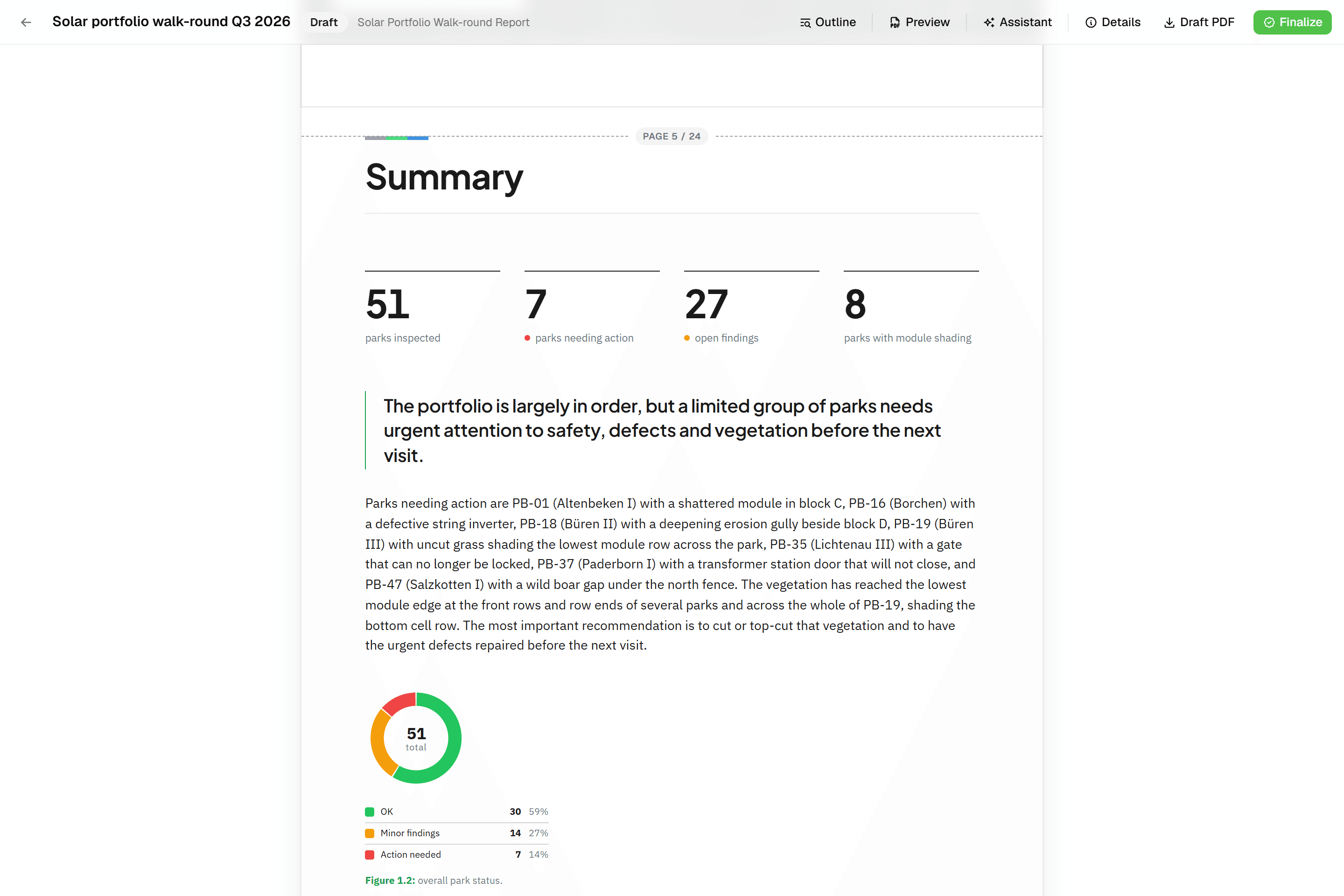
Writing the report is where a paper round stalls. A Geocadra report is built from blocks that read the inspections: a table per asset, a photo appendix and a map figure. Finalise it to a PDF with real page numbers. If the client works in CAD, export a DXF drawing from the same data.
05Last year's round is one tap away
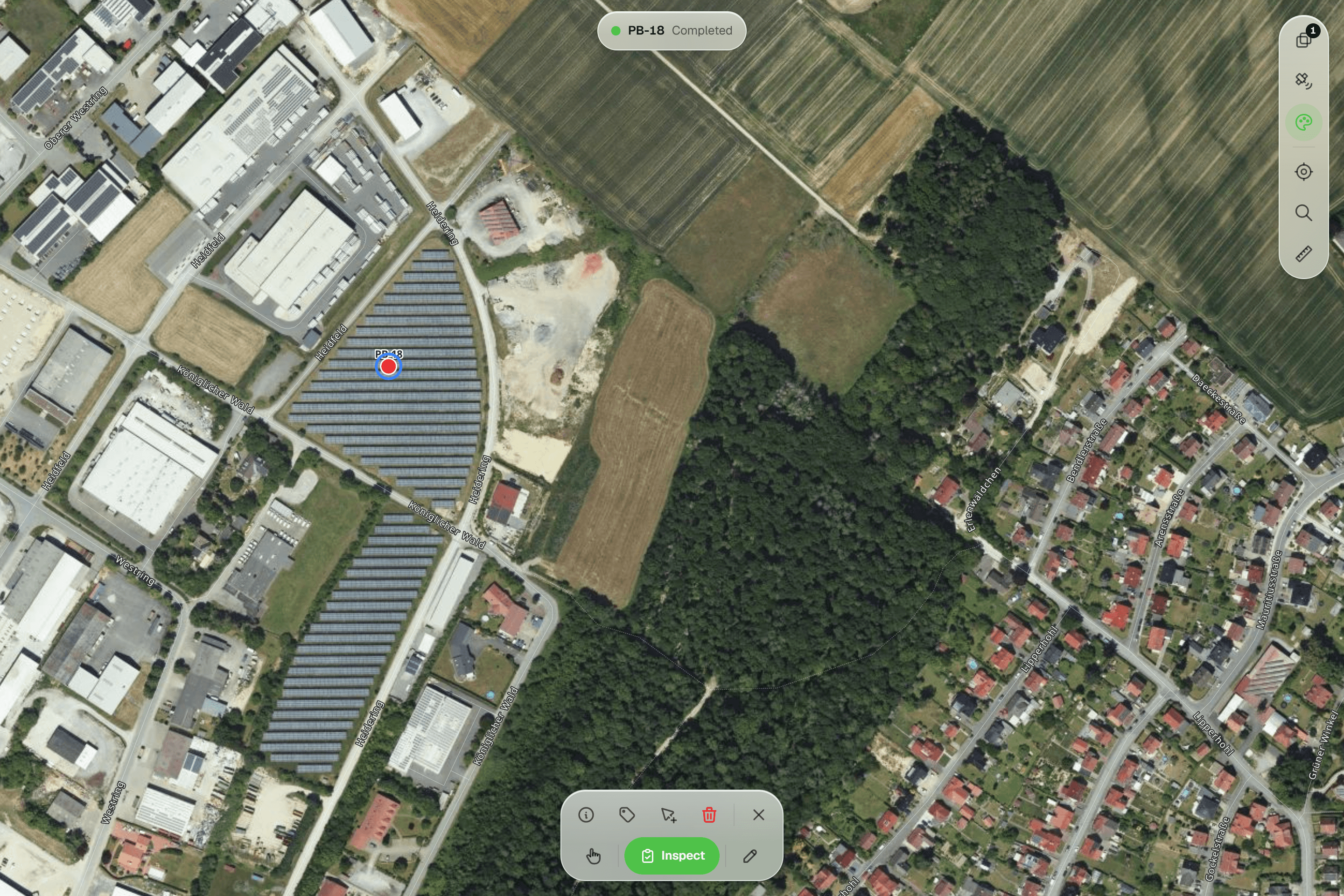
Paper archives answer questions slowly. In Geocadra every inspection stays on the asset's record, with who did it and when, and a new round adds to it instead of replacing it. When a client asks what the condition was last spring, the history answers it.
Fair to say
What paper forms does well
Paper has real strengths. It needs no battery, no signal and no training, it works in rain with the right pen, and everybody understands a checklist. For a one-off check of a handful of assets it is often the right tool. Its costs come later: re-typing, filing, searching, and the lack of any check on whether the form was filled in completely. The larger the round and the more often it repeats, the more those costs add up.
- Equipment
- Clipboard, pen and a camera
- Data entry
- Typed up at the office
- Photos
- A separate camera roll
- Archive
- A filing cabinet
The reality
Where paper forms gets in the way
What a contractor runs into when client rounds run on it.
Every form is typed twice
Someone turns handwriting into a spreadsheet after every round. It is slow work, and every typed value is a chance for a mistake.
The record exists once it is submitted.
Handwriting has to be read
Cold hands, rain and haste make forms hard to read. A misread value becomes a wrong value in the report.
Typed answers and fixed choices, always legible.
Paper gets lost
Forms get wet, blow away or stay in a van. A lost sheet can mean going back to the asset.
Stored on EU servers, not on clipboards.
Photos live somewhere else
Photos are matched to forms afterwards. One mismatch and the report documents the wrong asset.
Photos are taken inside the form.
Nothing is visible until it is typed
A defect found on Monday is in a stack of paper until someone processes it. The client hears about it days later.
The office sees it straight away.
In practice
paper forms and Geocadra on the same job
Playground inspections for a municipality
A contractor inspects a municipality's playgrounds every quarter against EN 1176 and reports defects per site.
With paper formsInspectors fill in a checklist per site and photograph defects. At the office the forms are typed into a spreadsheet, photos are matched by site number and the quarterly report is put together in Word.
With GeocadraEach site and play item is on the map with its inspection form. Defects go into a repeatable block with severity and photos. The quarterly report's defect table and photo appendix read the inspections, and the municipality downloads the PDF itself. See playground inspections.
Seasonal crew on a large survey
A consultancy brings in a seasonal crew for three months of habitat or tree surveys.
With paper formsEach crew member fills in forms in their own way. Data entry falls behind during the season, and unclear forms come back after the crew has left.
With GeocadraEveryone works with the same form, which will not submit incomplete. Data is on the map as the season runs, and the crew can be added for the project only and removed when it ends.
Decision guide
Geocadra or paper forms?
Choose Geocadra if you…
- Spend hours typing up forms after each round
- Repeat rounds on the same assets
- Need photos tied to the right record
- Deliver reports to a client
Choose paper forms if you…
- Do a one-off check of a handful of assets
- Work where no phone can be used
- Have no report or follow-up to deliver
Pricing
paper forms pricing vs Geocadra
Paper looks free. The cost sits in the hours after the round.
- Geocadra
From €49 per seat a month
- Client viewers free: 2 to 10 per seat
- Reports and DXF export included (DXF from Pro)
- 2 months free on annual billing
- paper forms
Paper and printing
- Typing every form into a computer
- Matching photos to forms
- Re-visits for lost or unreadable forms
Switching
From paper to Geocadra
Your paper form is the specification. Rebuild it in the form editor with the same sections and questions, or start from a form in the marketplace. Several are built on an inspection standard such as EN 1176, DIN 1076 or ISA TRAQ. Import the assets you inspect from a GeoPackage, Shapefile, DXF or CSV, and the next round starts on the map. We help with the first form at no cost.
Questions
Geocadra vs paper forms: questions
Will my inspectors manage with an app?
If they can use a phone, yes. The form asks the same questions as the paper one, in the same order, and only the questions that apply. Fields that are required are marked, and the form says what is missing before it submits.
What about places without signal?
Yes, in the mobile app. It saves inspections and photos on the device without signal and sends them when it is back. The web app needs a connection. Unlike paper, nothing gets wet or blows away.
Can you convert our paper forms?
Yes. Send us the form and we build the first one with you in the form editor, at no cost. The marketplace also has ready-made forms, several built on an inspection standard.
Do you have forms for inspection standards like EN 1176 or DIN 1076?
The standards library describes each standard and what Geocadra records for it, and the form marketplace has forms built on several of them. Adapt one to your house style rather than starting from scratch.
What if a phone breaks or gets lost?
Submitted inspections are stored on Geocadra's servers in the EU, not on the phone. Sign in on another device and carry on. A lost clipboard, by contrast, takes its forms with it.
How do I justify the cost against paper?
Count the hours your team spends after a round: typing, matching photos, chasing unreadable forms and writing the report. Compare that with a seat from €49 a month. Client logins are free on every plan, 2 to 10 per seat.
See Geocadra next to paper forms
Run one real round in Geocadra during the 14-day trial and compare for yourself. No credit card needed.
No credit card requiredFree trial included