



Find the features that matter
Filter by attribute, status and inspection date on the map and in the grid, and search the feature table on every layer, without writing a query.
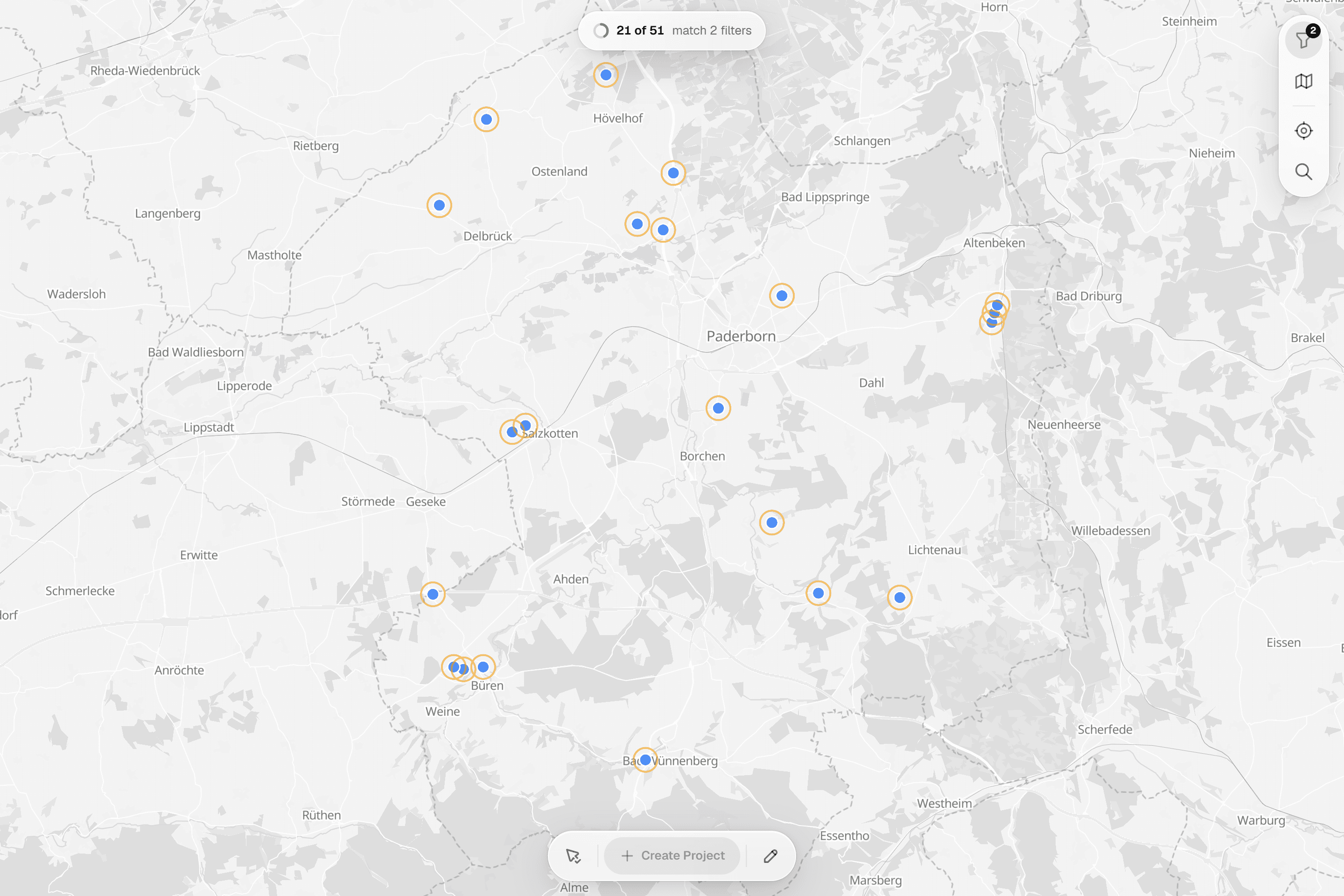
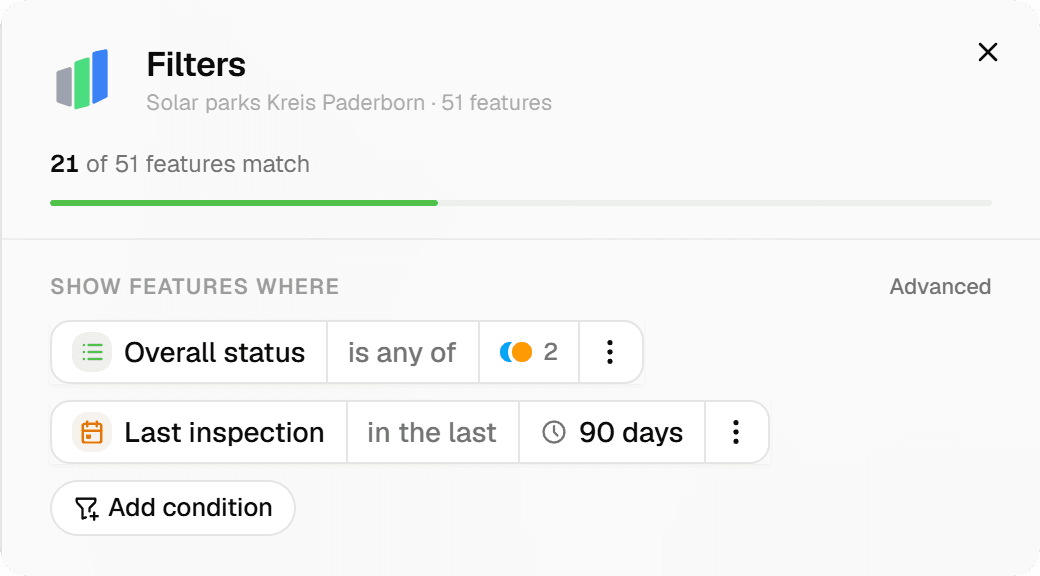
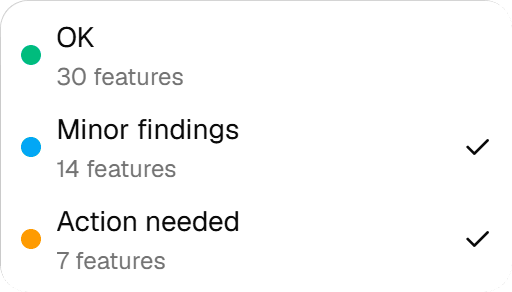
A layer with thousands of features is only useful if you can narrow it down: the trees never inspected, the rows where a required field is still empty, the assets of one client. Geocadra puts filters where you work: an attribute filter panel on the workspace map, status chips and per-column filters in the feature grid, and a searchable table on every layer.
The problem
Finding a subset should not need a GIS specialist
Asking 'which features have condition poor and were last inspected before 2024?' usually means writing a query in a desktop GIS or scrolling through a spreadsheet export. Field teams and project leads rarely have either the tools or the time, so the question goes unanswered and the work gets planned from memory.
The solution
Filters built visually, where you need them
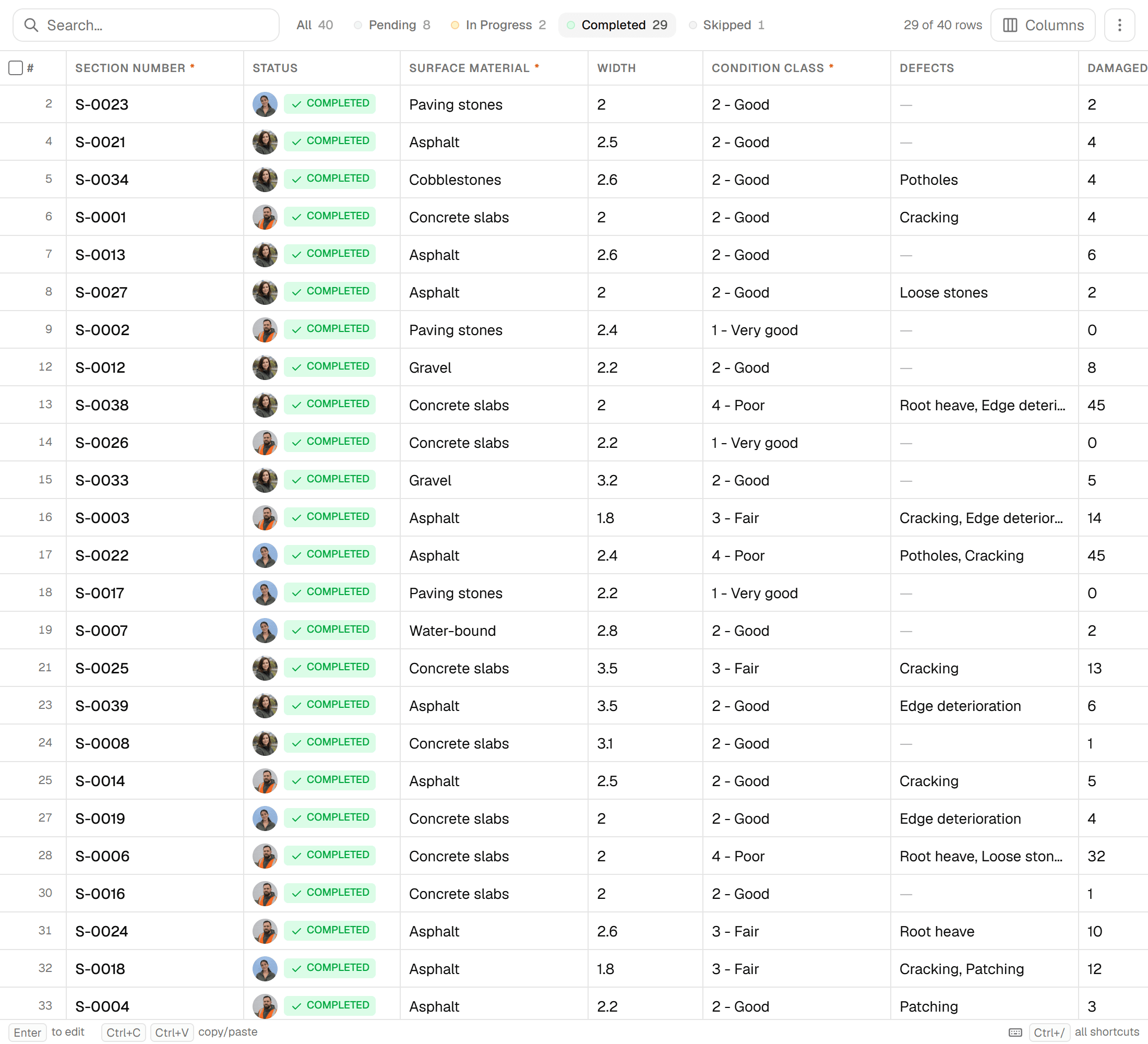
On the workspace map each layer has a Filter panel: pick a field, choose a value or a comparison, stack more conditions on the same layer, and the map shows only what matches all of them. Temporal filters cover 'Recently updated', 'Stale data', 'Inspected between' two dates and whether a feature was inspected at all. In the project grid, status chips and per-column filters narrow the rows, and a selection can then be changed in bulk.
Key benefits
- Operators: is, is not, more than, at least, less than, at most, contains, is one of, has a value, has no value
- Several conditions per layer, applied together
- Temporal filters: 'Recently updated', 'Stale data', 'Inspected between'
- Status chips: All / Pending / In Progress / Completed / Skipped
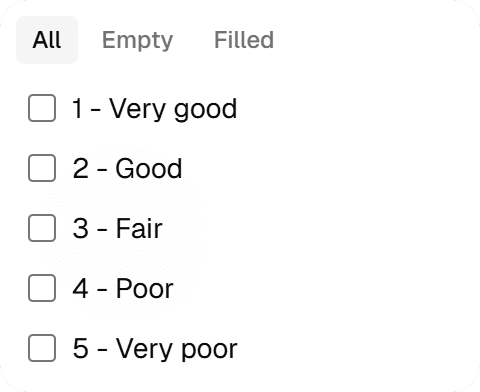
- Per-column grid filters: All / Empty / Filled, 'Contains…', Min/Max
- Organization filter on the map, layers and projects
Common Use Cases
- 01
What has never been inspected
Open a layer's Filter panel on the workspace map and set inspection status to never inspected, or 'Inspected between' two dates to find the features a round missed. Click any result to open its detail sheet on the 'Submissions' tab.
- 02
Closing gaps before delivery
In the feature grid, switch a column's filter to Empty to list every row where a field is still missing. Select the rows and use the bulk bar to set one value across all of them, or change their status.
- 03
One client at a time
The organization filter on the workspace map, the layers list and the projects list reduces everything to a single client, so a contractor serving several municipalities never mixes them up.
- 04
From a subset to a project
On a layer's Data tab, search the feature table, tick the rows you need (the selection is shared with the Map tab) and press 'Create Project' to start an inspection round on just those features.
Frequently Asked Questions
Which operators can I use?
is, is not, contains and is one of for any field; more than, at least, less than and at most for numbers; has a value and has no value for fields that are not filled on every feature. Each condition targets one field, and the conditions you add to a layer apply together: a feature must match all of them.
Can I filter by when a feature was last inspected?
Yes. The Filter panel on the workspace map includes temporal filters: 'Recently updated', 'Stale data', 'Inspected between' two dates, and inspection status inspected or never inspected.
Does the feature grid have its own filters?
Yes. Status chips (All / Pending / In Progress / Completed / Skipped) and a filter per column with All / Empty / Filled modes, 'Contains…' for text, Min/Max for numbers and searchable option checklists for select fields. Which columns are visible is remembered in your browser per project and layer.
Can I filter what goes into an export or a report?
By layer, yes: in 'Advanced' mode every layer has a checkbox, and 'Sub-layers by' fans a layer out into DXF sub-layers by the values of one property. Map filters do not carry over into exports. Map figures inside reports accept attribute filters and can focus on specific tree numbers.
Can I select features directly on the map?
On the project map, tap to select, Ctrl-click to add, or switch to rectangle mode and drag. The selection stays homogeneous by form, so a batch inspection always applies exactly one form.
Explore More Features
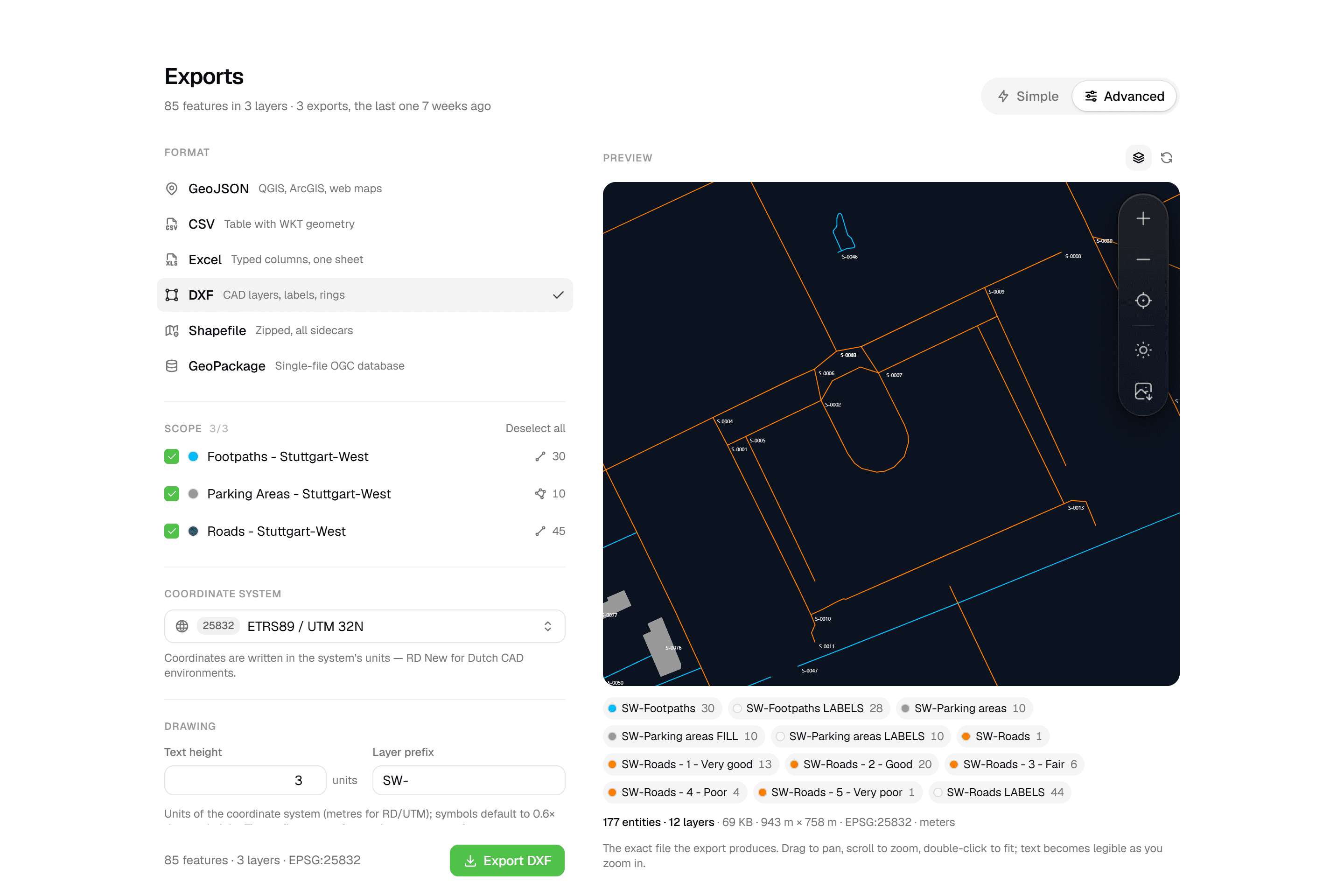 CAD-ready DXF, plus five data formatsLayered DXF with labels, rings and fills, previewed in the browser before you download. GeoJSON, CSV, Excel, Shapefile and GeoPackage on every plan.
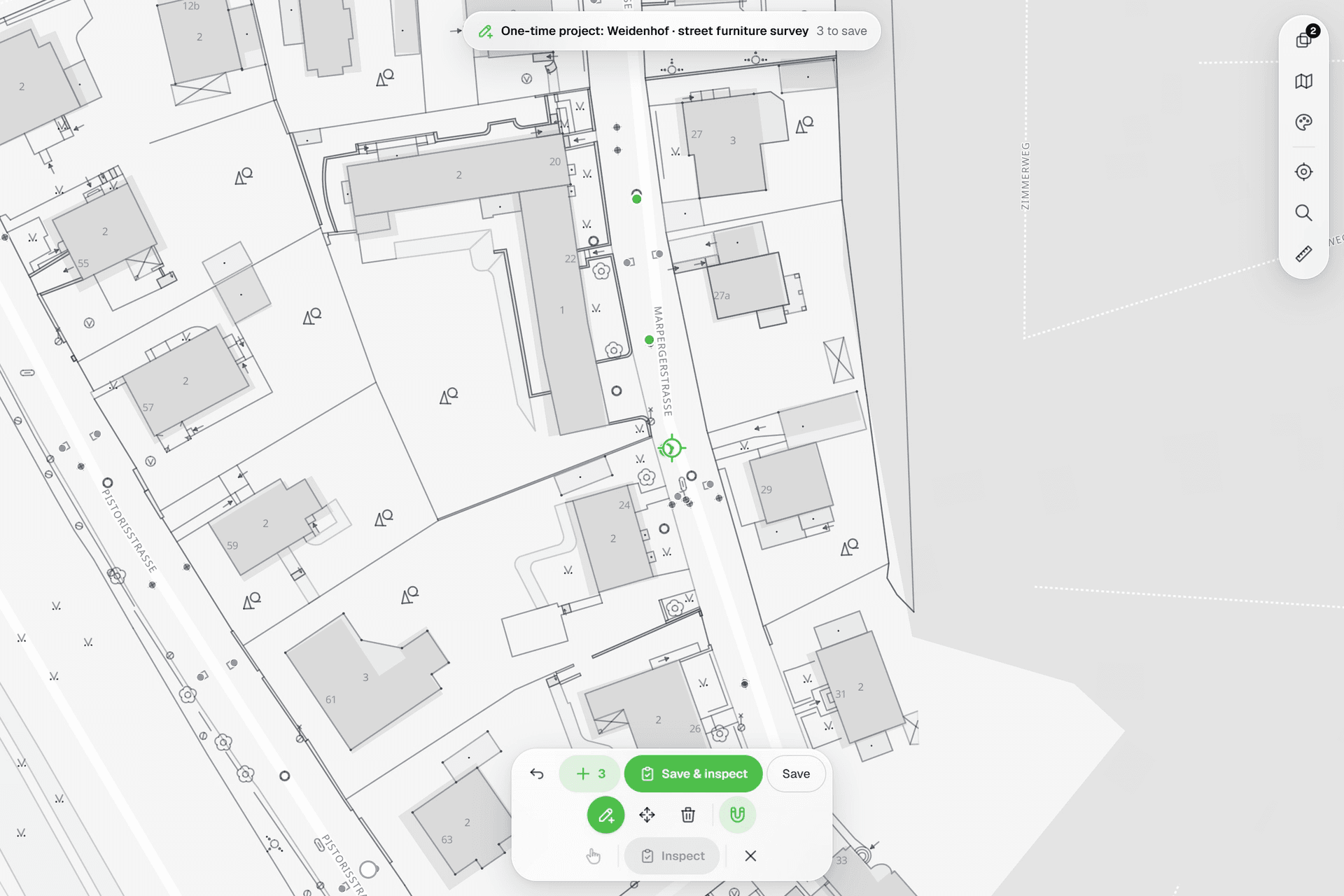 See everything on the mapPoints, lines and polygons over street maps, aerials, BGT and any CAD drawing you upload as reference. Place and correct geometry with a crosshair that snaps to the drawing.
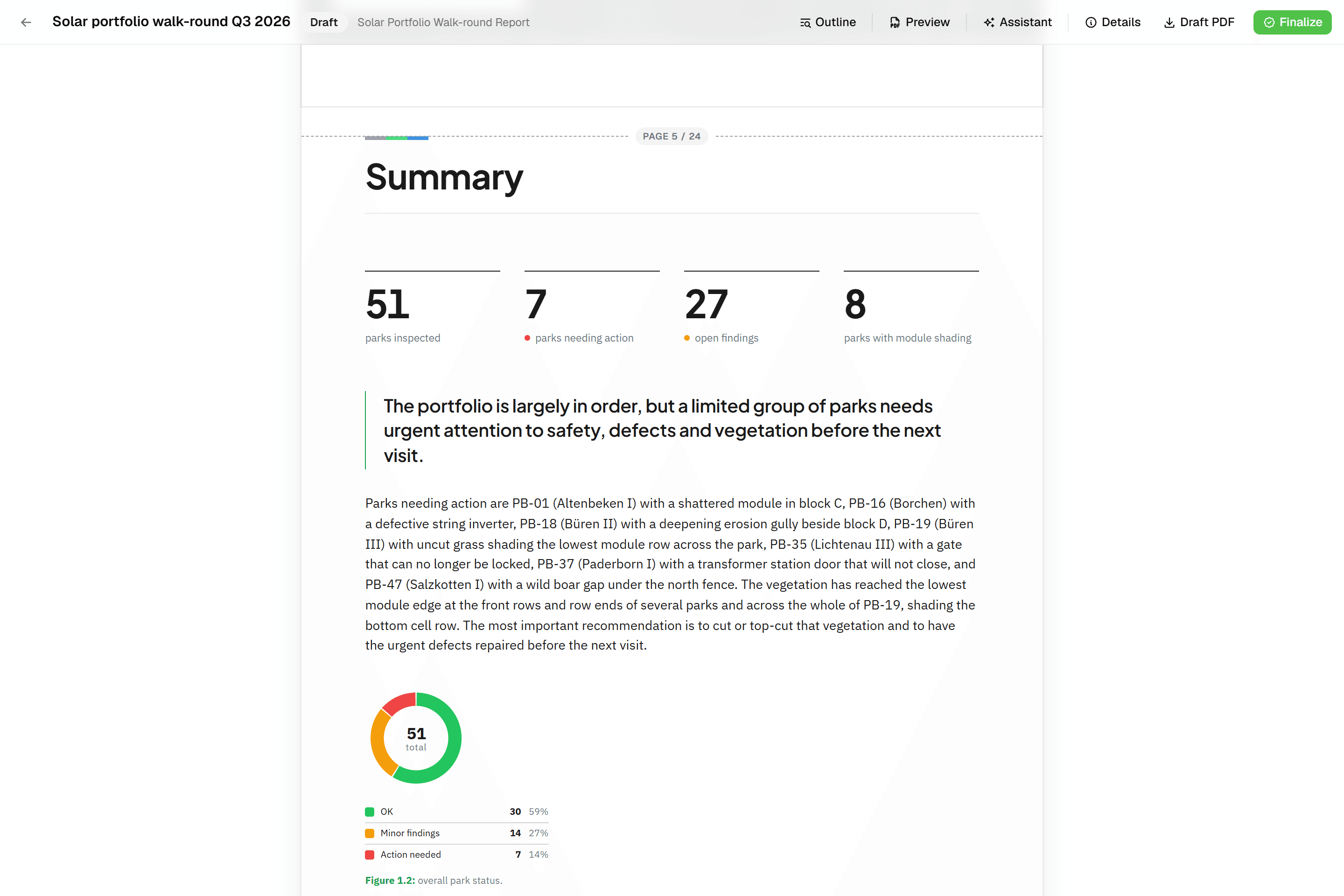 Reports that assemble themselvesBlock-based reports with live data tables, photo appendices, map figures and an AI assistant. Live PDF preview; finalize to an immutable PDF, revise as rev. B.
Try it on your own data
Set up a project and see your own data on the map. Free for 14 days, no credit card.
No credit card requiredFree trial included