
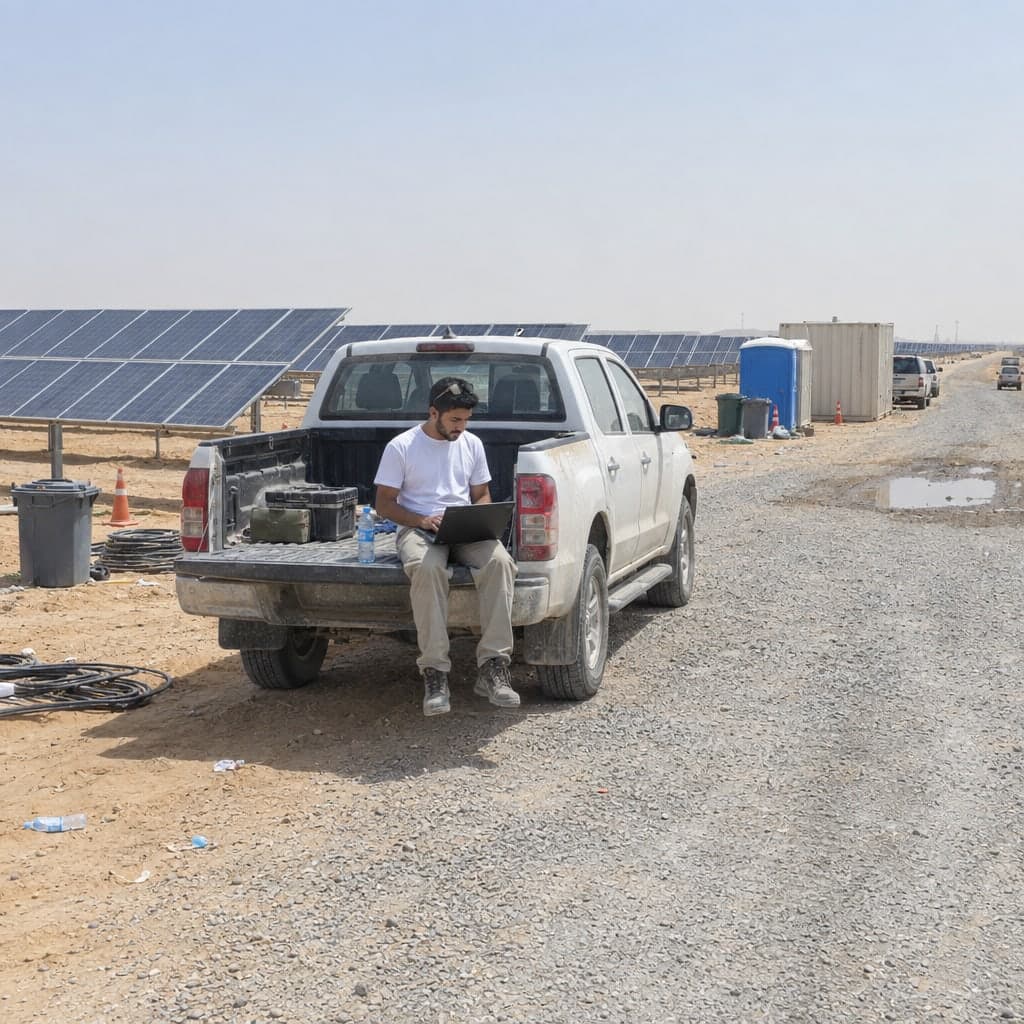
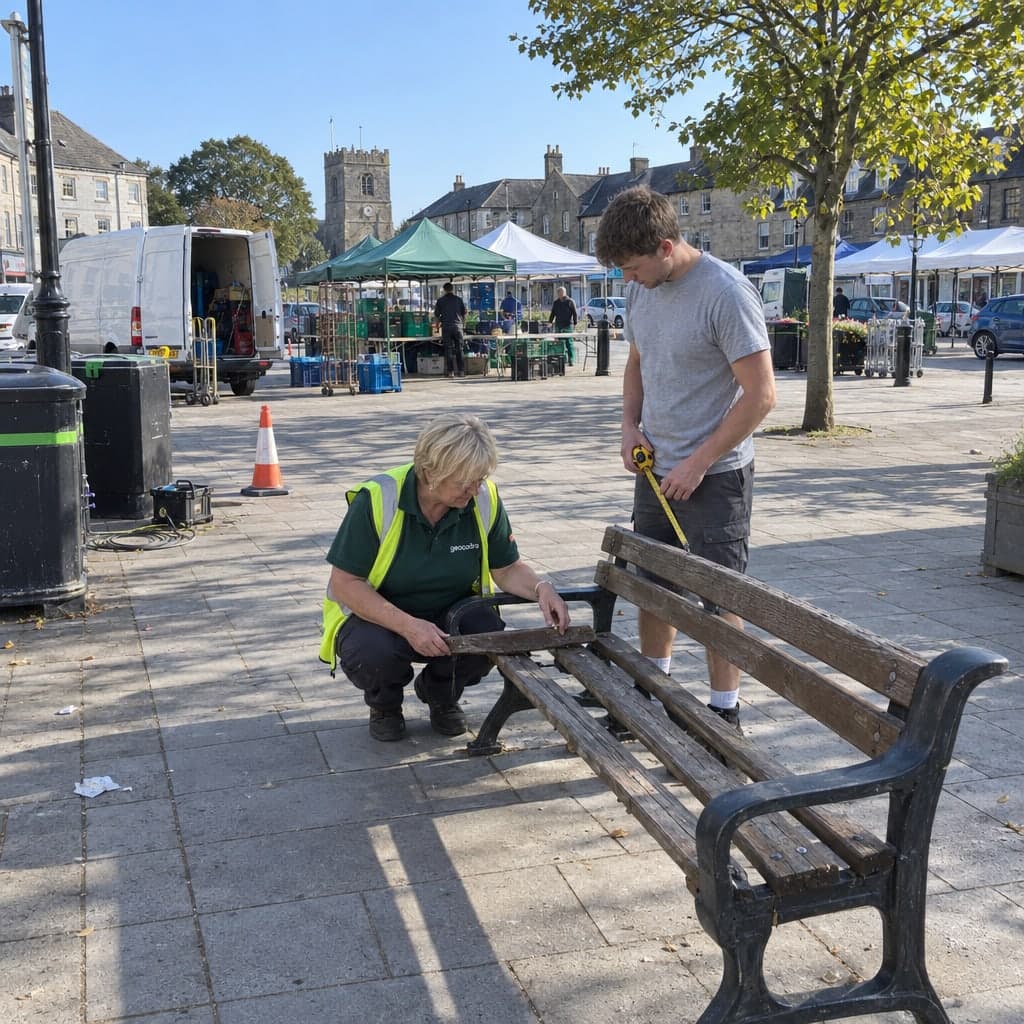
Field inspections, one or a hundred at a time
Select features on the map, open one sheet, and either step through them one by one or apply the same values to all.
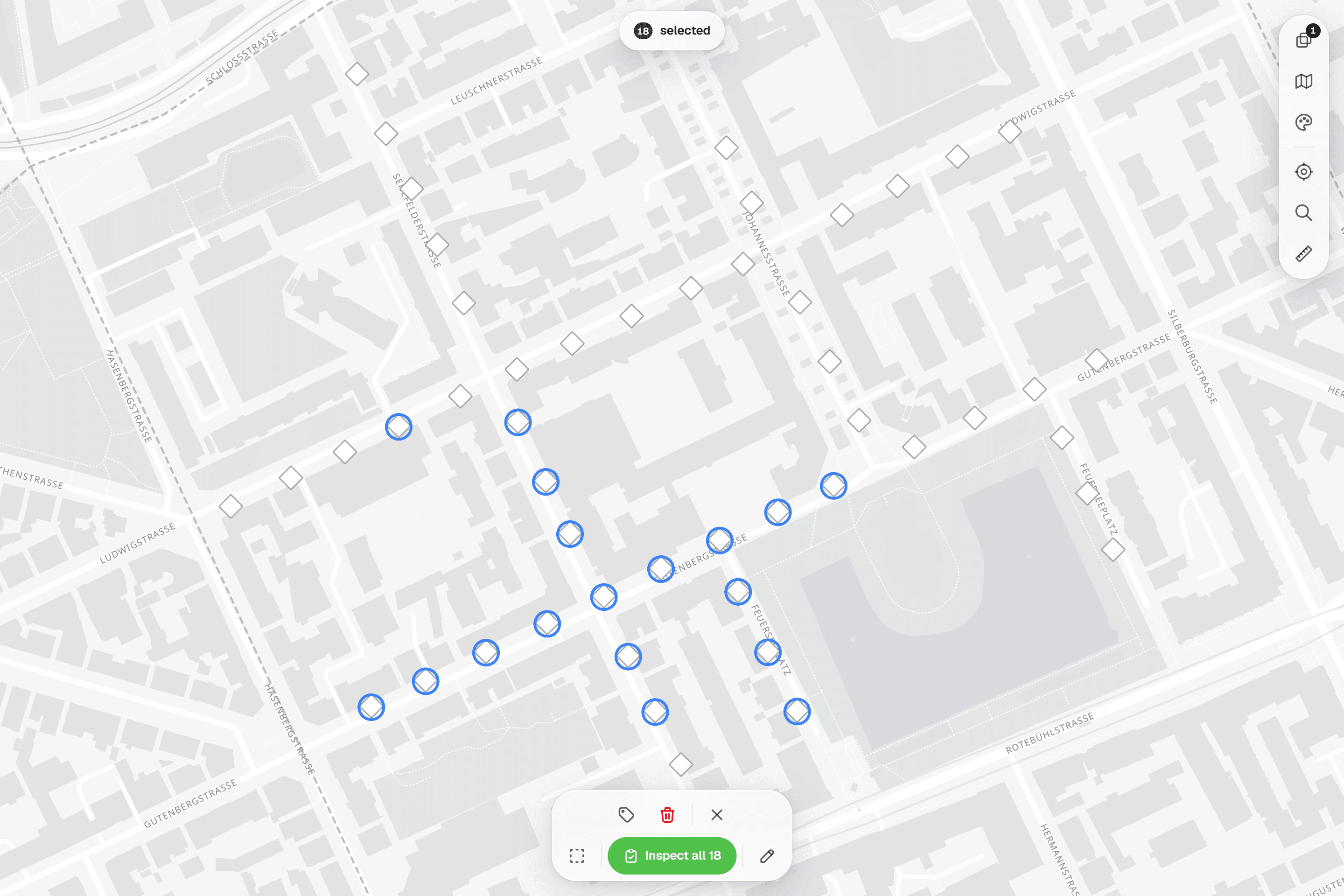
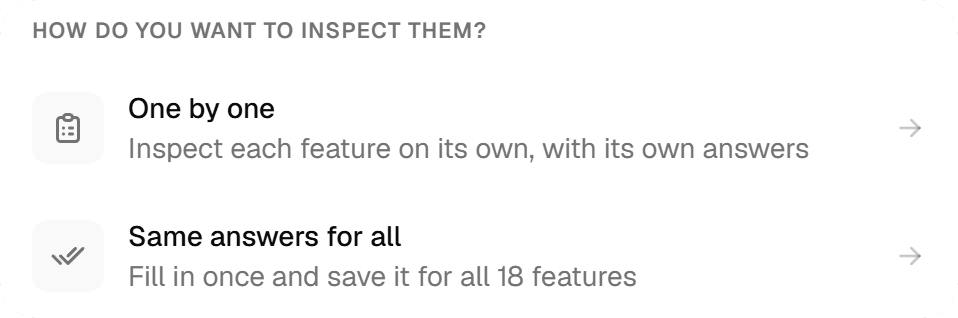
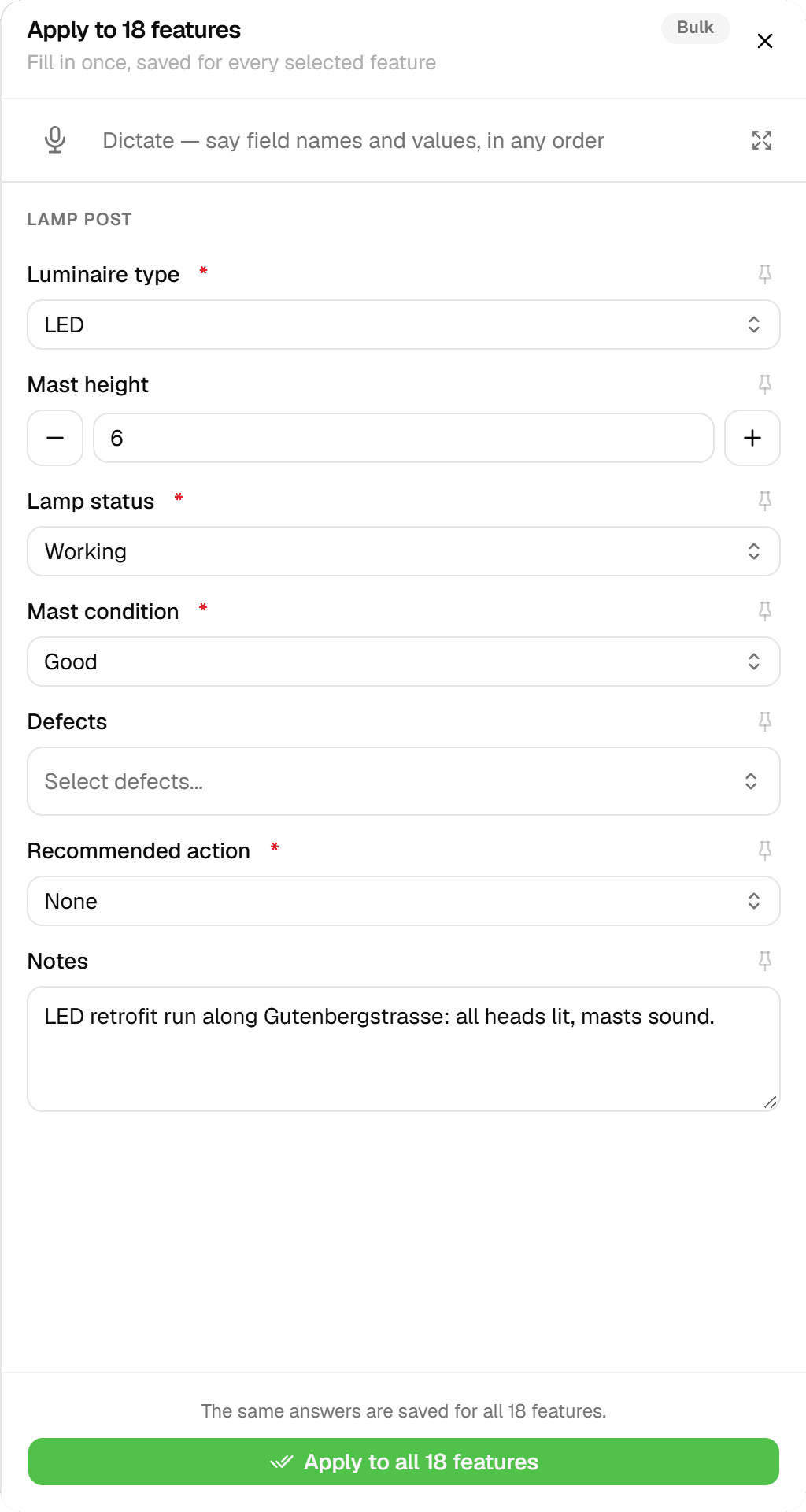
An inspection in Geocadra is a form submission tied to a feature. Sections become tabs, required fields and ranges are checked before submit, and photos and a drawn signature go in the same sheet. Select up to 100 features and choose 'One by One' or 'Apply Same to All'.
The problem
The fieldwork scales; the admin doesn't
Past a few dozen objects the effort of a survey shifts from the field to the admin: which trees are done, which were skipped and why, and whether two colleagues filled the same field the same way. A spreadsheet can't refuse an empty required field or a value out of range, so the gaps only surface when the report is due.
The solution
A sheet that knows which feature it belongs to
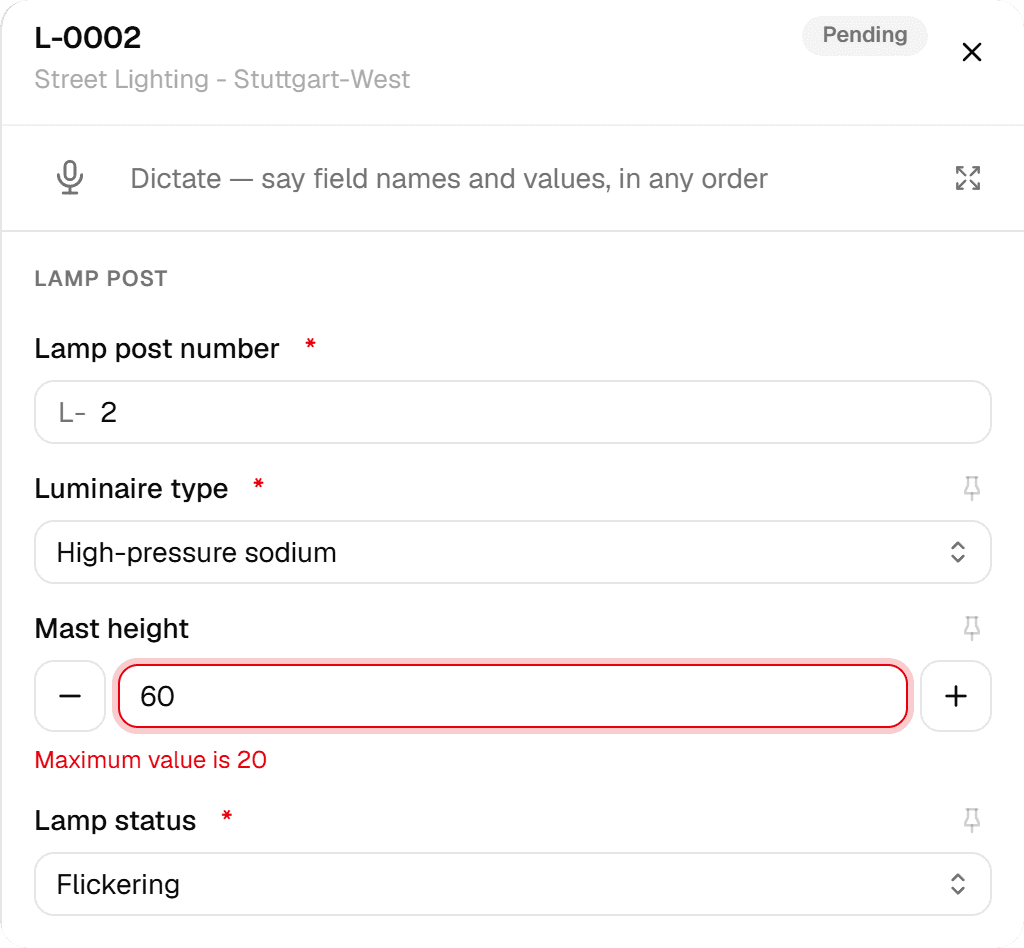
Each layer in a project binds its own inspection form, so tapping a feature opens exactly the right sheet. Validation happens there: required fields, number and range limits and half-filled range pairs all block the submit. Status is earned rather than ticked, because a feature only becomes Completed by submitting an inspection. Every submission is kept, so nothing is ever overwritten.
Key benefits
- 'One by One' or 'Apply Same to All' for up to 100 features
- Required fields and ranges checked before submit
- Completed is earned by submitting, never ticked by hand
- Every submission kept, with who and when
- Pin a value to carry it into the next inspection
- Android app (early access) queues saves until it's back online
How It Works
- 01
Select what to inspect
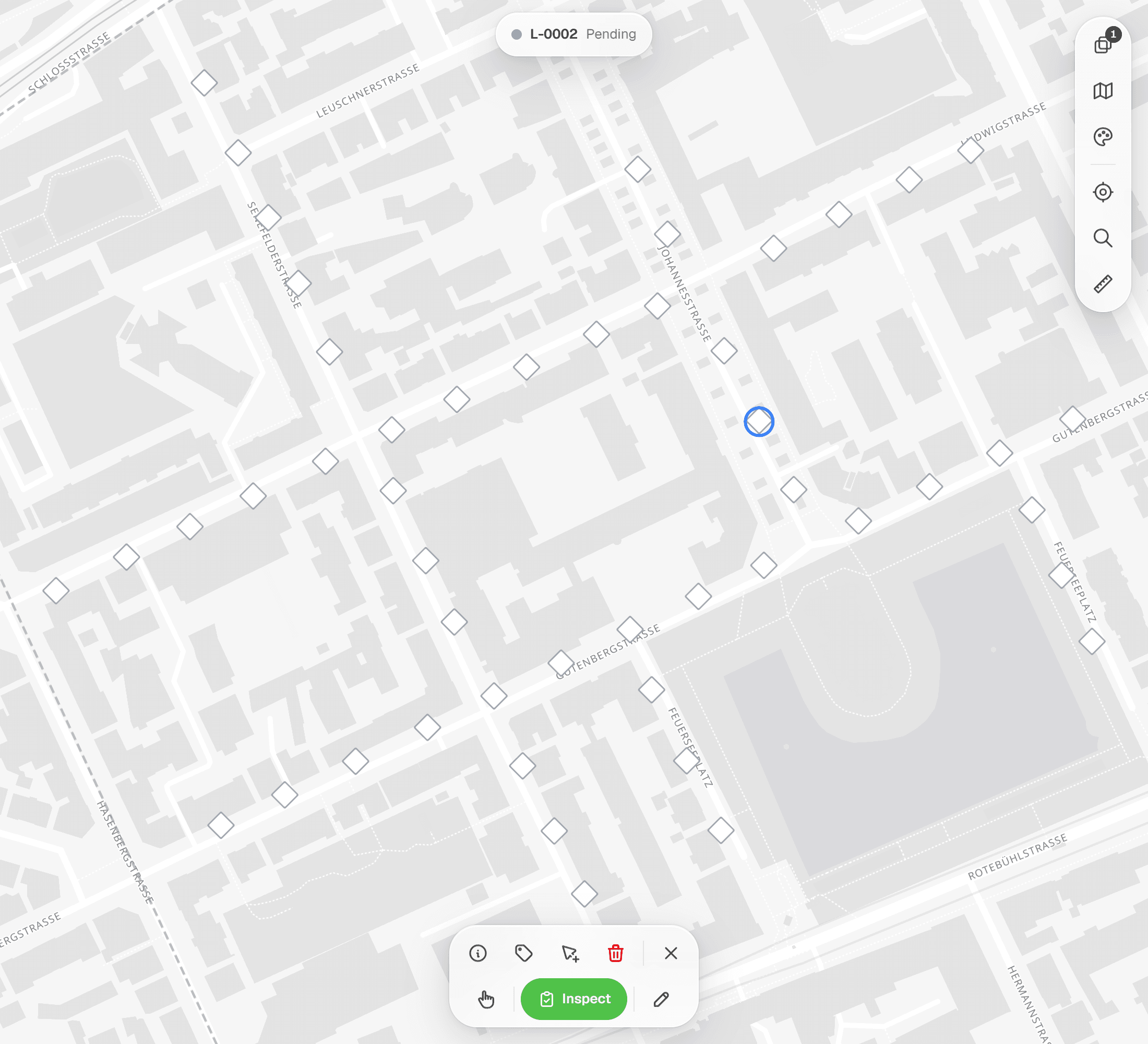
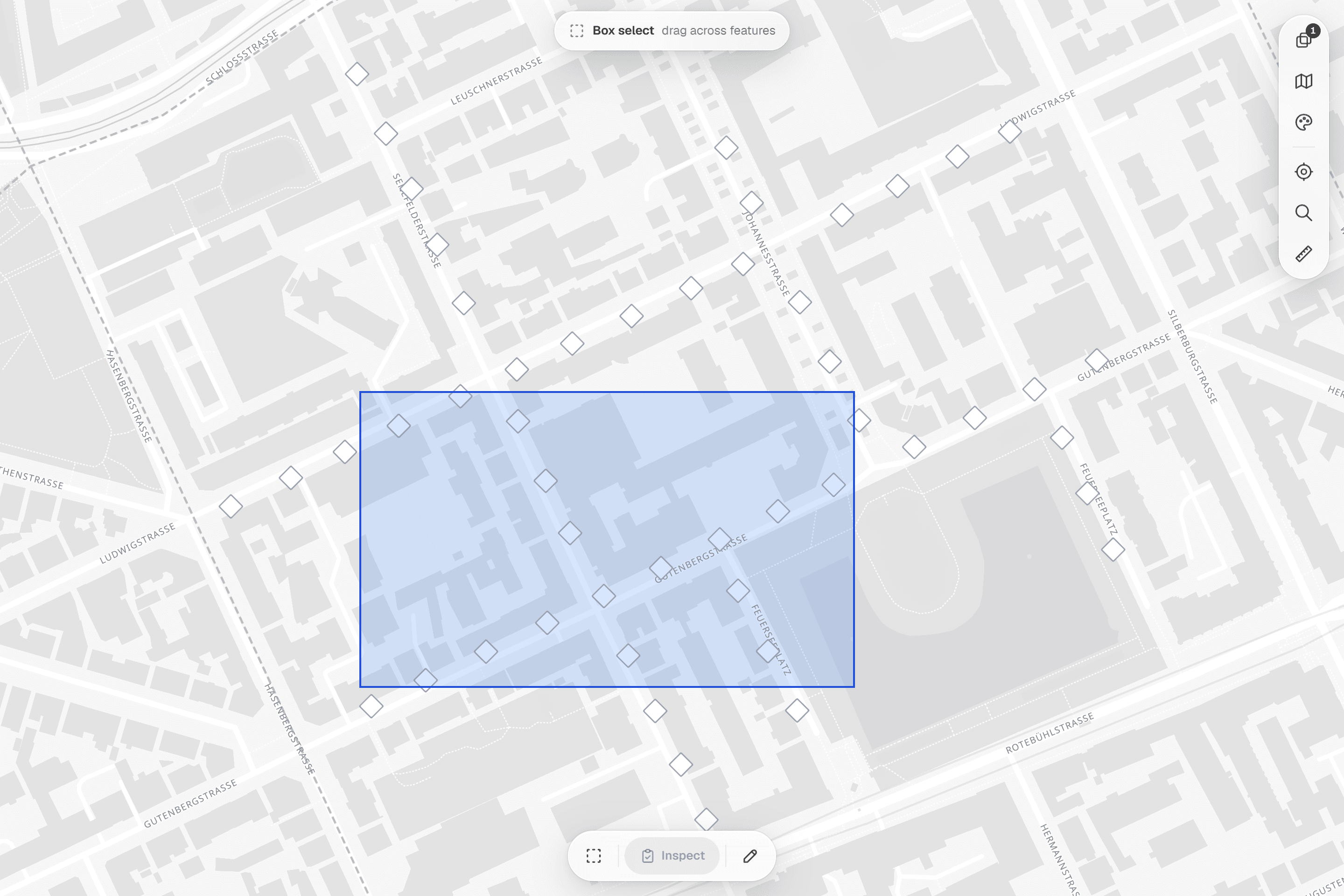
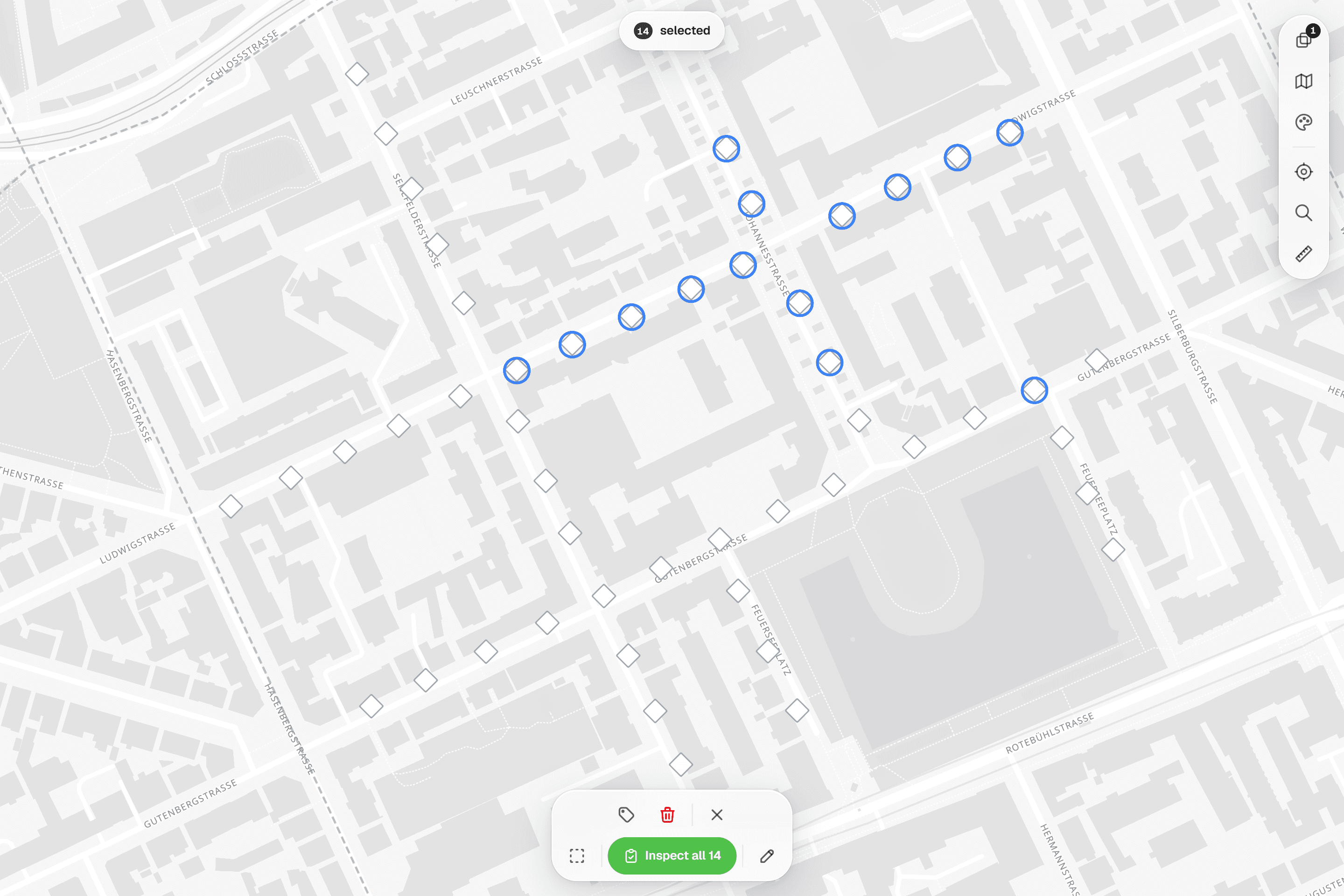
Tap a feature, Ctrl-click (or the 'Add to selection' toggle) to add more, or switch the bottom bar to rectangle mode and drag across a whole row. The pill at the top of the map shows '3 selected', a 'Details' card shows the selected feature's current values, and a selection automatically stays within one form so a batch always gets one sheet.
- 02
Fill the sheet once, or per feature
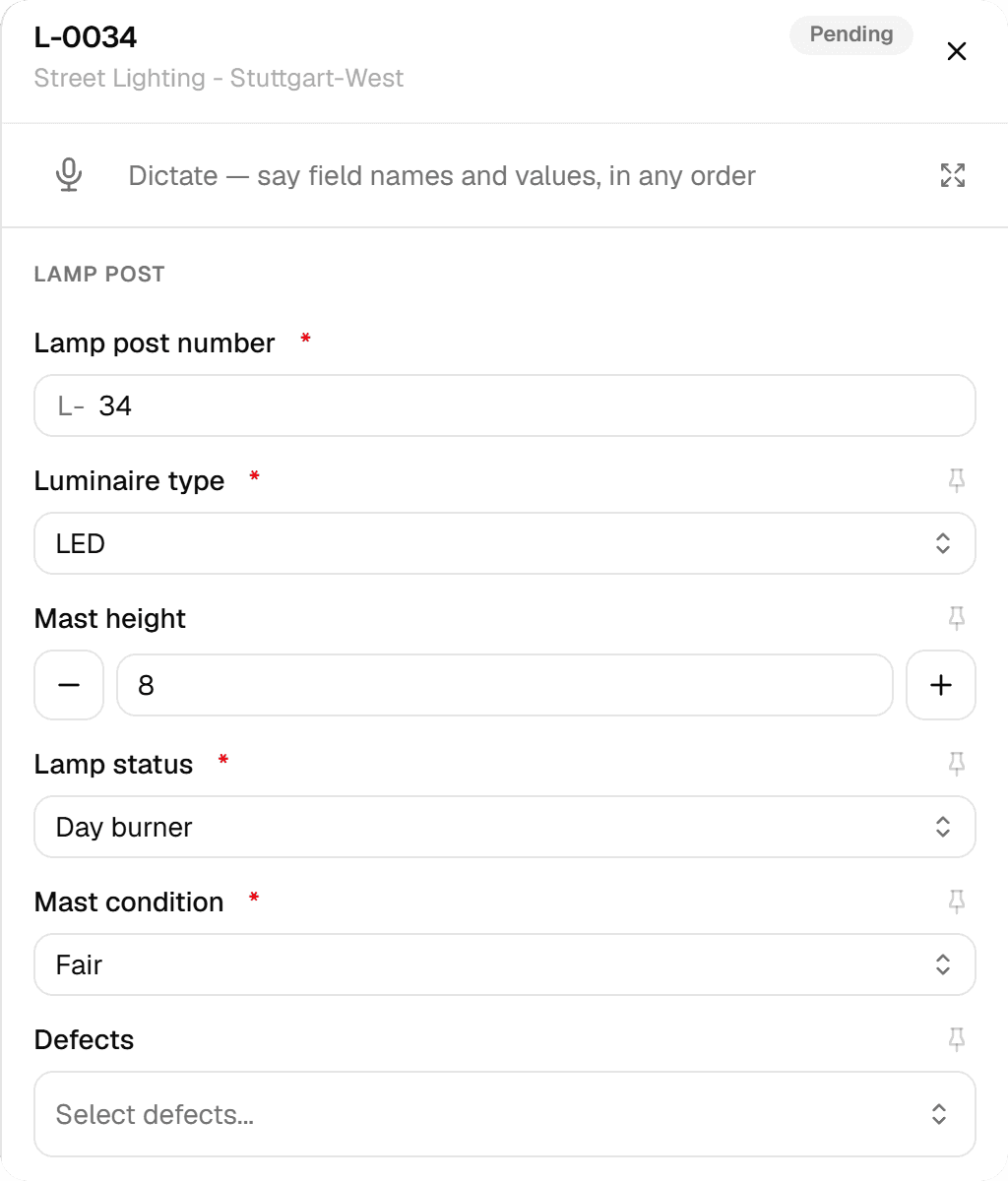
Press Inspect. With several features selected you choose 'One by One', where each feature gets its own values with Previous/Next and a progress indicator, or 'Apply Same to All', which you fill out once to apply identical values to all N features; per-feature fields such as IDs and photos are left out of the apply-all form. Sections are tabs with error markers, repeatable groups add rows, image fields take a file or the camera, and a signature is drawn on screen.
- 03
Status follows the work
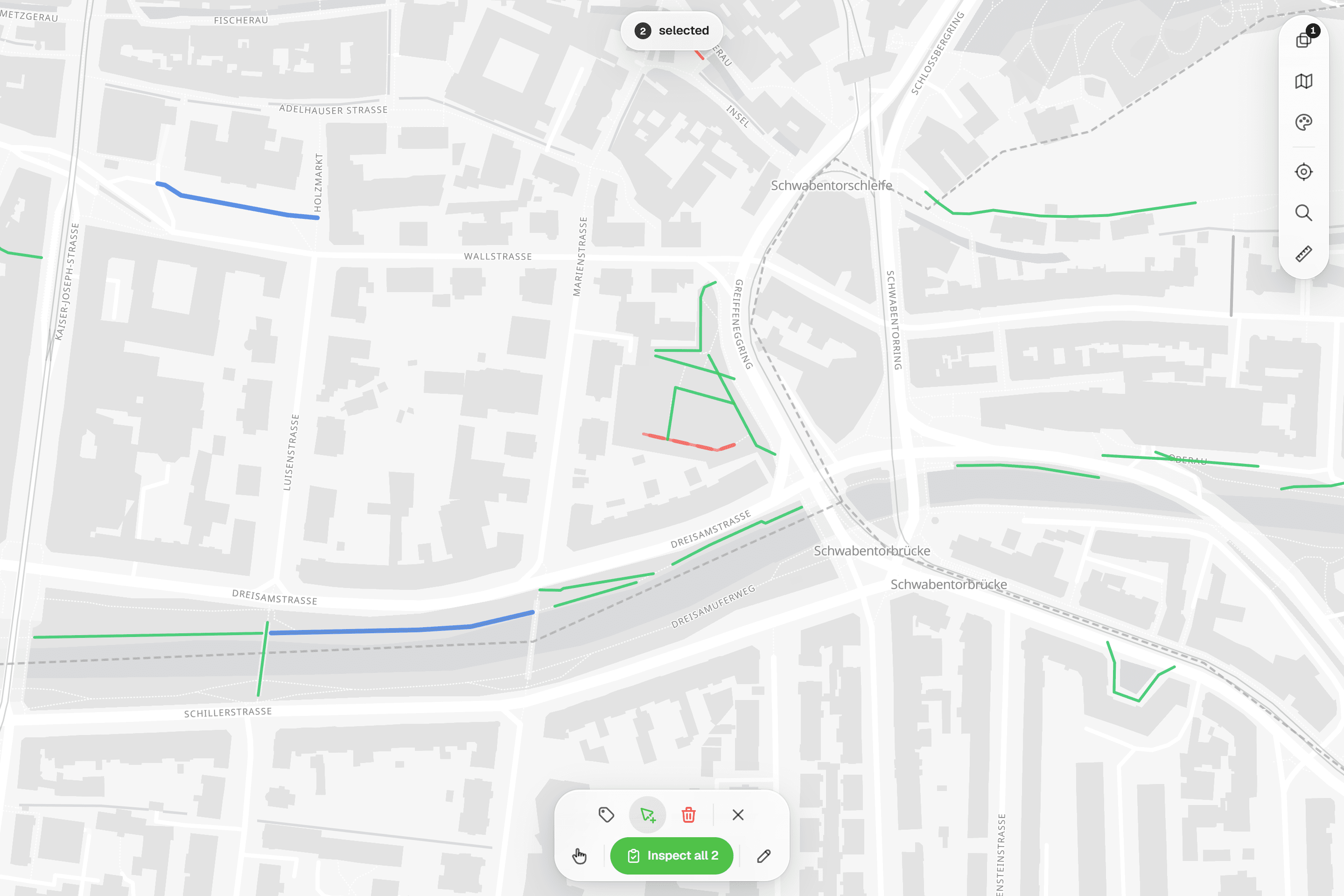
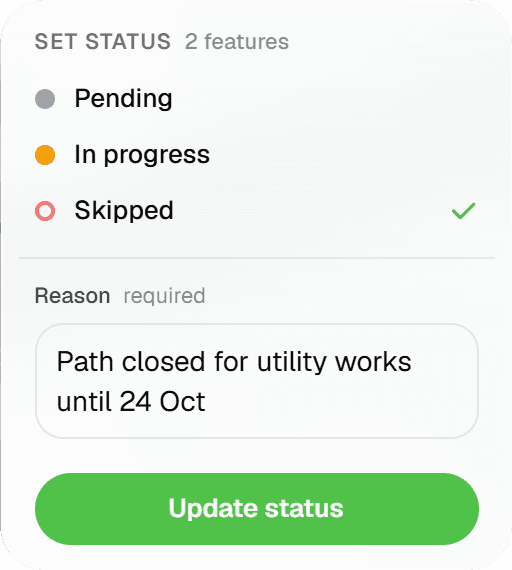
Submitting marks the feature Completed and turns it green on the map. Pending, In Progress and Skipped can be set by hand on up to 100 features at once (Skipped asks for a reason), but Completed can't be ticked. Each submission appears in the feature's 'Form Submissions (N)' timeline with who and when, and a retried save after a lost connection returns the original result instead of a duplicate.

Common Use Cases
- 01
Tree assessments, tree by tree
Select a street of trees, choose 'One by One' and work through trunk, crown and condition fields with Previous/Next. Pin the species or planting year so it carries into the next tree; values already on a tree always win over the pin.
- 02
Public-space inventories
Lighting, benches, bins, paving: select by rectangle, 'Apply Same to All' for the identical ones, then correct the exceptions individually. IDs and photos stay per feature.
- 03
Trial trenches and site observations
Repeatable groups record each layer found, number fields keep their limits and decimals, and photos plus a drawn signature complete the record. The report engine can later give each trench its own page.
- 04
Second rounds
Because inspections are append-only, a second round is simply another submission; the timeline keeps both. On the Android app a re-inspection opens prefilled with the feature's current values.
Frequently Asked Questions
Does it work without a connection?
The web app needs a connection. The Android app (early access, by invitation) saves instantly and queues the inspection in a persistent outbox that retries every 30 seconds and survives restarts; photos upload in a background queue, and an inspection is only submitted once its photos are up. Taking or picking a photo, creating or moving features and changing statuses still need a connection.
Can I save a half-finished inspection?
Not on the web, where the sheet validates when you submit. On the Android app, typed values are kept as a draft per feature on the device, so an app kill or a phone call doesn't lose them. To flag unfinished work, set the feature to In Progress by hand.
Can I inspect the same feature again?
Yes. Every submit is a new inspection row; nothing is overwritten. The feature shows a 'Form Submissions (N)' timeline with who and when, plus an attribute-level history view, and corrections made in the spreadsheet view carry a 'Corrected' badge. Exports and reports use the latest inspection per feature.
What can a form contain?
Twelve field types: Text, Textarea, Number, Yes/No, Single Select, Multi Select, Date, Date & Time, Images, Signature, Computed and Range, organised in sections with repeatable blocks. Number and Range fields take min, max, step and decimals; computed fields calculate from other fields; a Yes/No field can set other fields to N.v.t. in one go. Forms are built in the form builder and bound per layer.
How do pinned values work?
A pin icon on a field carries its value into the next inspection with the same form, handy for species, material or inspector name. Existing values on a feature always win over pins, pins last for the session only, and they're not available on ID, computed, image or signature fields or inside repeatable groups. The Android app adds 'Use as template' to pin every filled value at once.
How do I split the work across colleagues?
Add colleagues to the project as Editor ('Can inspect and edit') or Viewer. There is no per-feature assignment; crews split by area or selection, and the project Overview shows progress, the status breakdown, inspections per day and a pace line: '~12/day · at this pace done ~28 Nov'. Client contacts can follow along as free viewers; your plan allows 2, 4 or 10 per purchased seat.
Explore More Features
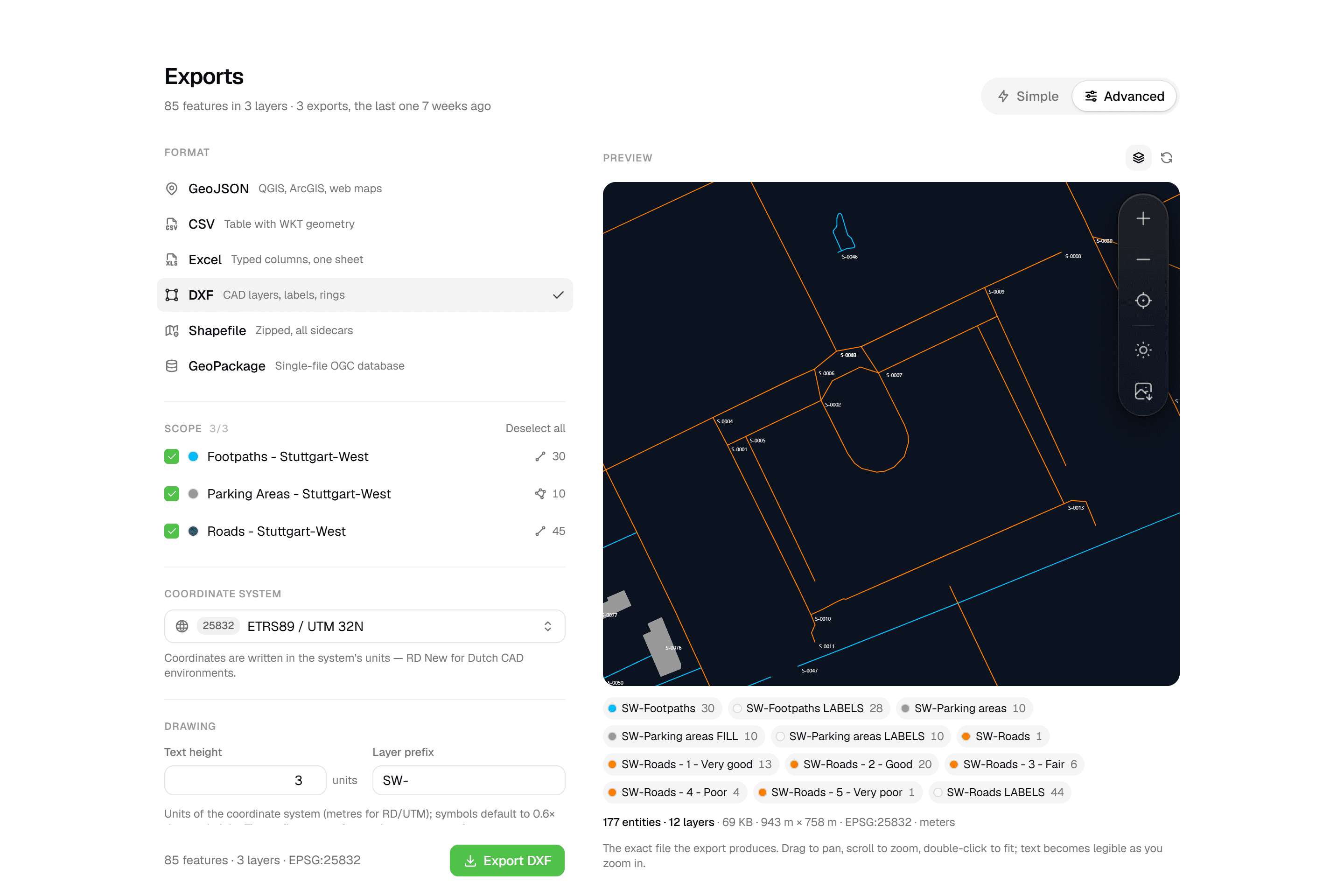 CAD-ready DXF, plus five data formatsLayered DXF with labels, rings and fills, previewed in the browser before you download. GeoJSON, CSV, Excel, Shapefile and GeoPackage on every plan.
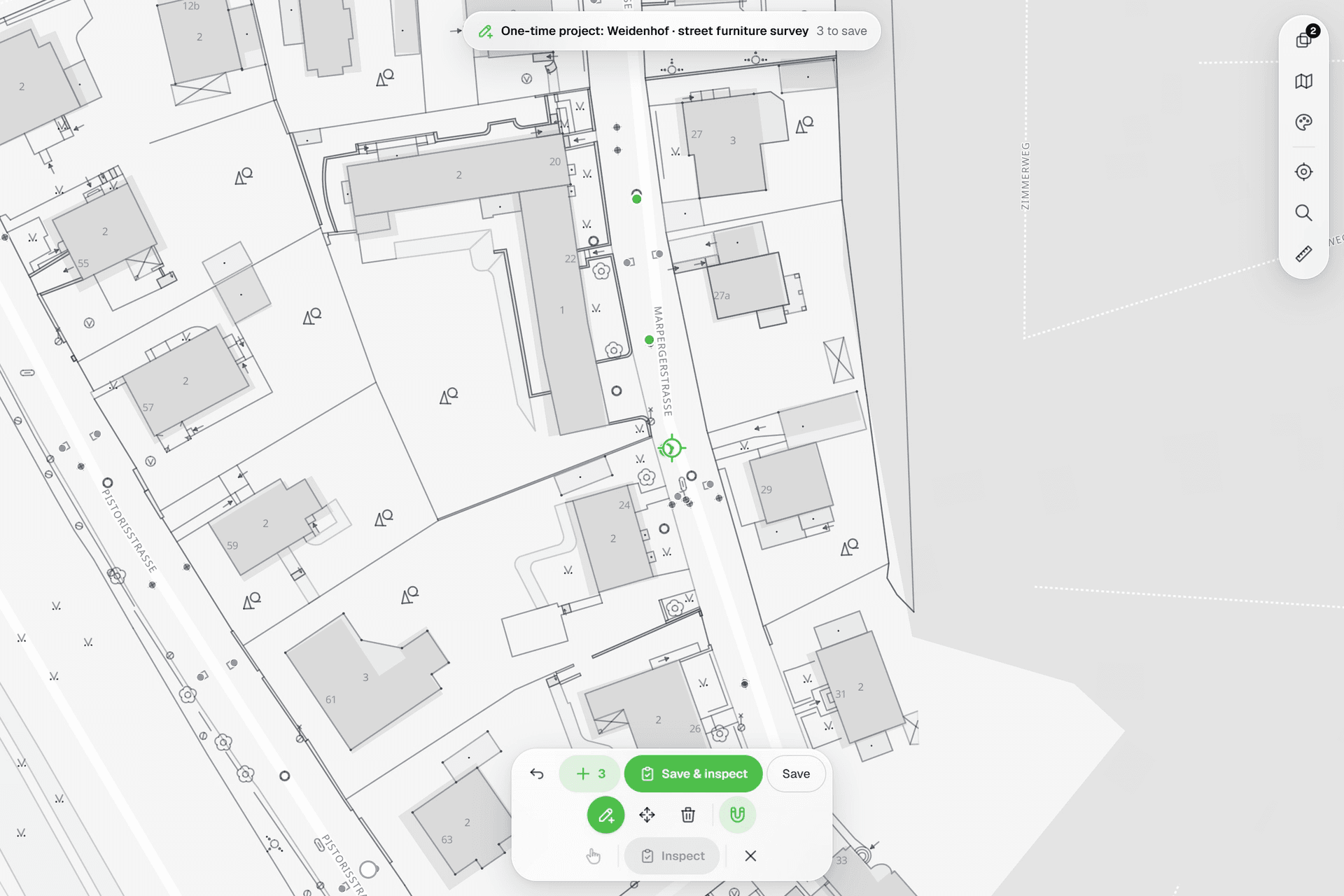 See everything on the mapPoints, lines and polygons over street maps, aerials, BGT and any CAD drawing you upload as reference. Place and correct geometry with a crosshair that snaps to the drawing.
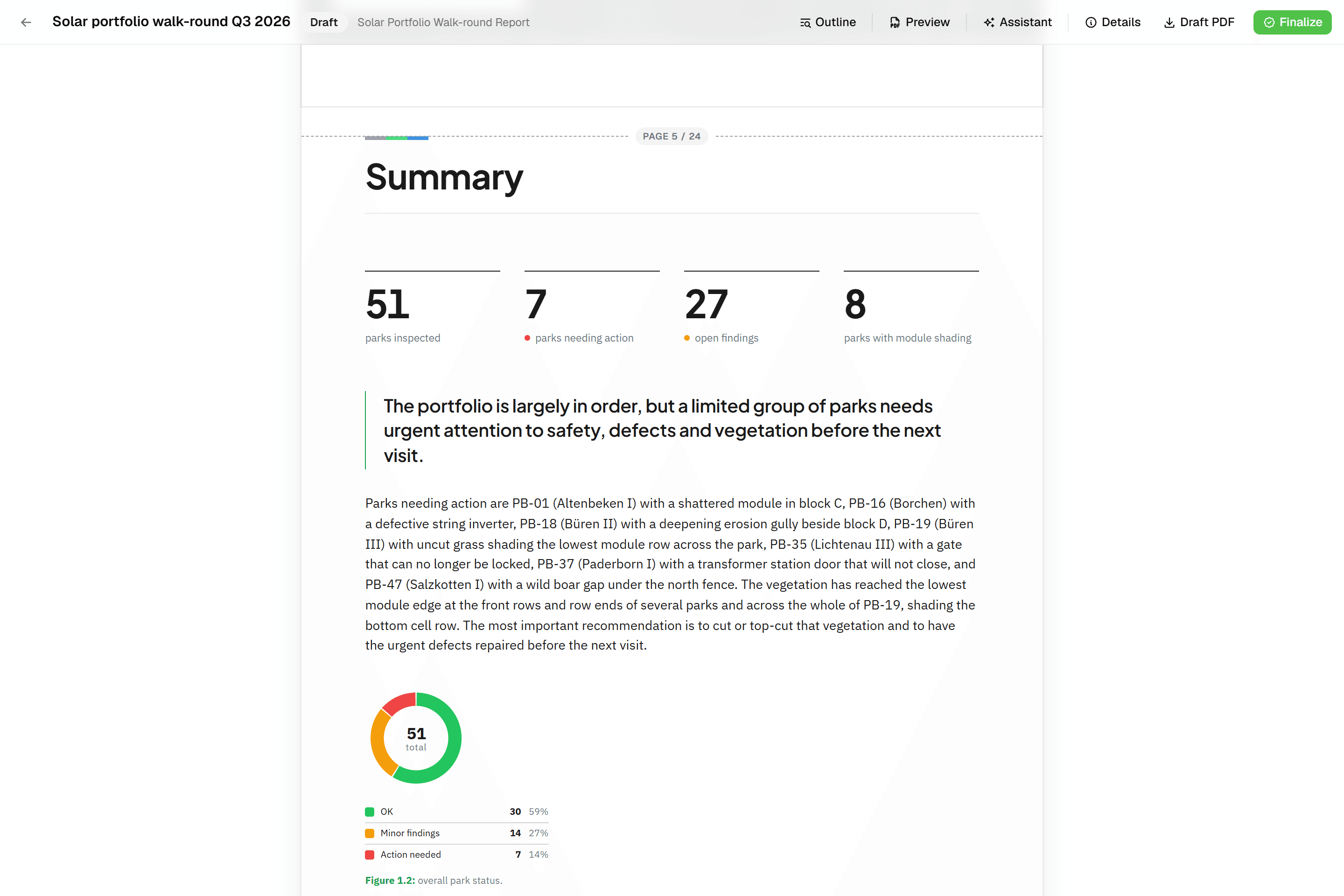 Reports that assemble themselvesBlock-based reports with live data tables, photo appendices, map figures and an AI assistant. Live PDF preview; finalize to an immutable PDF, revise as rev. B.
Try it on your own data
Set up a project and see your own data on the map. Free for 14 days, no credit card.
No credit card requiredFree trial included