



Features
Everything you need. Nothing you don't.
Built for contractors, consultants and asset owners who need professional tools without the enterprise complexity.
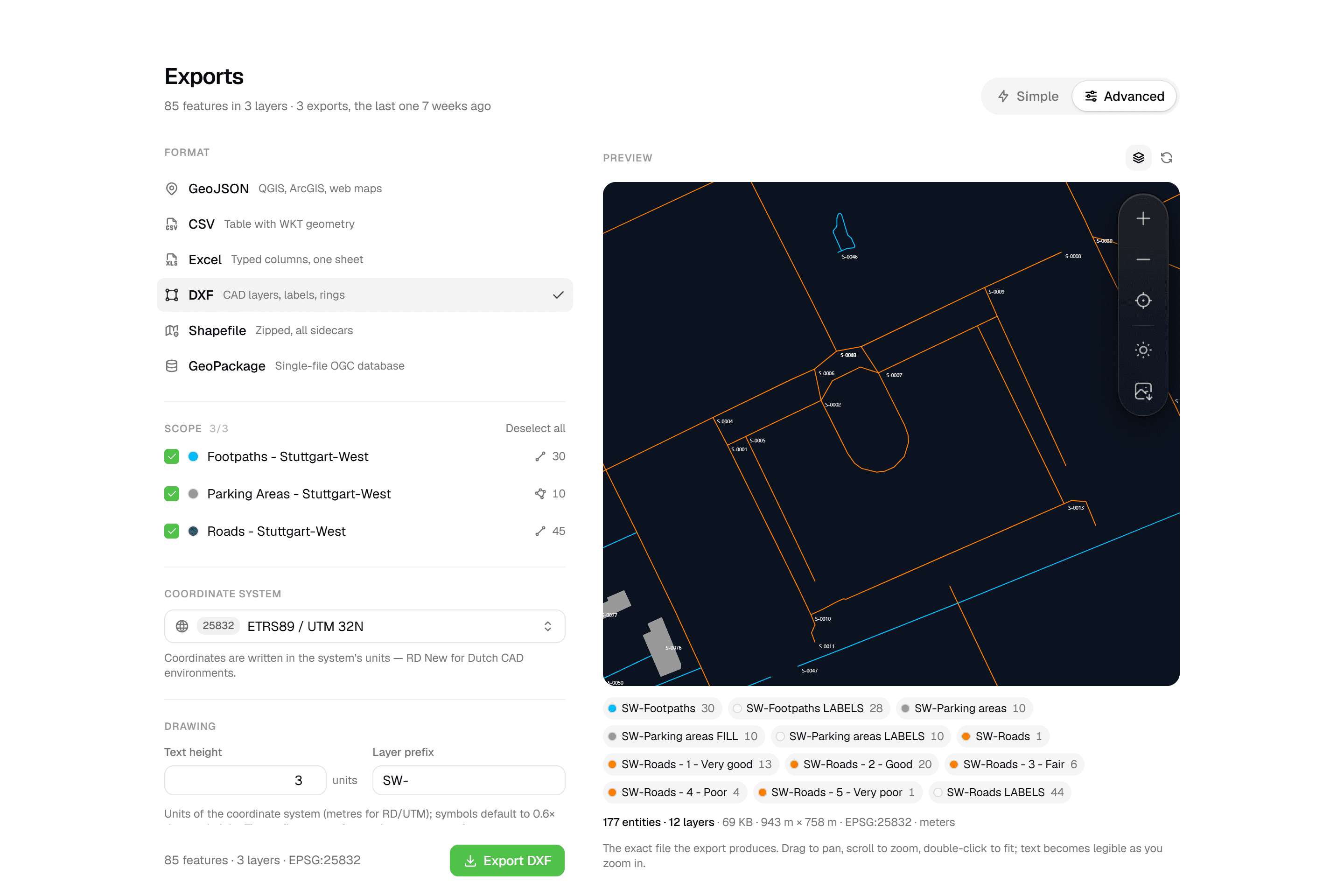
CAD-ready DXF, plus five data formats
Layered DXF with labels, rings and fills, previewed in the browser before you download. GeoJSON, CSV, Excel, Shapefile and GeoPackage on every plan.
- Layered DXF with labels, rings and fills
- Live preview that is byte-for-byte the export
- RD New, UTM, Lambert 72 and more coordinate systems
- GeoJSON, CSV, Excel, Shapefile and GeoPackage on every plan
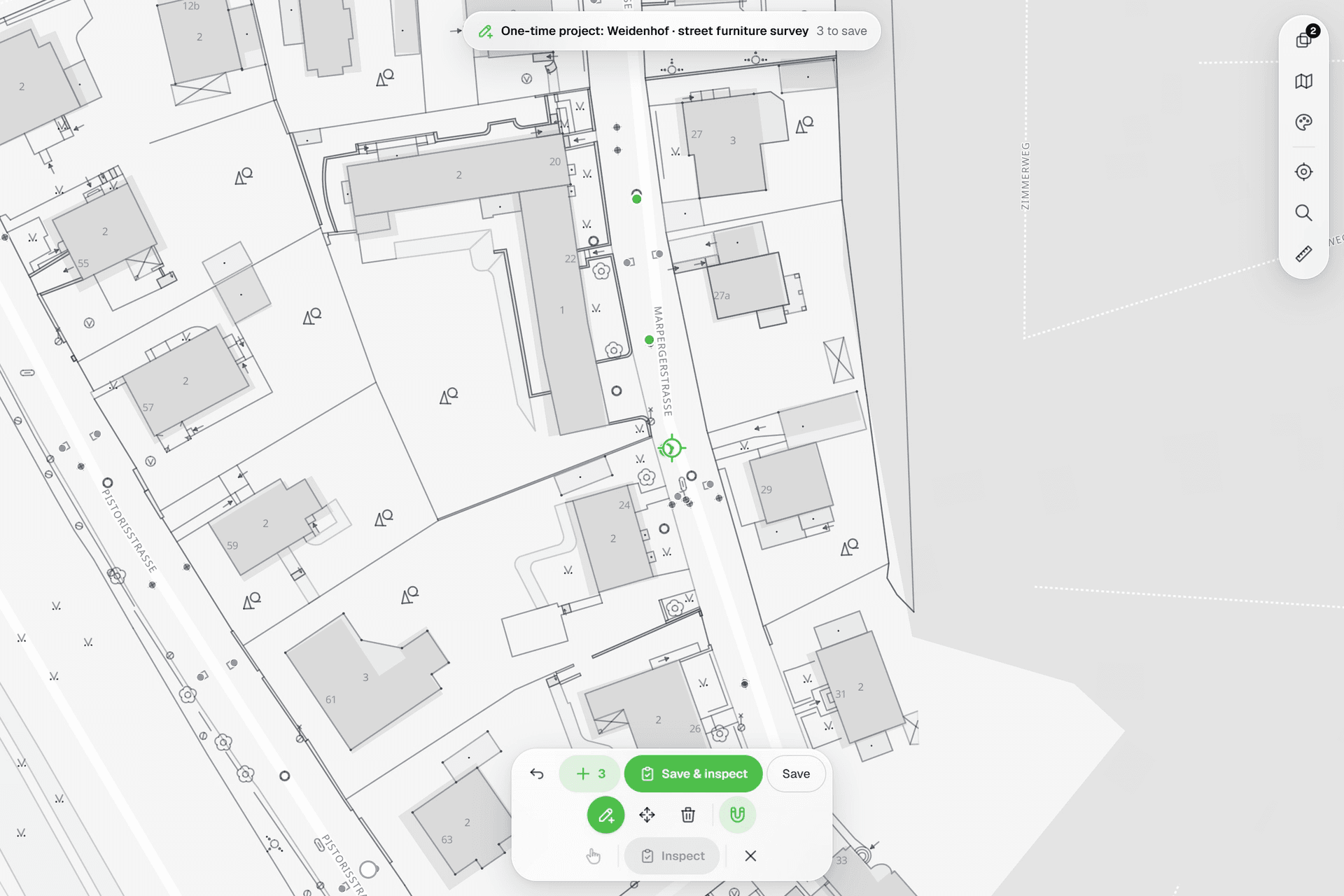
See everything on the map
Points, lines and polygons over street maps, aerials, BGT and any CAD drawing you upload as reference. Place and correct geometry with a crosshair that snaps to the drawing.
- Fixed crosshair: the map moves, the point stays exact
- Snaps to vertices and segments, including DXF linework
- Street and satellite basemaps, PDOK aerials, BRT and BGT as map services
- DXF, GeoPackage, Shapefile, GeoJSON, image or PDF underlays
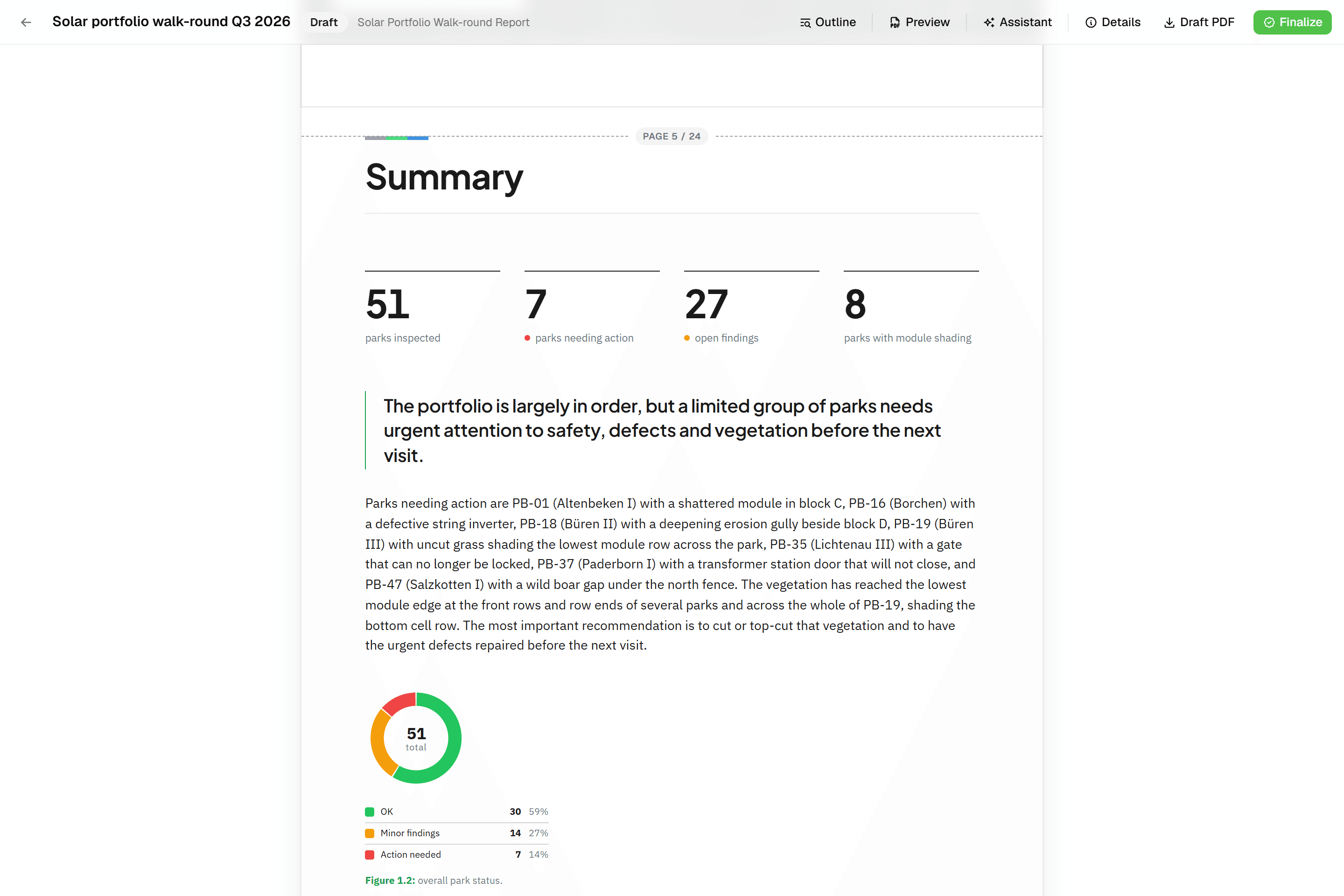
Reports that assemble themselves
Block-based reports with live data tables, photo appendices, map figures and an AI assistant. Live PDF preview; finalize to an immutable PDF, revise as rev. B.
- Tables and photo appendices pull live field data
- Live PDF preview of the real document
- AI assistant that writes from the inspection data
- Finalize to an immutable PDF with a data snapshot
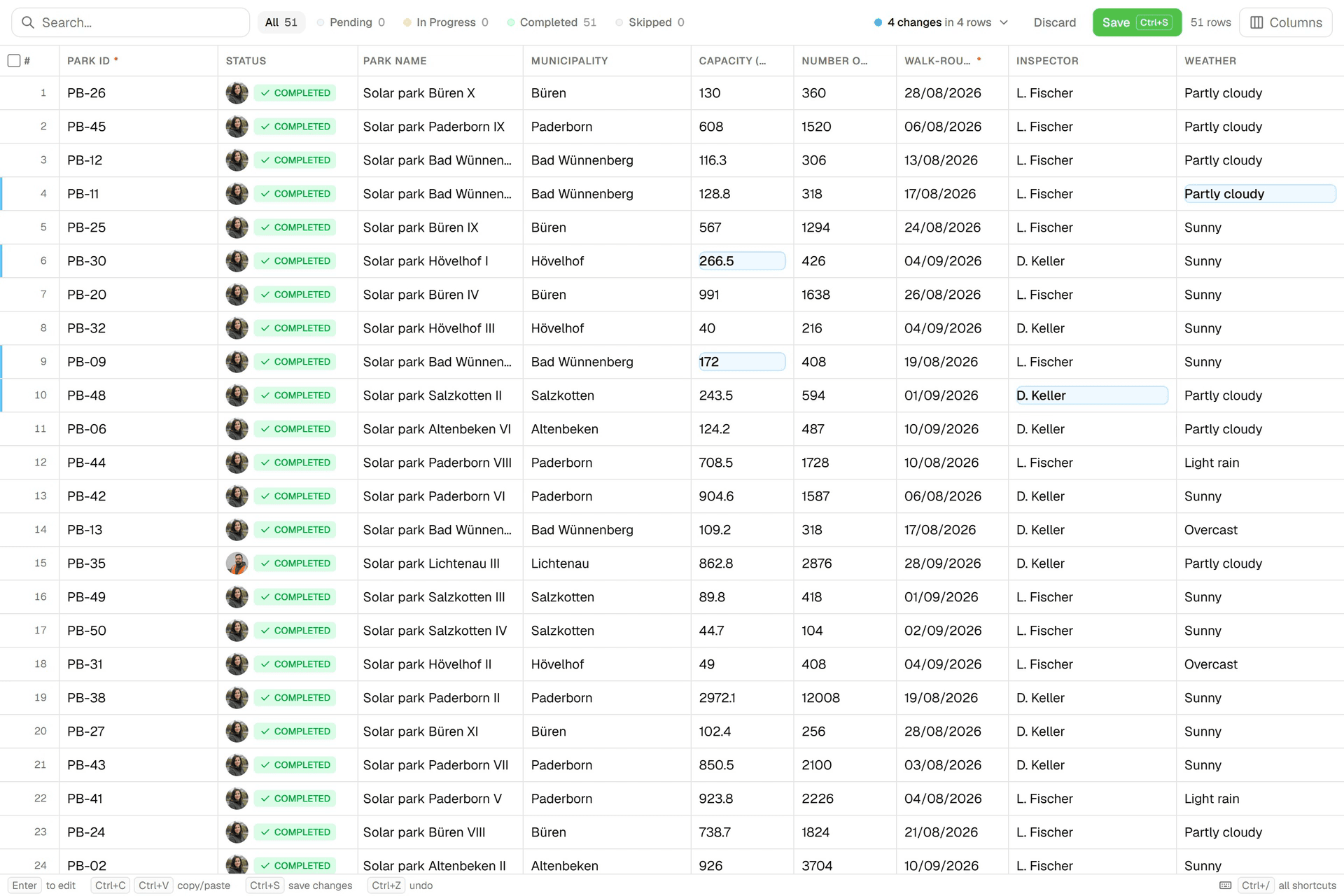
Edit data like a spreadsheet
An Excel-like grid per layer: paste from Excel, fill down, filter, bulk-edit. Review every change before you save; each save lands in the feature's version history.
- Excel-compatible copy, paste and fill down
- Review every change old → new before saving
- Every save is an append-only correction with version history
- Filter by status, empty or filled, contains, min and max
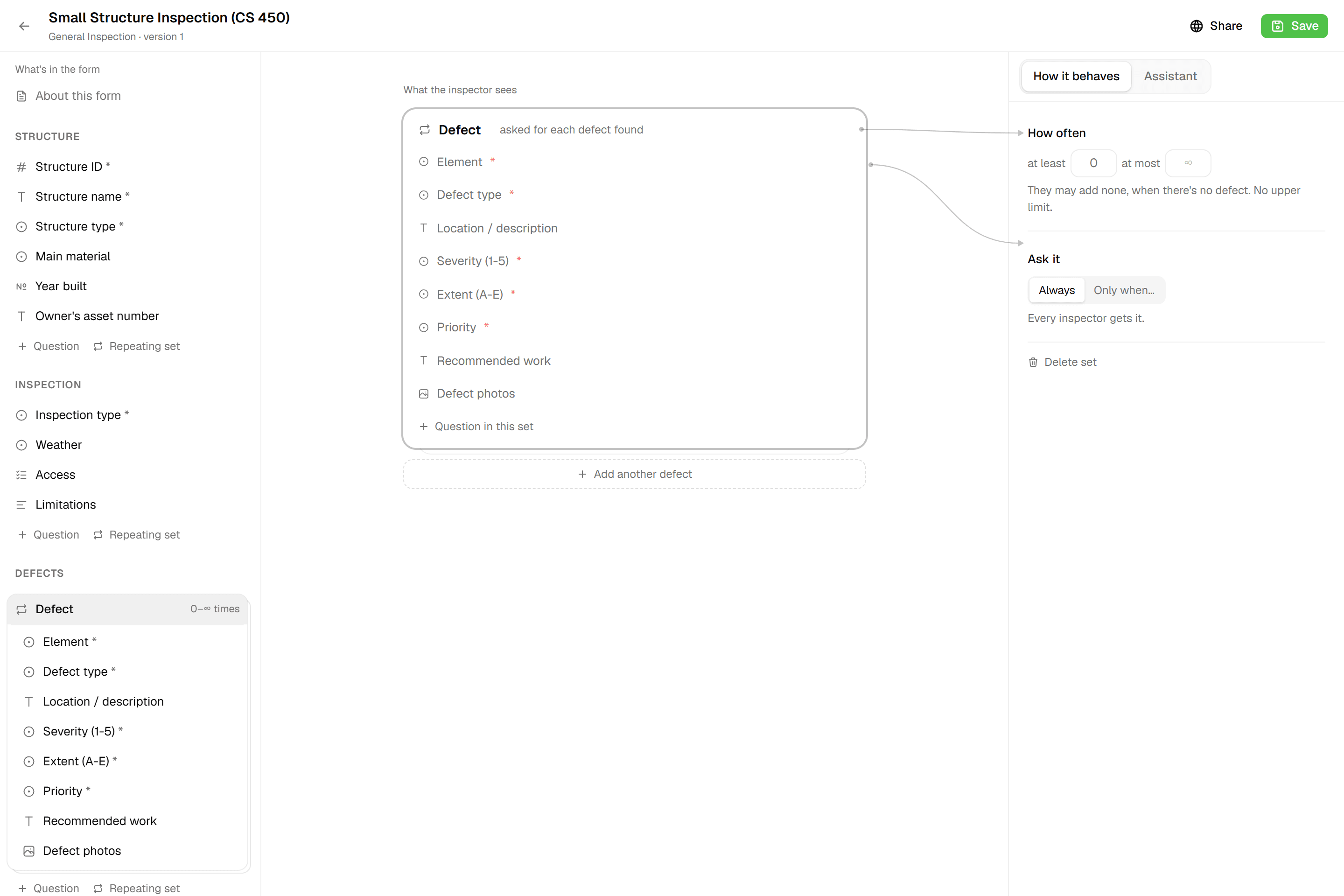
Forms that match your workflow
12 field types including Computed, Range and Signature. Formulas, unique IDs per layer and repeatable blocks. Every save is a new version, so running projects never change underneath you.
- 12 field types, from Yes/No to Signature
- Computed fields with live formula validation
- Sequential or auto-generated IDs, unique per layer
- Every save is an immutable version
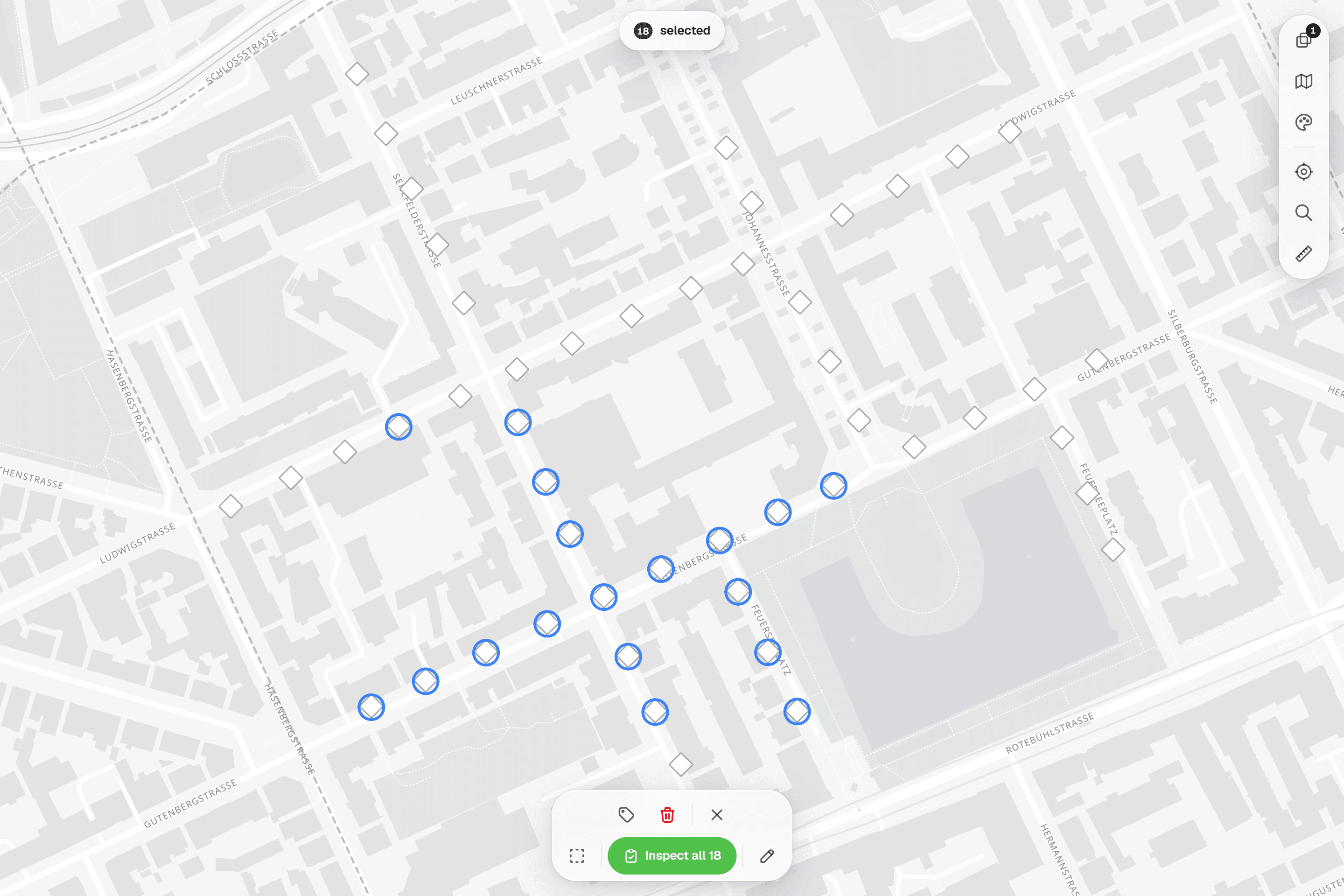
Structured field inspections
One sheet per feature, validated before submit. Select up to 100 features and inspect 'One by One' or 'Apply Same to All'.
- 'One by One' or 'Apply Same to All' for up to 100 features
- Required fields and ranges checked before submit
- Completed is earned by submitting, never ticked by hand
- Every submission kept, with who and when
Built for multi-client work
One workspace, an organization per client with its own layers, projects and logo. Filter layers, map and projects by client, and invite client contacts who see only their own organization. Viewers don't use a seat.
- Own layers, projects and logo per client
- Filter layers, map and projects by organization
- Client contacts see only their own organization
- Client members don't use a seat unless they're Admin
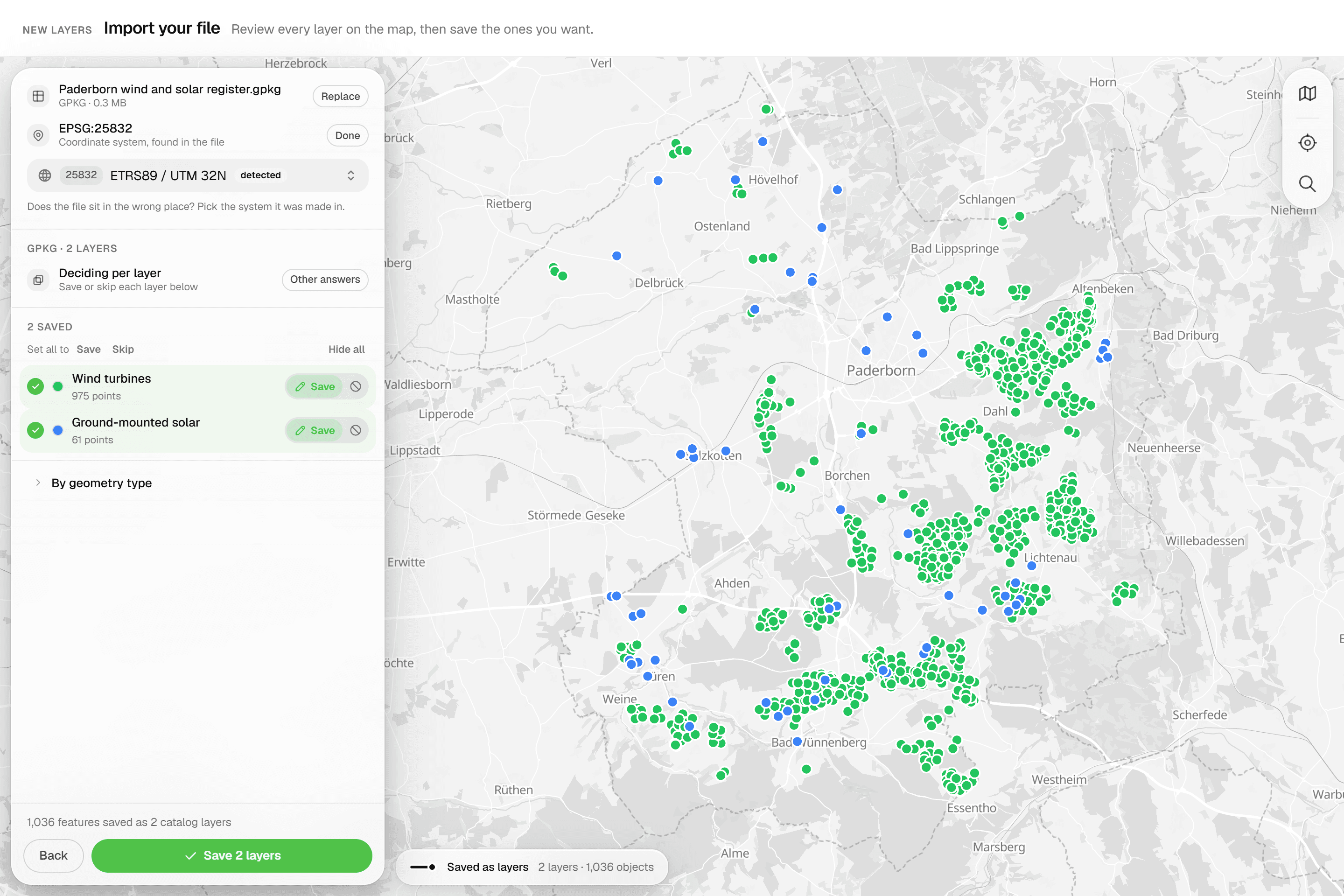
Import existing data
GeoPackage, zipped Shapefile, DXF/DWG, GeoJSON, KML, KLIC, CSV and more. Every layer is reviewed on the map, the coordinate system confirmed, then saved as reference or inspectable features.
- GeoPackage, zipped Shapefile, DXF/DWG, GeoJSON, KML, KLIC, CSV, GPX, GML, FlatGeobuf
- Every layer set to Editable, Reference or Skip before saving
- CRS detected or picked, with live re-projection in the preview
- DWG converted on upload: layers, blocks and texts survive
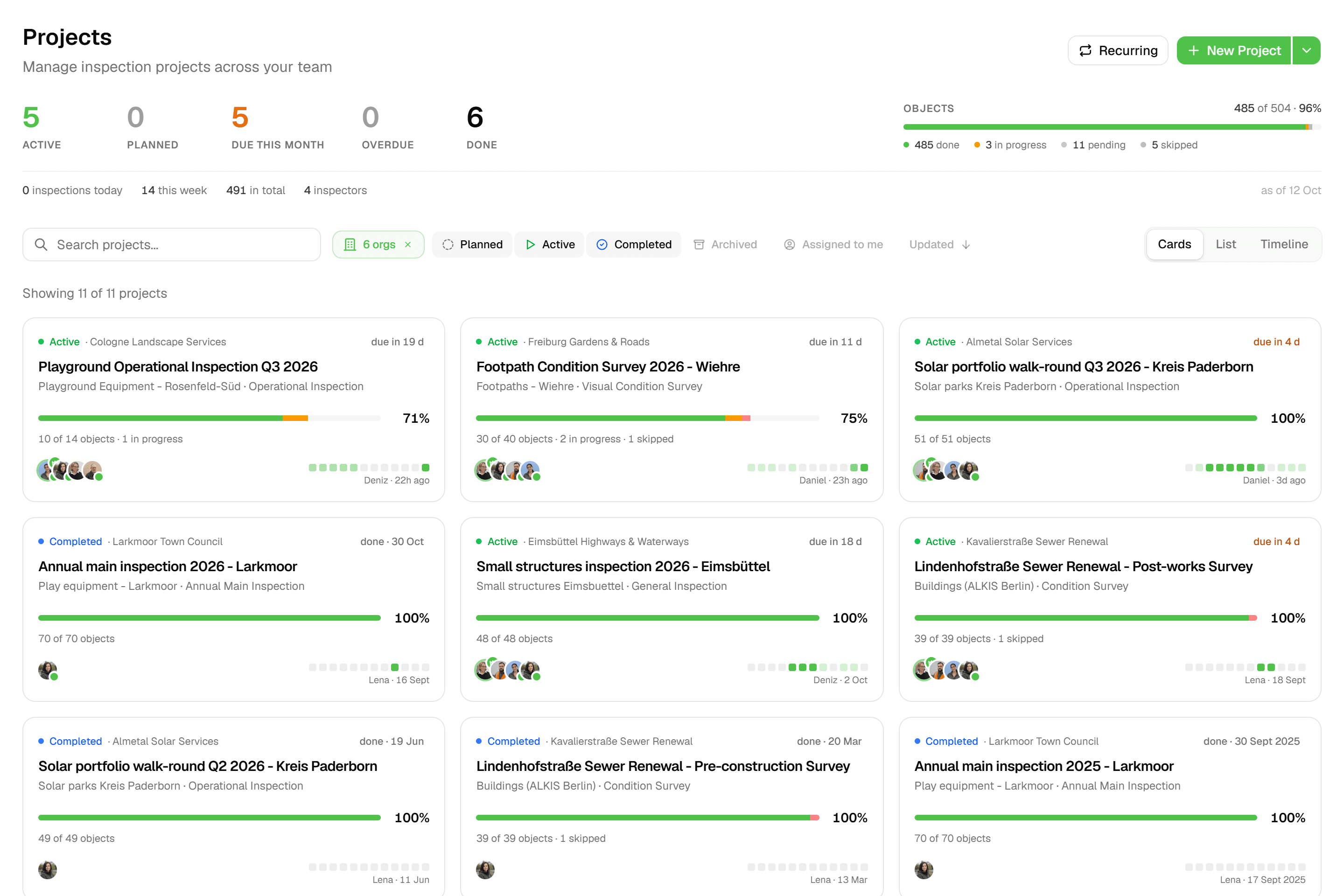
Projects that track themselves
Progress, status breakdown and pace on every project overview. Status moves from draft to active to completed on its own.
- Status moves itself: draft → active → completed
- Progress %, status breakdown and a 30-day momentum chart
- Pace line: '~12/day · at this pace done ~28 Nov'
- One inspection form per layer
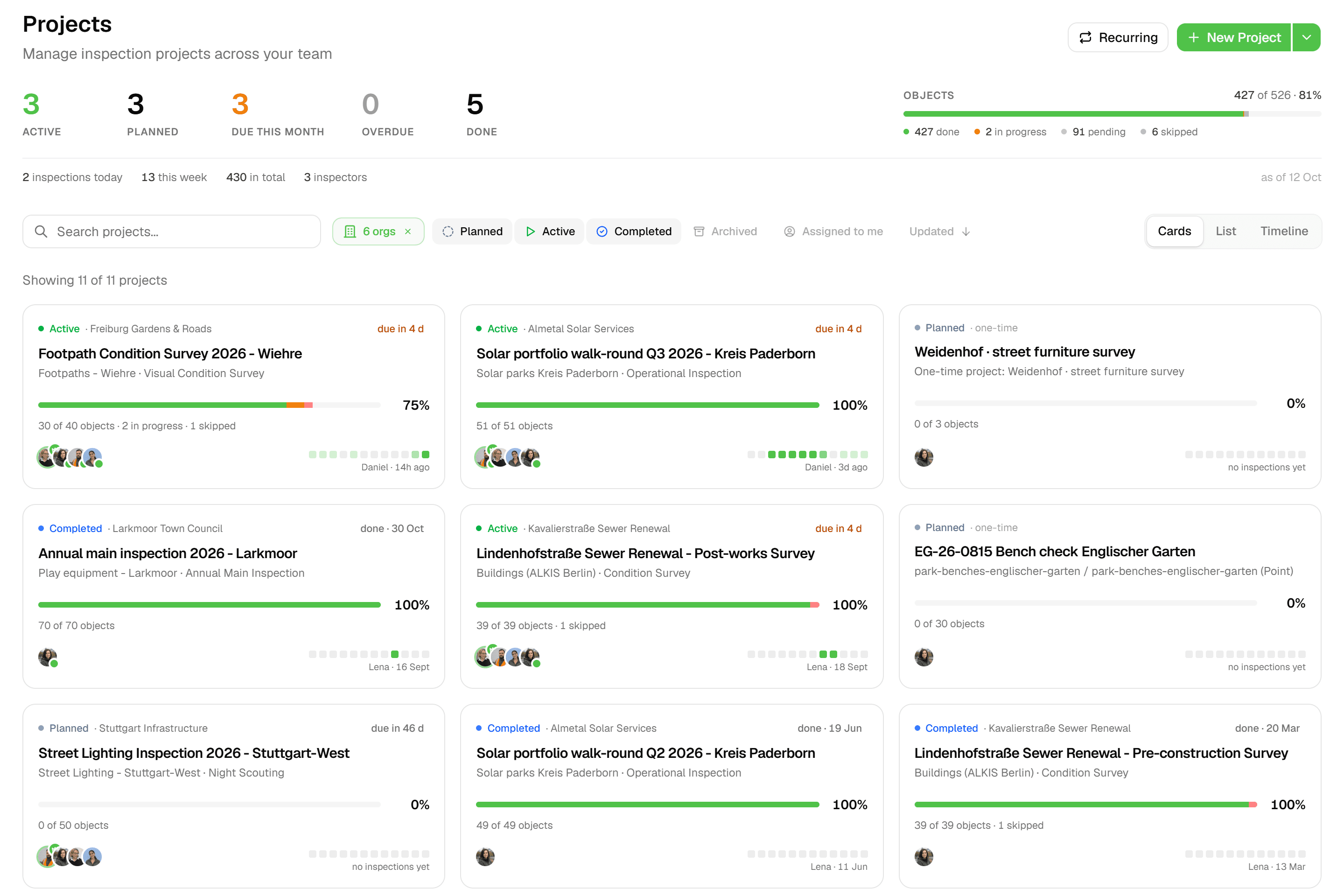
Photos attached to the record
Up to 5 photos per image field, saved with the inspection. Printed uncropped in reports, linked in every data export.
- Up to 5 photos per image field, saved with the inspection
- Camera or file picker on the web; camera or library in the Android app (early access)
- Compressed on the device: max 1920 px, JPEG quality 0.8
- Never cropped in reports: true aspect ratio, justified rows
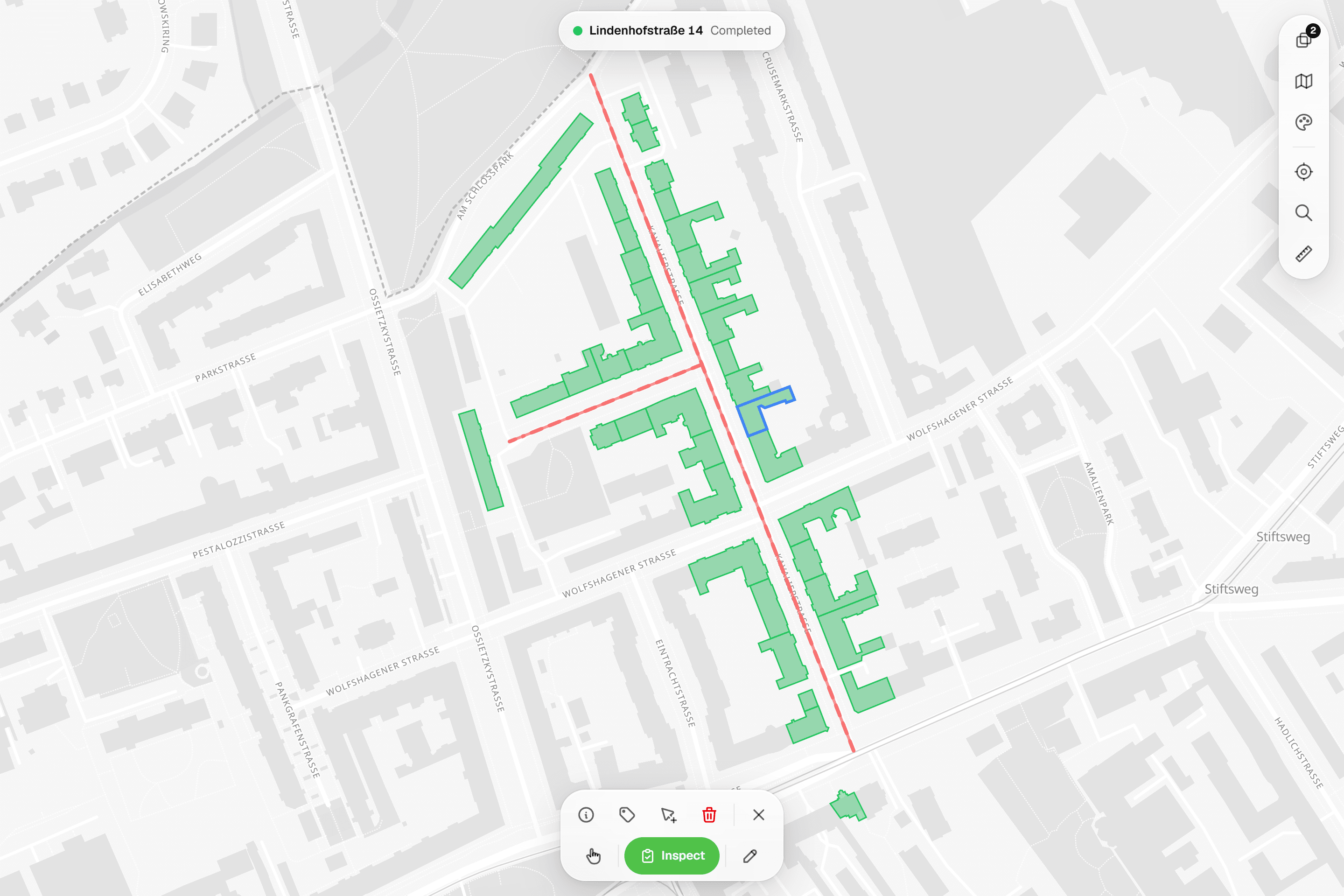
Every inspection stays on record
Submissions are appended, never overwritten. Run this year's round on the same layer and every earlier inspection stays on the record, field by field, with who recorded it and when.
- Append-only: a new submission never overwrites the last
- 'Form Submissions (N)' timeline with who and when
- Attribute-level history: follow one field across submissions
- Grid corrections carry a 'Corrected' badge
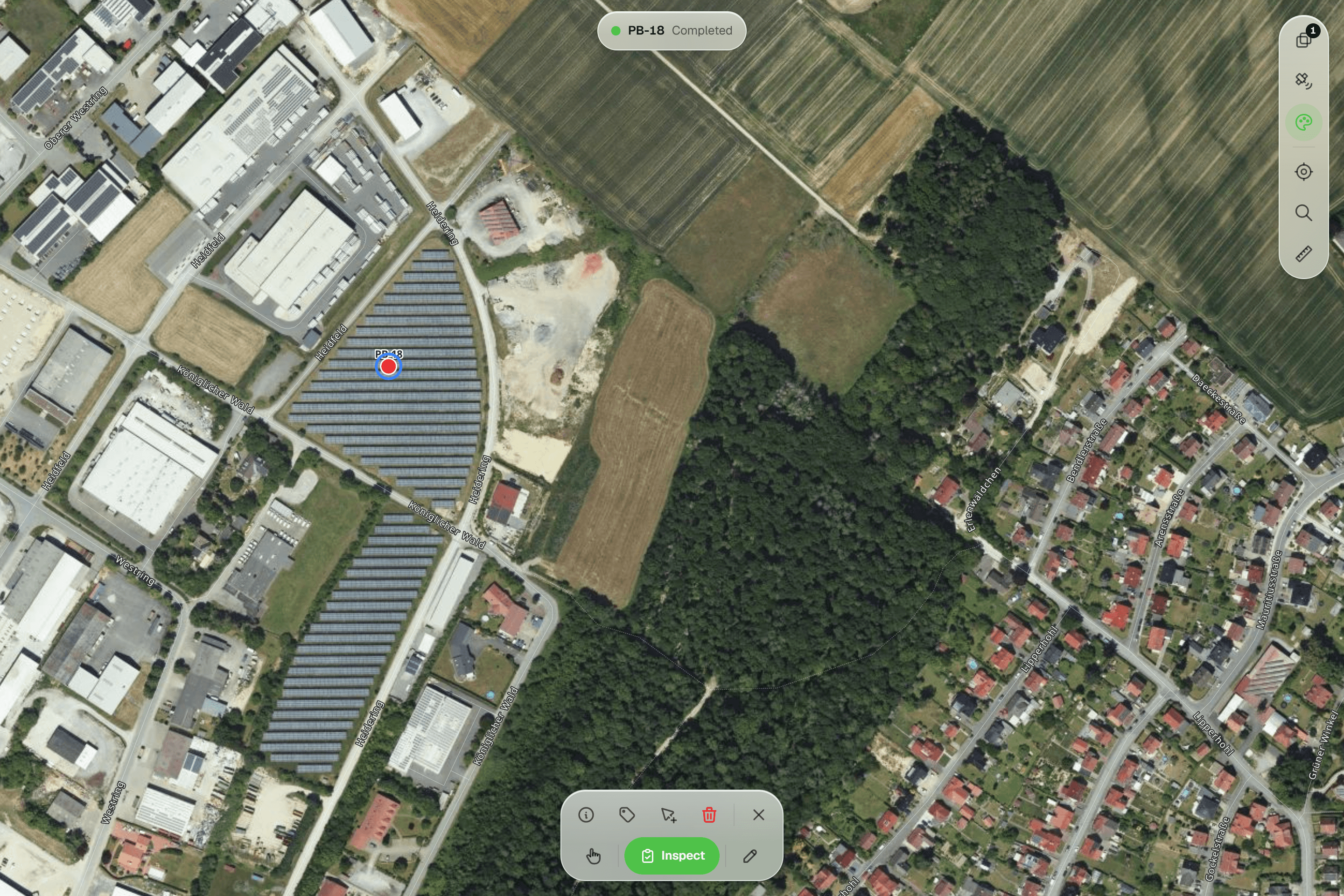
Find exactly what you need
Filter by attribute, status and inspection date. Operators and stacked conditions on the map, status chips and column filters in the grid, all built visually.
- Operators: is, is not, more than, at least, less than, at most, contains, is one of, has a value, has no value
- Several conditions per layer, applied together
- Temporal filters: 'Recently updated', 'Stale data', 'Inspected between'
- Status chips: All / Pending / In Progress / Completed / Skipped
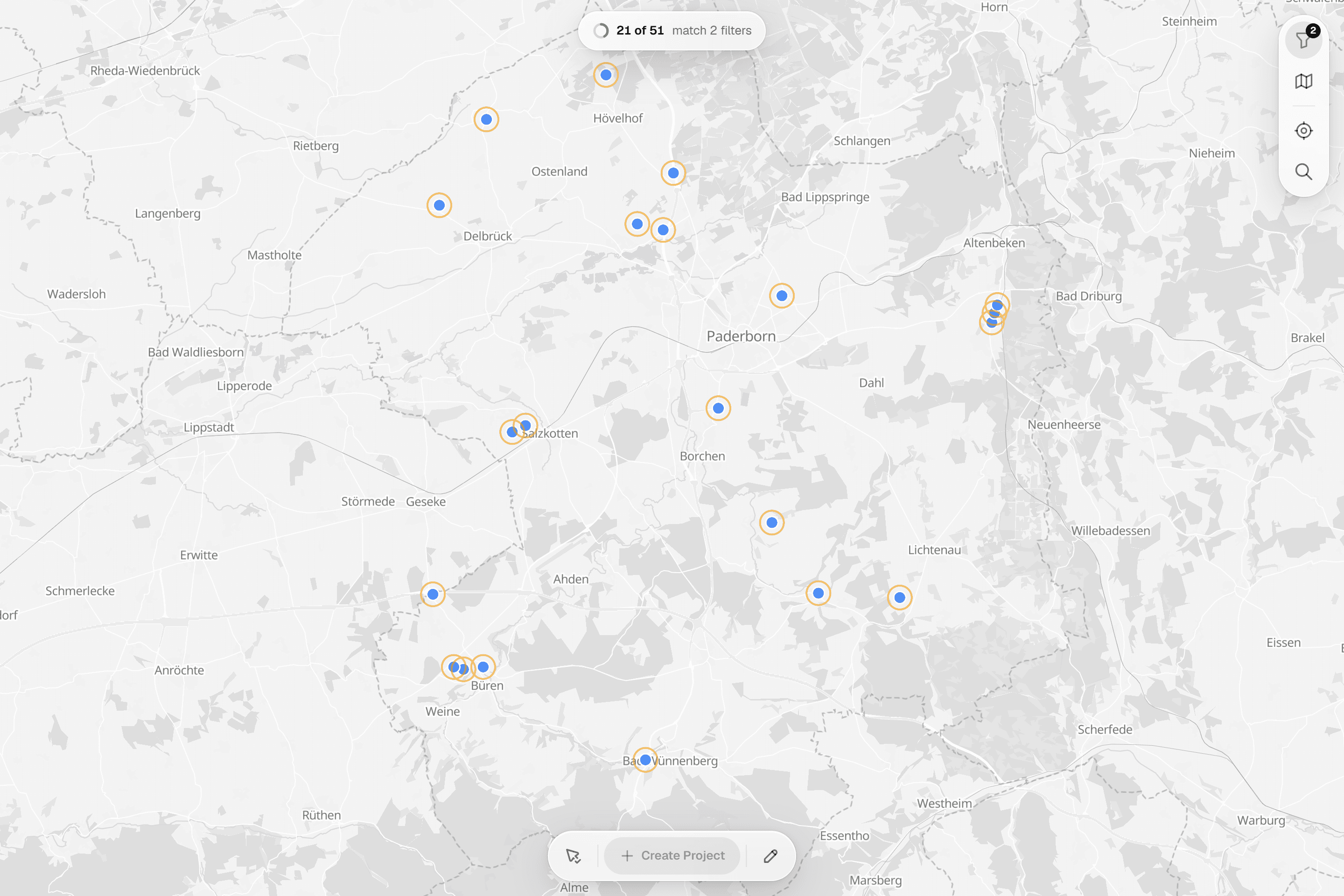
One-time projects for ad-hoc work
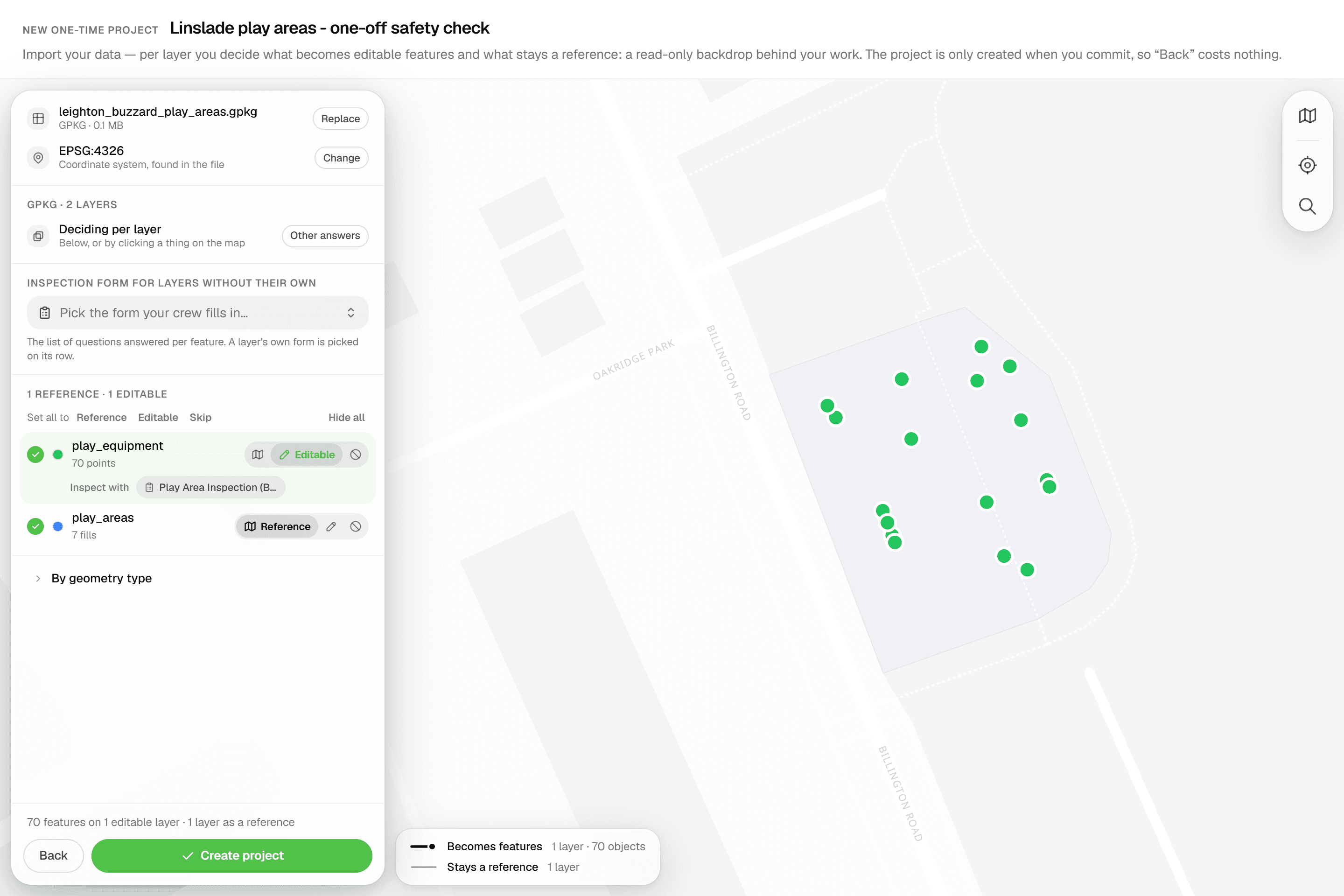
Drop a GeoPackage, Shapefile or DXF/DWG, pick which layers to inspect, and the project exists the moment you commit. No client or layer setup first.
- GeoPackage, zipped Shapefile, DXF/DWG, GeoJSON, KML, KLIC, CSV and more
- Nothing is created until you commit: 'Back' costs nothing
- Points become editable, linework stays reference, CAD block tables are skipped
- Attach an inspection form per layer with 'Inspect with' chips
Know where every job stands
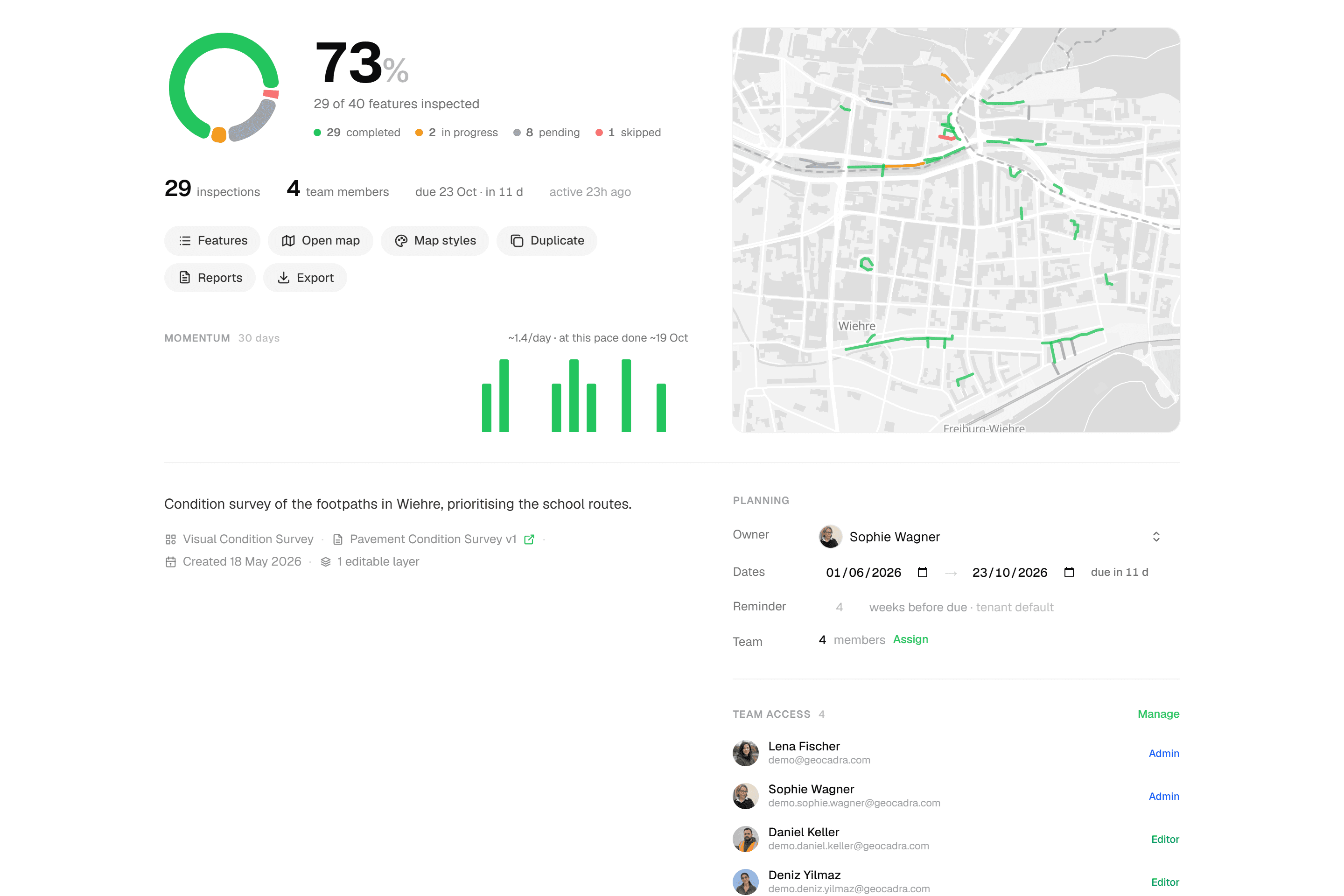
Project overviews show completion per status, inspections per day and a projected finish date. Every submission records who and when, and roles decide who may inspect, edit or only view.
- Owner, Admin, Editor, Viewer on the workspace; Admin, Editor, Viewer per organization or project
- Free viewers: 2, 4 or 10 per seat by plan
- 'Assigned only' scope for externals and clients
- Invite by email or copy link; expires after 7 days
Convert any geo format
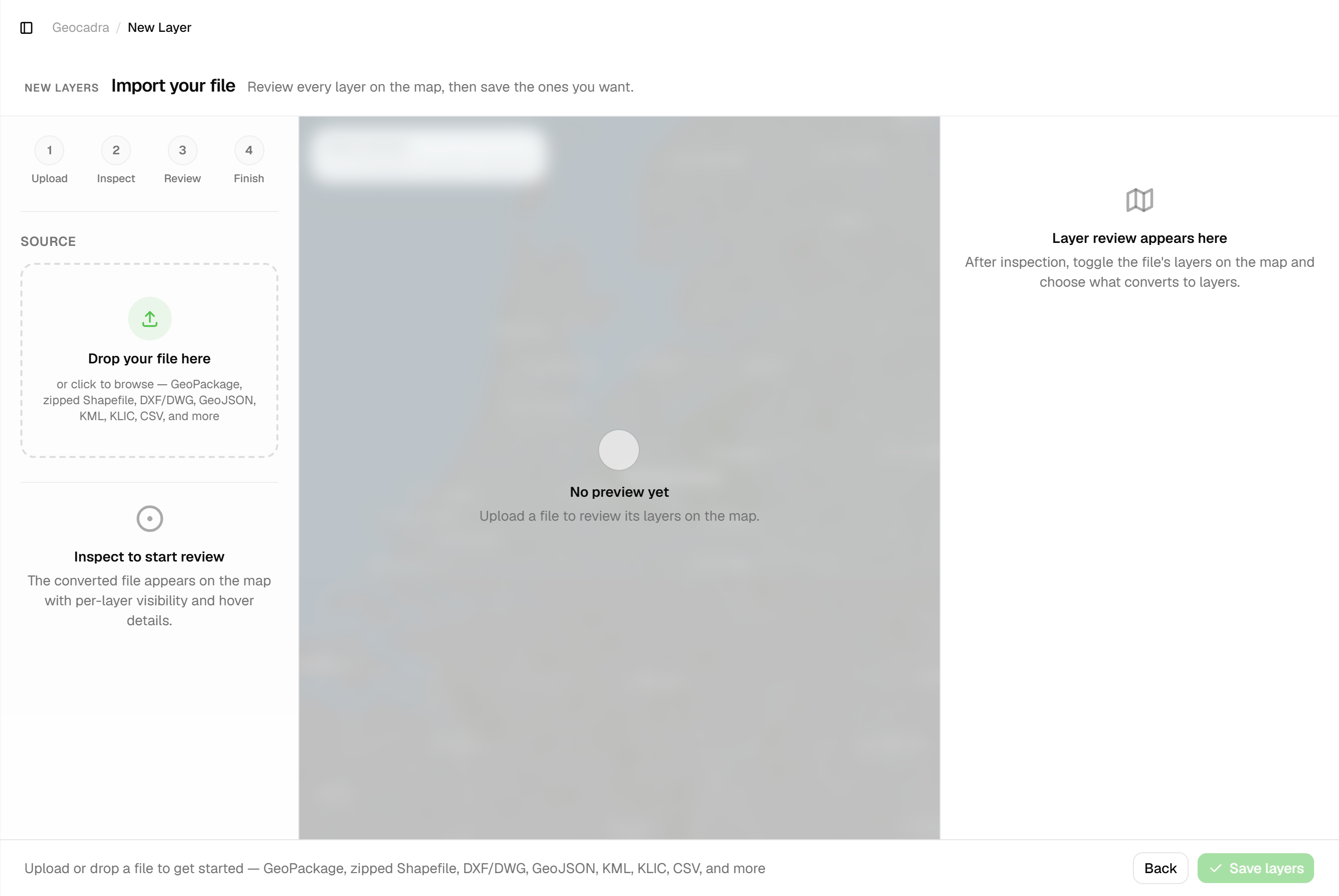
Upload GeoPackage, Shapefile, DXF/DWG, GeoJSON, KML, KLIC or CSV; export GeoJSON, CSV, Excel, DXF, Shapefile or GeoPackage. DWG converts on upload with layers, blocks and text intact, so nobody needs a desktop GIS.
- Conversion built into import and export, no separate tool
- Reads GeoPackage, zipped Shapefile, DXF/DWG, GeoJSON, KML, KLIC, CSV, GPX, GML, FlatGeobuf
- Exports GeoJSON, CSV (WKT), Excel, DXF, zipped Shapefile, GeoPackage
- DWG in, DXF out: CAD layers, blocks and texts survive
Ready to get your field data on the map?
Stop fighting your tools. Set up a project, capture in the field, and hand your client the result from the same workspace, this round and every round after.
No credit card requiredFree trial included