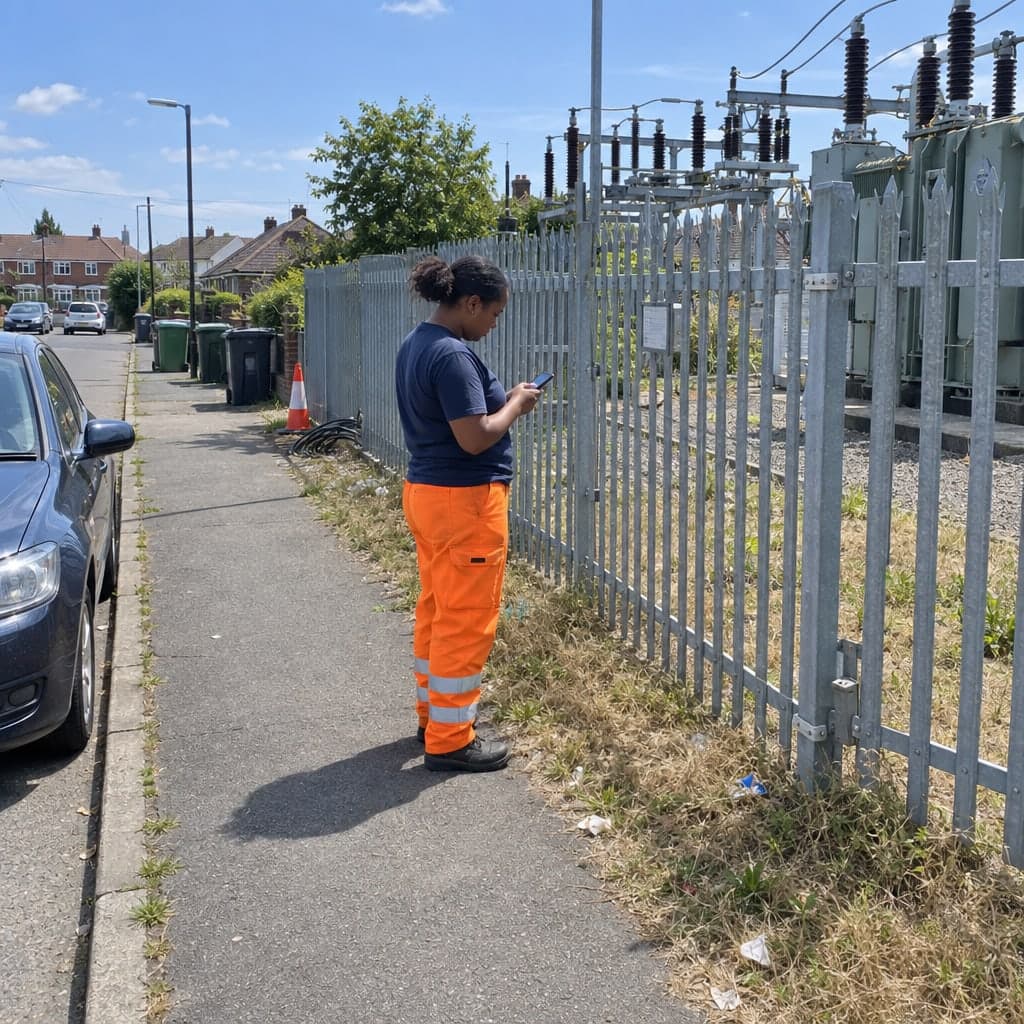
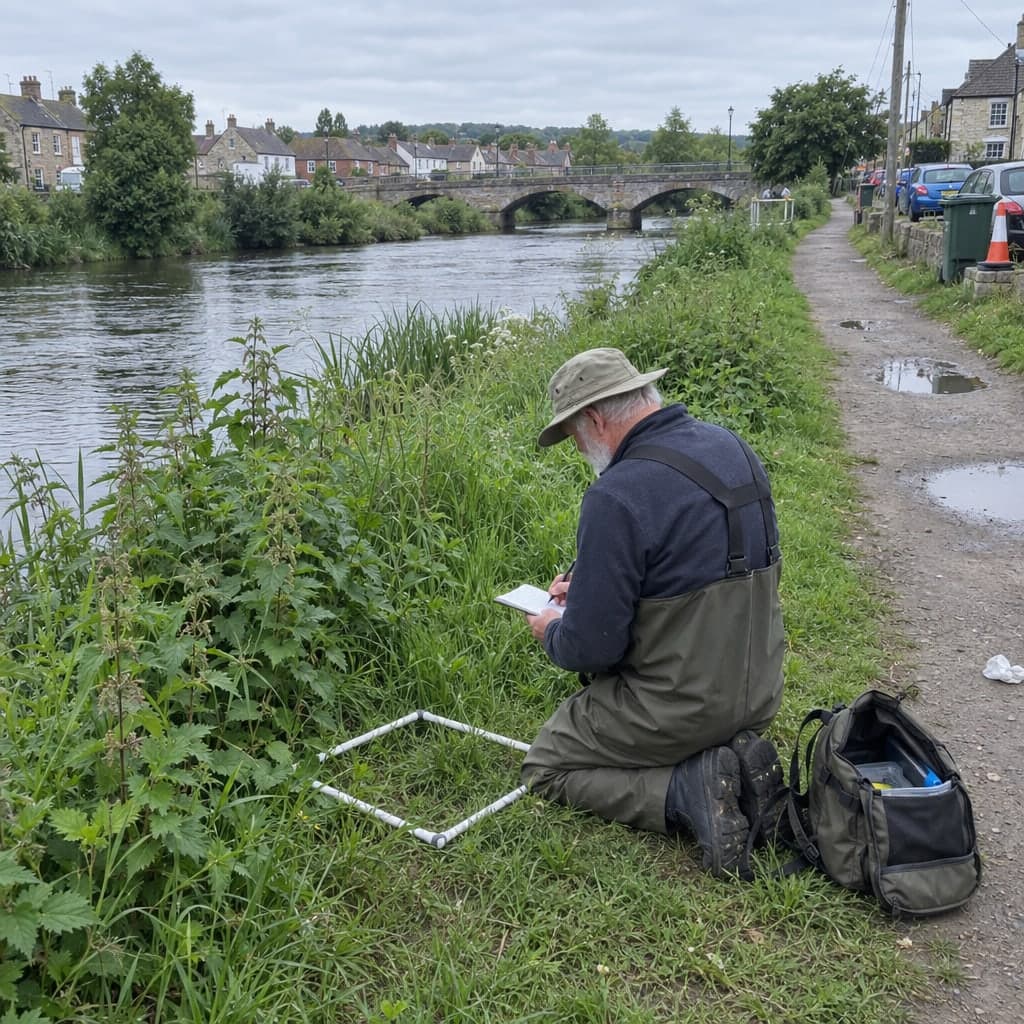
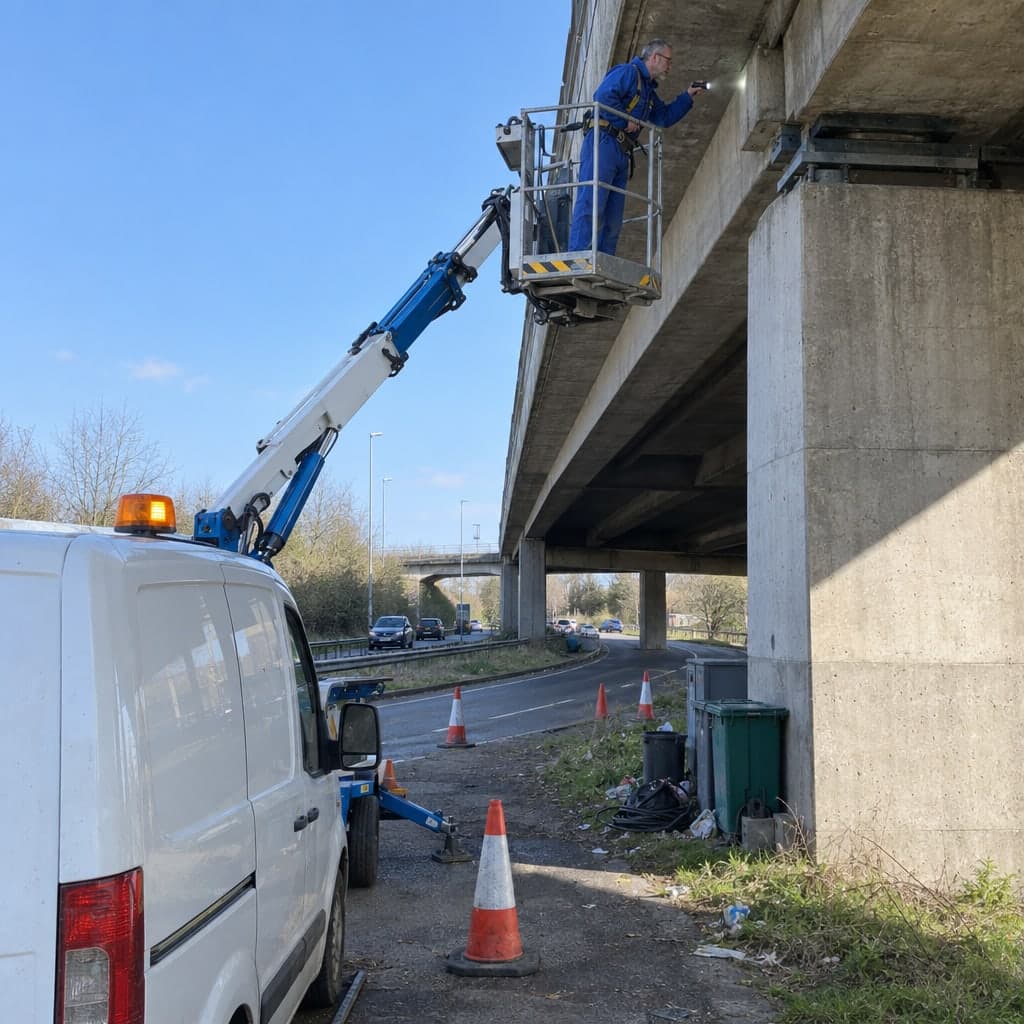
Regular tree checks, biotope mapping and ecological surveys on a map, with every visit appended to the tree or the site
Recurring tree checks, habitat mapping and compensation monitoring, on a register you keepA street tree is checked every one to three years, a young tree every year until it is established, a compensation area in years one, three, five and ten. Geocadra keeps the trees and areas on one layer, runs each round as a project on it, and appends every visit to the tree or the polygon, so the first inventory and this year's check sit on the same record.
Worked example
A district's street trees, checked round after round
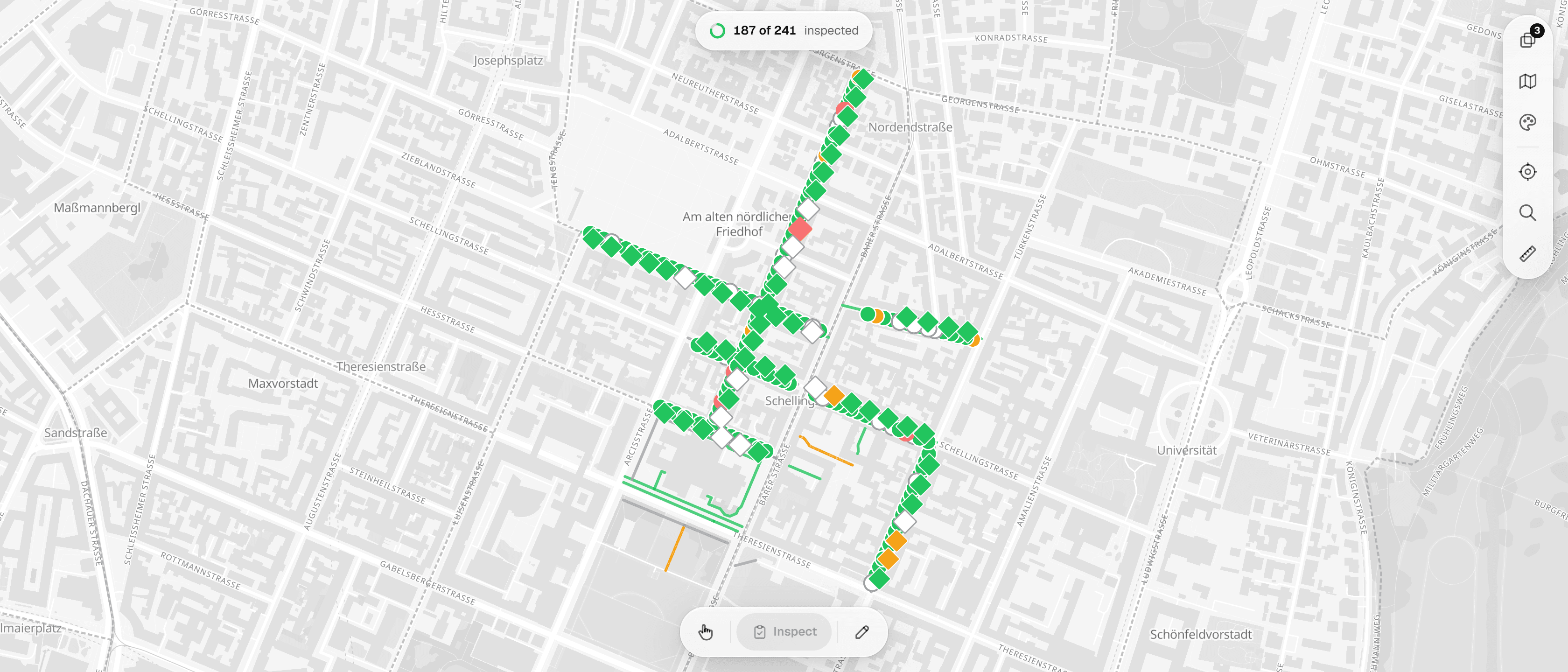
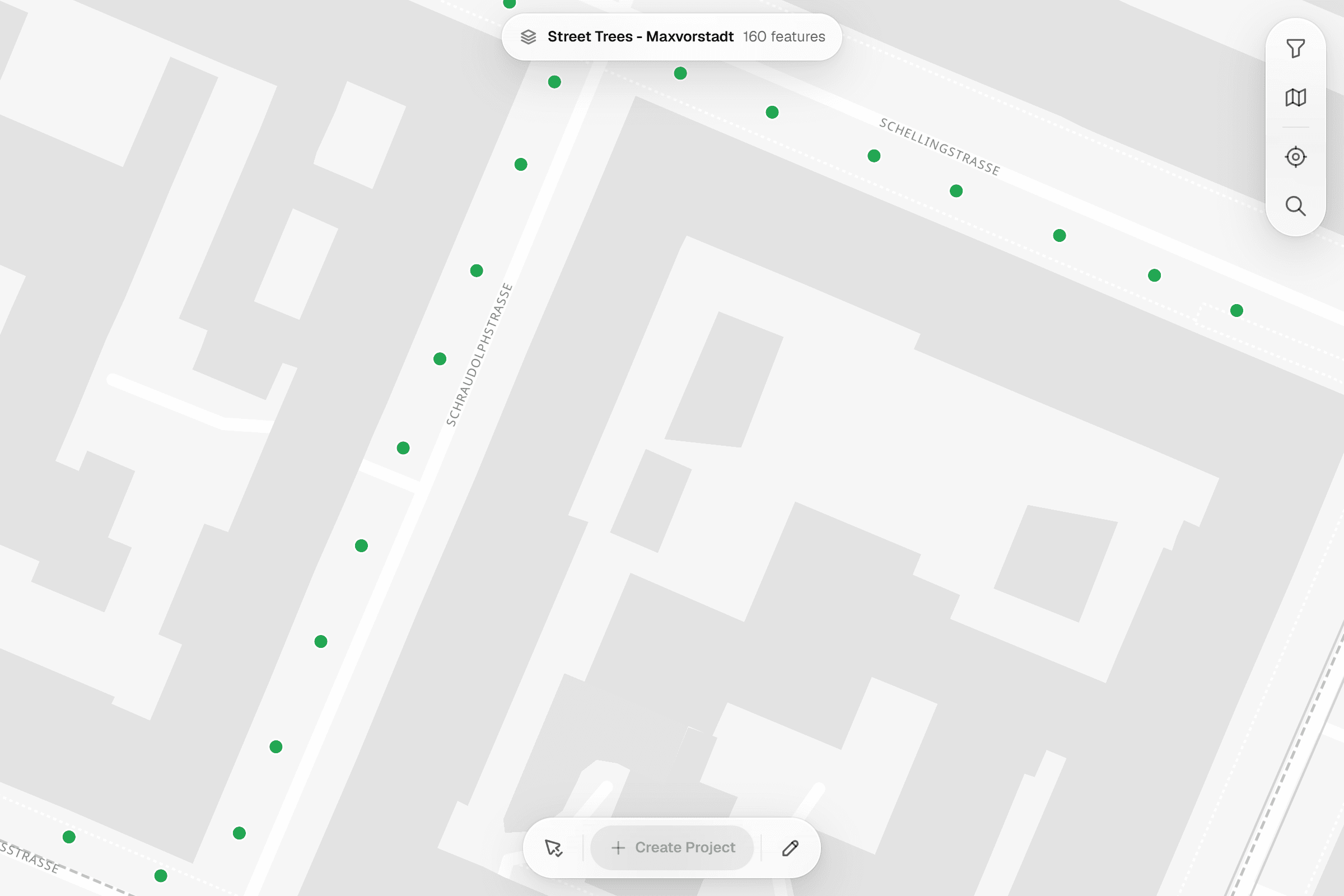
The screenshots on this page are not mock-ups. They come from the Geocadra demo workspace, where 160 street trees along six streets of Munich's Maxvorstadt are checked with one visual tree assessment form: a pilot round in 2024, the 2025 check and the 2026 check, which also takes in the lamp posts and footpaths along the same streets. The street network is real OpenStreetMap data; the trees, their measurements, findings, photos and inspectors are demo data placed along it.
Dataset
Street trees, Munich-Maxvorstadt (demo layer)
- Publisher
- Geocadra demo data, placed along the OpenStreetMap street network
- Licence
- Street network © OpenStreetMap contributors, Open Database Licence (ODbL) 1.0
- Coordinate system
- EPSG:4326 (WGS 84)
- Extract
- 160 trees, 26 KB GeoJSON
 01
01Import the tree layer
The file is in WGS 84. The importer reads it, places the 160 trees on the map and keeps the tree number, street and planting year as attributes. Save as one layer.
 02
02Set up the tree form
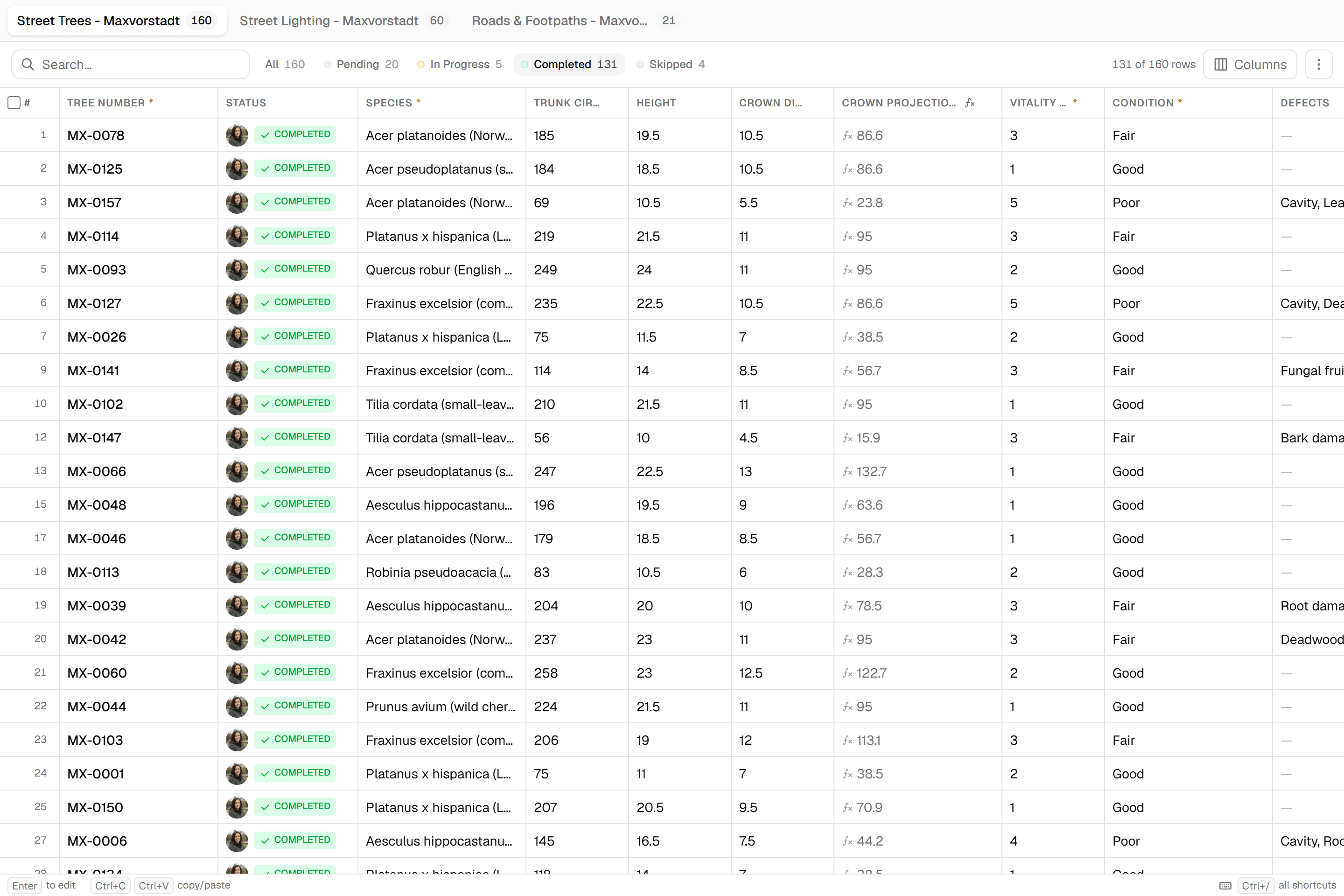
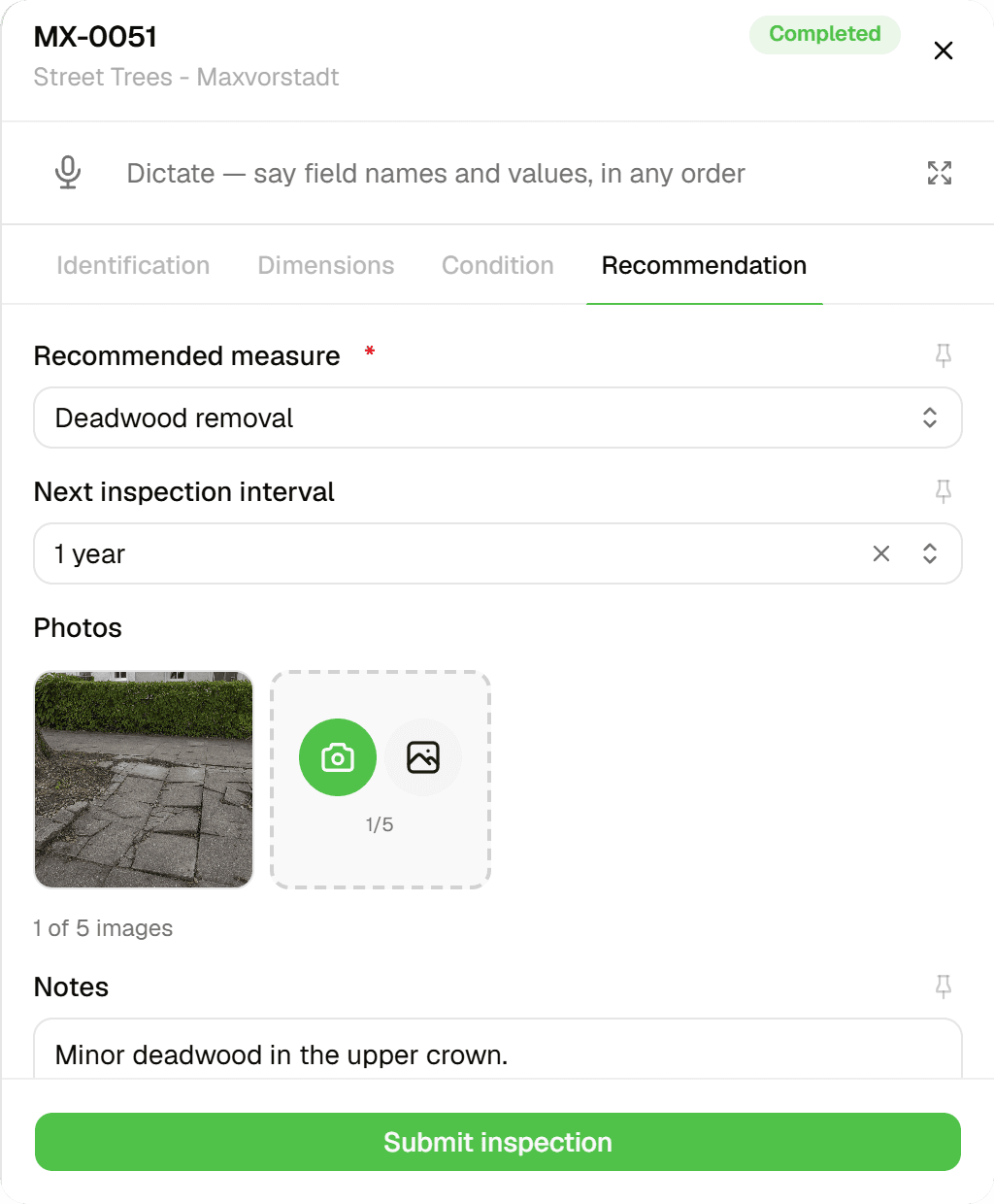
One form per tree: number and species, trunk circumference, height and crown diameter, a crown projection area worked out from the diameter, vitality, condition and defects, then the recommended measure, the next inspection interval and photos.
 03
03Run the round on the district
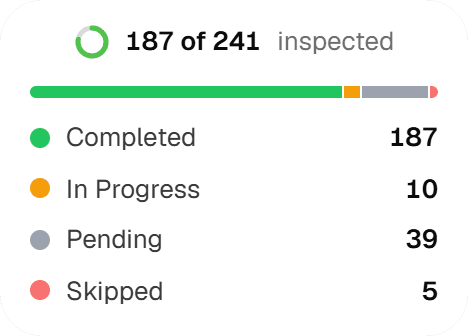
The 2026 round takes in 241 objects on three layers: the 160 trees and the lamp posts and footpaths along the same streets. 187 are inspected in the screenshot, the rest are pending, in progress or skipped, and the status panel counts each.
 04
04Inspect at the tree
Tap the tree, open the form: species and dimensions carried over from the last check, vitality, condition and defects, then the recommended measure, the next inspection interval, photos and notes.
 05
05Every check stays on the tree
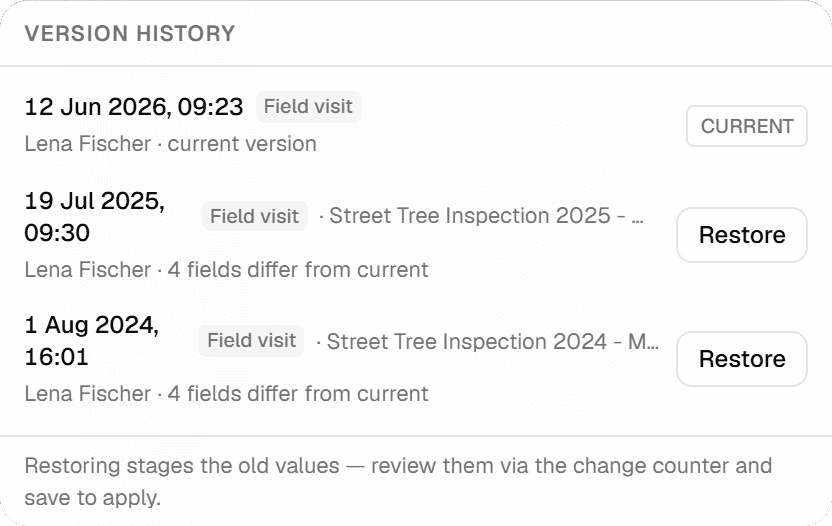
The features grid shows the version history of a tree: the 2026 check as the current version and the 2025 and 2024 checks with the number of fields that differ. Any version can be staged for restore and reviewed before it is applied.
 06
06Hand it over
Excel with one typed column per form field for the tree register, GeoJSON or Shapefile for the GIS, a DXF with the tree numbers on a label layer when the landscape architect needs one. Export the round's current values or a chosen version; the history stays.
The challenge
What tree officers and ecologists actually deal with
From court rulings, audit reports and the trade press on tree control and conservation work. The details differ by country, the pattern does not.
- 01
The owner has to prove the tree was checked
When a branch falls, the question in court is whether the tree was inspected regularly, by a qualified person, and whether the record shows what was seen. Cases have turned on a control sheet that carried no defect entries, or a second inspection that was ordered and never done. A documented history per tree with timestamps and photos is the defence, and it has to exist before the accident.
- 02
Paper control sheets, then a spreadsheet
Thirty trees per sheet in the field, retyped in the office in a second pass. Larger cities keep a full-time person on data upkeep; without it the register decays. A spreadsheet cannot show a tree on a map, hold a photo against a tree number, or survive two inspectors editing it in the same week.
- 03
Tree numbers that do not survive
Plaques fall off, contractors reuse numbers, park trees have no address, and a replacement tree should inherit its predecessor's number. Registers with hundreds of thousands of trees carry impossible values nobody has looked at. The number has to live on the map position, not on the plaque.
The solution
How the round runs in Geocadra
Everything below is what the product does today, shown above on a demo tree layer along real streets.
The register is a layer you import once
Load the trees, habitat polygons or compensation areas from GeoJSON, Shapefile, GeoPackage, CSV with coordinates or a CAD drawing. The importer reads the file's coordinate system and places it. Tree numbers, species, planting year and girth stay on every feature.
Each round is a project on the same layer
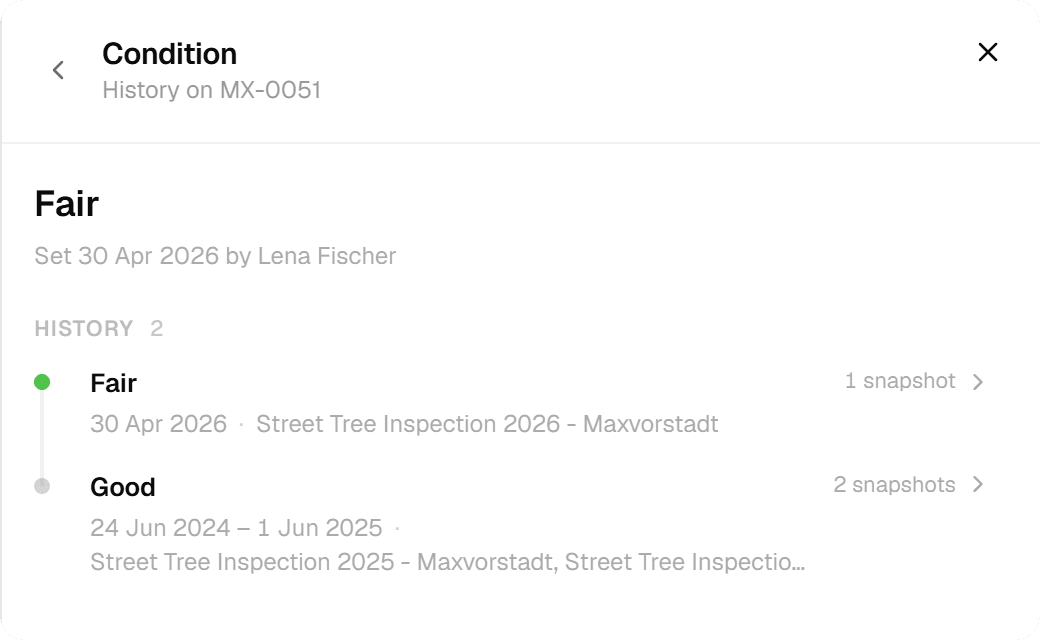
The inventory, last year's check and this year's check are separate projects bound to the same layer. A visit is appended to the tree, never overwritten. The features grid shows the version history of any tree, and the tree's sheet lists every visit with who and when.
The next check is computed, and can be overridden with a reason
The tree check form derives the interval from condition, safety expectation and life phase, and sets the next control year. An inspector can shorten it and say why. Trees with findings get an in-depth investigation as a tracked follow-up project.
Hand over in the format the next system wants
Excel with typed columns for the register, GeoJSON or Shapefile for the GIS or the state authority, a PDF report for the auditor or the client, and a CAD drawing with crown projections when the landscape architect asks for one.
How it works
Common Workflows
Six rounds as they run in the field, each backed by a form from the Geocadra marketplace. The steps follow the way the work is tendered and audited, whichever national guideline sits behind it.
- 01
Regular tree check
Ground-level visual inspection on a computed interval: defects per tree part, vitality, condition class, traffic safety statement, action and urgency.
- 1.Filter the register for trees whose next check falls in this quarter, grouped by street. Load the tour on the tablet; trees without a readable plaque are found by map position.
- 2.At the tree, record defects on crown, trunk and roots, vitality, condition class and whether it is safe for traffic. Two photos per tree; a block with nothing found gets one negative-check record.
- 3.Immediate items become a cordon or felling order the same day. Other actions aggregate into the work list for the tree-care contractor; suspected decay creates an in-depth investigation task.
- 4.The contractor confirms execution with a photo, the next interval is recomputed, and the annual control report exports as PDF for the auditor and the insurer.
- 02
In-depth investigation
When the regular check finds signs of decay, a ground-level look is no longer enough. An expert measures, and the result lands on the tree.
- 1.The trees flagged in the regular check form their own project, assigned to the external expert with their own seat.
- 2.On site: sonic tomography, drilling resistance or a pull test at numbered measuring points, with the residual wall thickness ratio computed per point.
- 3.Verdict on fracture safety and stability, whether the tree can be kept, and the recommendation with urgency.
- 4.The report lands on the tree next to the regular checks, so the felling order or the crown reduction has its evidence attached.
- 03
Young-tree care acceptance
Planting acceptance, end of the establishment year, and the annual development-care checks with the contractor until the tree moves to the regular cycle.
- 1.Import the contractor's planting list with tree numbers, species and planting date; one acceptance record per tree.
- 2.Walk with the contractor: establishment, staking, ties, tree pit, watering bag, crown structure and formative pruning. Defects photographed, both parties sign on the tablet.
- 3.Failures trigger a replacement that inherits the tree number. The failure statistics per species and site type feed the next procurement.
- 4.After the juvenile phase the tree switches to the regular check with its computed interval.
- 04
Habitat mapping
Polygons adjusted in the field, typed from the regional code list, with species lists, impairments and an assessment, delivered in the authority's schema.
- 1.Import the existing habitat mapping and orthophotos; pre-digitise candidate polygons and assign preliminary numbers.
- 2.Walk each polygon in season, adjust the boundary on the tablet, pick the habitat type and secondary types, record species, impairments and the assessment, with a photo and bearing.
- 3.Office review of codes and area sums; the authority's field check in autumn is logged as a new version, not an overwrite.
- 4.Export in the authority's schema as GeoPackage or Shapefile, plus the mapping report and the biotope value balance for the planning procedure.
- 05
Compensation area monitoring
Target versus actual habitat type in years one, three, five and ten, with fixed photo points, so the authority can see whether the measure was implemented.
- 1.Set the measures up from the permit: reference number, target habitat, value points, monitoring years, photo points. Parcel and owner data stay restricted.
- 2.Field visit: actual habitat type, maintenance done, target species, impairments, a photo at each photo point with the same bearing as last time.
- 3.The monitoring report with target/actual table, deficit and photo pairs goes to the authority as PDF; remediation gets a deadline.
- 4.Export to the regional compensation register and keep the audit trail for the whole securing period.
- 06
Nest-box round
Volunteer groups and compensation monitoring alike: occupancy, condition and cleaning per numbered box, with the statistics per box type and year.
- 1.Import the existing box list with number, type and tree, geolocate it, and assign volunteers per territory.
- 2.Autumn round: open each box, record occupancy from the nest material, clean, note condition and repairs, photo.
- 3.Bat boxes are checked in season by a permitted person; the permit reference is stored, maternity roosts are never opened.
- 4.Occupancy statistics per type and year, the monitoring report for compensation cases, and the species data export for the regional database.
The impact
What Changes
“The control book writes itself. A tree flagged in June has its investigation, its felling order and its replacement on the same record by autumn. When the insurer asks what was seen in 2024, the answer is the record, not a reconstruction from a filing cabinet.”
Standards
Compliance & Standards
The forms follow the way each guideline structures the work; the record is what survives the audit.
- Tree owner's duty of care
- Whoever owns a tree must inspect it regularly, by a qualified person, and be able to show it. Geocadra keeps every check with timestamp, inspector, photos and the computed next date on the tree, and marks overdue trees.
- Tree inspection guidelines
- National guidelines set intervals from condition, safety expectation and life phase (for example the German FLL tree control guideline, ISA TRAQ and QTRA for risk assessment, BS 5837 for trees on construction sites). The forms carry those classifications and compute the interval.
- Habitat mapping schemes
- Habitat mapping follows regional code lists and schemas (German state biotope keys, Phase 1 and UKHab in the UK, the EU habitat types). Polygons are typed from the list and exported in the authority's format.
- Compensation and biodiversity gain
- Compensation measures and biodiversity gain need target/actual evidence over years (the German impact regulation and compensation registers, biodiversity net gain in England). Monitoring rounds keep the photo pairs and the deficit per measure.
- Species protection
- Felling and heavy pruning are constrained by nesting seasons and species protection (the EU Habitats Directive, the German federal nature conservation act). The tree check records habitat structures before an action is ordered.
Standards this page covers
Each standard below has its own page with the inspection regime, the rating system and the form on the marketplace.
- FLL Tree Inspection (Baumkontrolle)The German regulation for visual tree inspection verifying traffic safety, using Roloff vitality stages (0–3), a three-tier damage level, and an interval matrix for re-inspection scheduling.
- VTA Mattheck Tree AssessmentBiomechanical tree inspection method by Prof. Dr. Claus Mattheck using the body language of trees and t/R wall-thickness rule to assess structural safety.
- BS 5837 Tree SurveyBS 5837:2012 is the British Standard for pre-development tree surveys in the UK planning system. It classifies trees into retention categories A, B, C, or U using the Cascade Chart and calculates Root Protection Areas from stem diameter to define construction exclusion zones.
- ISA TRAQ Tree Risk AssessmentThe internationally recognized methodology for tree risk evaluation based on ANSI A300 Part 9, using a dual-matrix system combining failure likelihood, impact likelihood, and consequences into a four-level risk rating.
- QTRA Tree Risk AssessmentA probabilistic tree risk methodology calculating Risk of Harm by multiplying target value, impact potential, and probability of failure, classified into a four-level traffic-light tolerability framework.
- BVC Tree Safety (Boomveiligheidscontrole)The Dutch standard for visual tree safety inspection based on VTA methodology, classifying trees into three safety categories — No Defects, Attention Tree, and Risk Tree — under Zorgplicht duty of care.
- Matheny & Clark Tree Hazard EvaluationThe foundational 12-point summation system for tree failure risk assessment, combining Failure Potential, Size of Part, and Target Rating into a single Hazard Rating (3–12).
- BfN Biotope SurveyThe German federal standard for mapping and valuing biotopes under the BKompV compensation regulation, classifying ~668 biotope types and scoring them on a 0-to-24 Biotopwert scale.
- JNCC Phase 1 Habitat SurveyThe JNCC Phase 1 Habitat Survey is the UK standard methodology for classifying and mapping wildlife habitats at a landscape scale. It uses alphanumeric codes across ten broad habitat categories and records plant species abundance using the DAFOR scale.
- FIT Count Pollinator SurveyThe UK Flower-Insect Timed Count citizen science protocol for monitoring pollinator abundance, using a standardized 10-minute observation of 11 insect classification groups on target flowers.
- FLL Pflegeklassen Green Space MaintenanceThe German FLL standard for landscape maintenance classification, defining five care intensity levels (PK 1–5) with element-level condition rating and Soll-Ist target-actual comparison methodology.
Questions
Frequently Asked Questions
- Does Geocadra schedule the rounds?
- No. A recurring round is a manual pattern: you create the next project on the same layer, and the history is kept because visits are appended, never overwritten. The tree check form computes the next control year, but there is no scheduler that generates projects on a calendar.
- Can we override the computed interval?
- Yes. The next control year is computed from condition, safety expectation and life phase, and an inspector can override it with a reason. Both the computed and the entered value stay on the record.
- Our trees already have numbers. Do we have to renumber?
- No. Imported attributes stay on the feature, and the form's identity field is filled with the existing number. A replacement tree can inherit its predecessor's number. The worked example uses Hamburg's own tree numbers unchanged.
- Can an external expert or contractor work in our project?
- Yes. An expert or a tree-care contractor is invited with their own seat and submits into your layer, so investigation results and executed actions land on the tree. Viewer access for the authority or the client is free within your plan's allowance.
- Is this only for street trees?
- No. The marketplace holds forms for habitat mapping, FFH habitat assessment, compensation monitoring, nest boxes, amphibian fences, watercourse structure and inspection walks, ponds, orchards, hedges, invasive plants, protected-area patrols, forest fences and species surveys, in German and English versions.
See your own fieldwork in Geocadra
Set up a project, run an inspection and export the result. Free for 14 days, no credit card.
No credit card requiredFree trial included