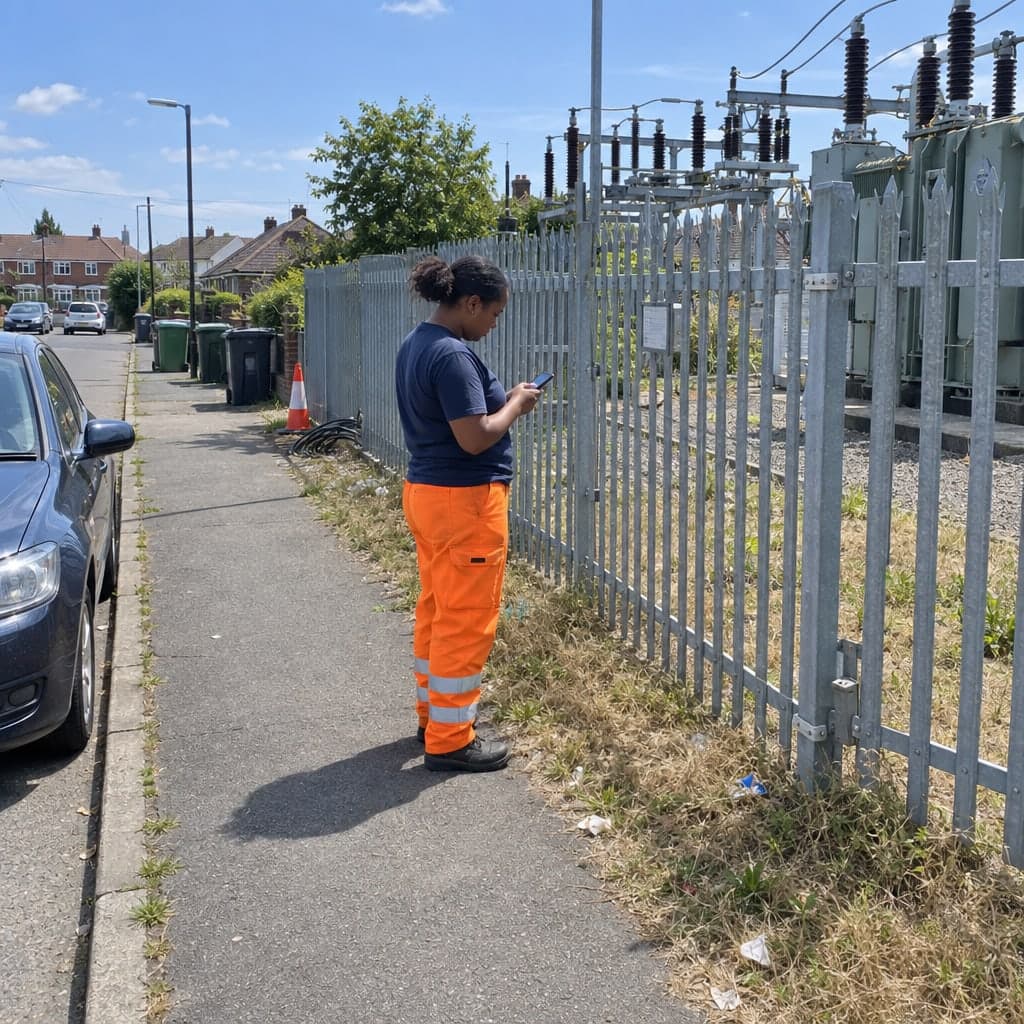
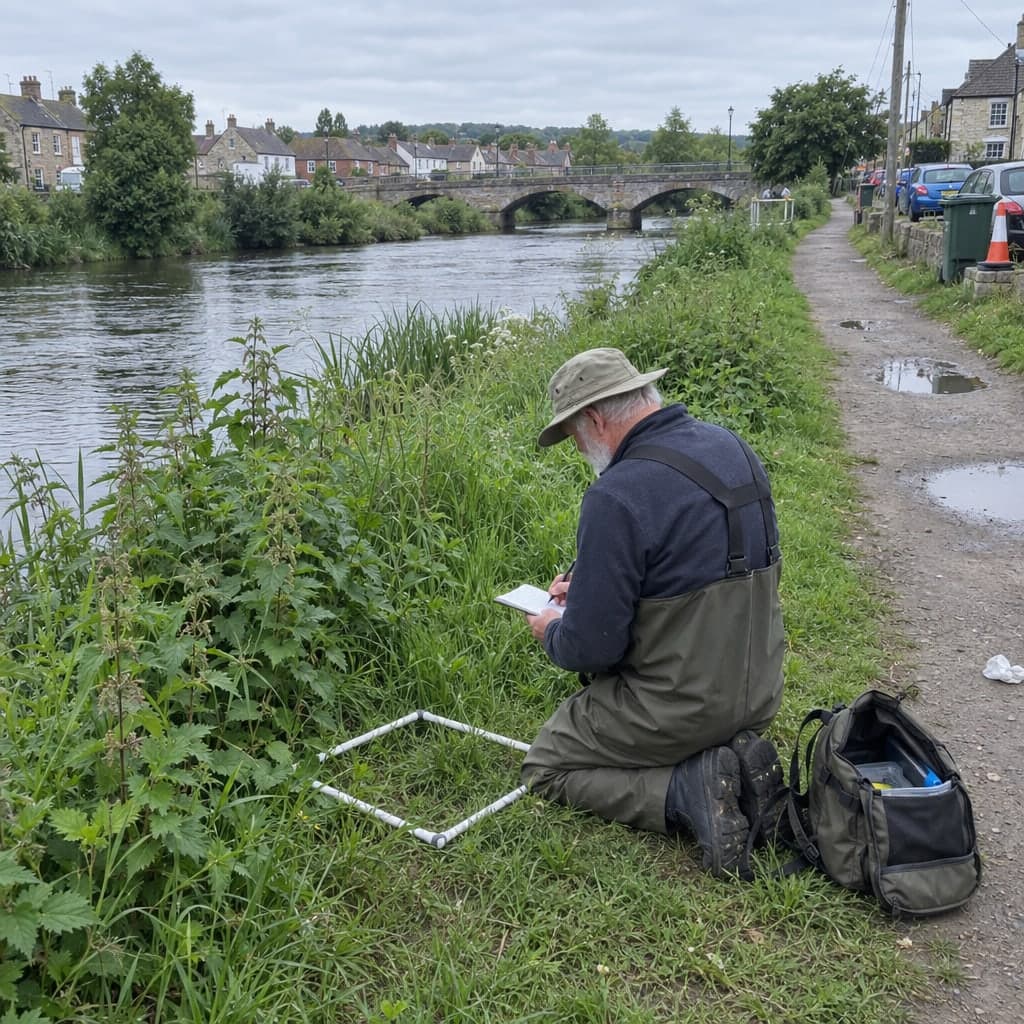
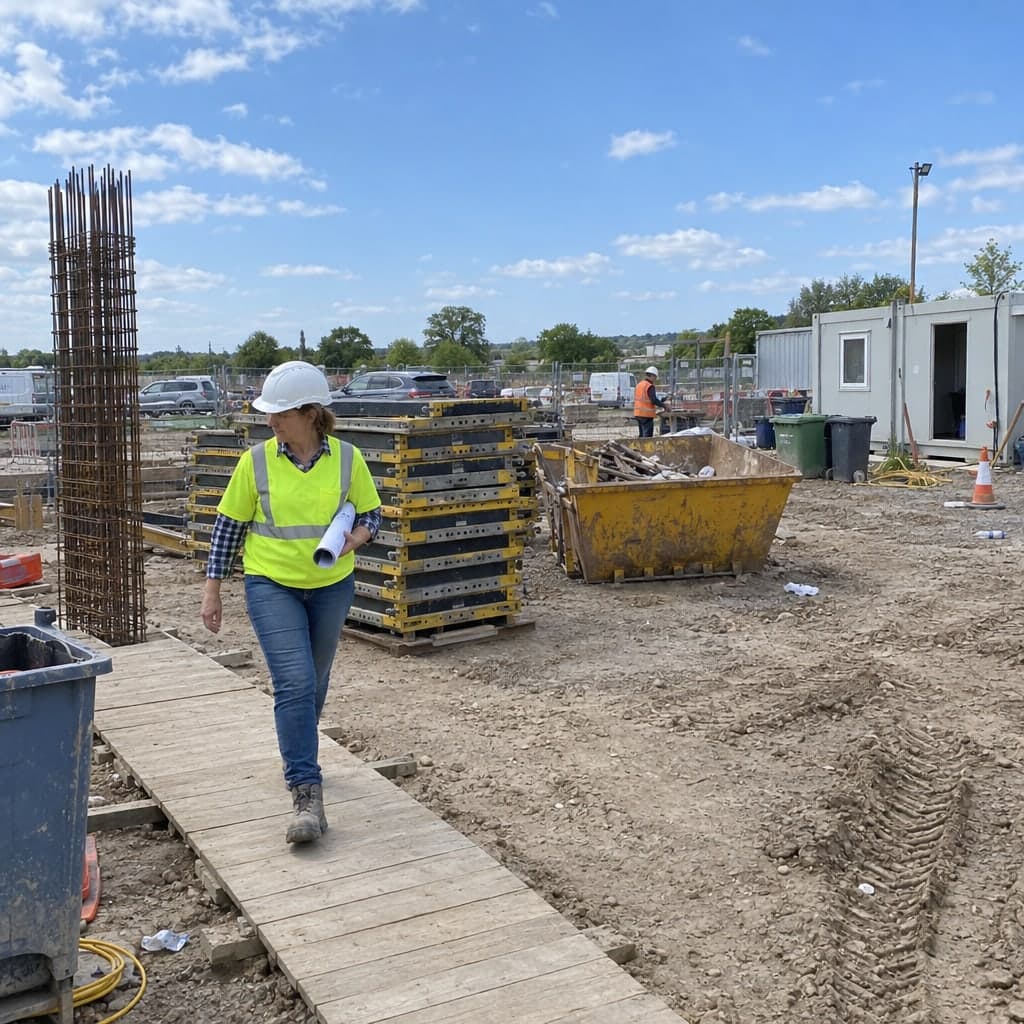
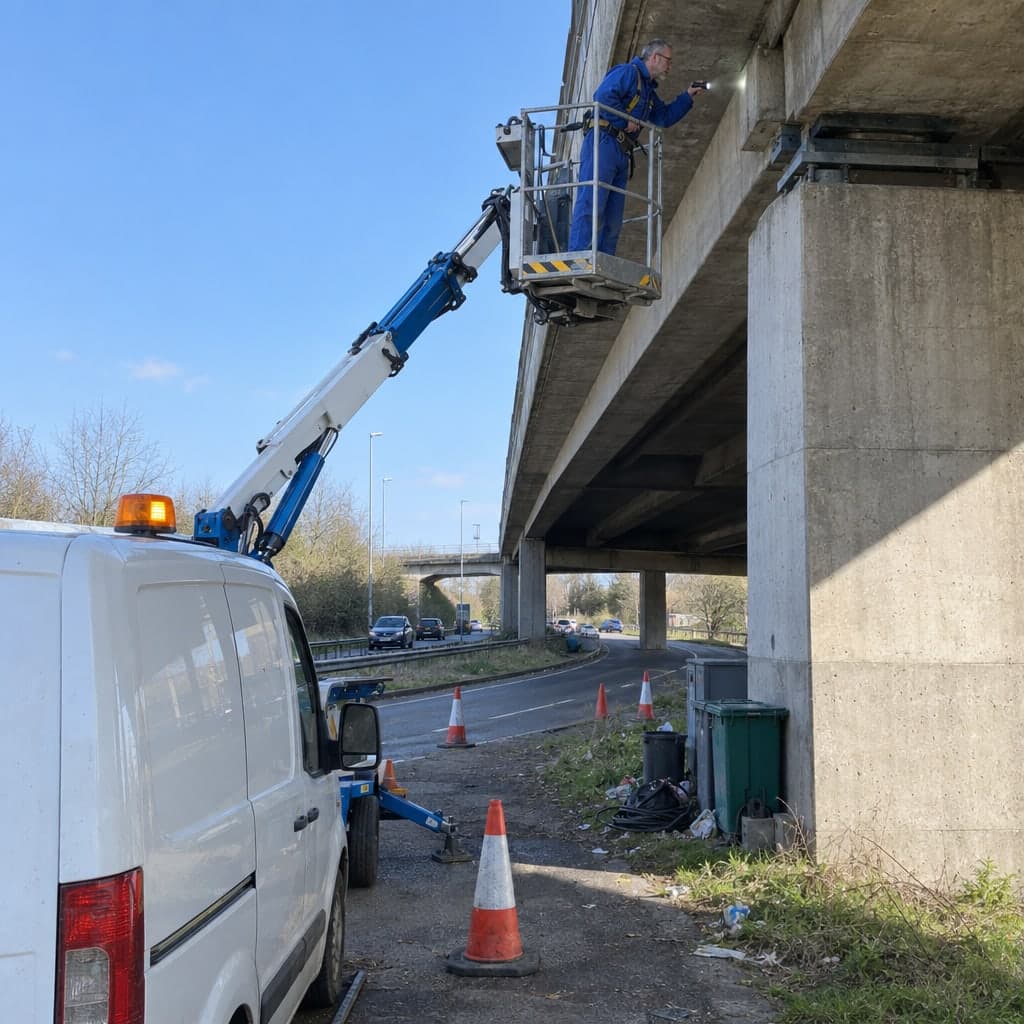

Main and routine inspections of bridges, walls, roads and signs on a map, with every inspection appended to the structure
Main and routine inspections of bridges, walls, roads and signs, on a structure register you keepA bridge gets a main inspection every few years, a simpler one in between, and someone drives past it every year. The damages, ratings and recommendations of each pass have to add up over decades. Geocadra keeps the structures on one layer, runs each inspection round as a project on it, and appends every inspection to the structure, so the 2023 main inspection, the 2025 observation and this year's round sit on the same record.
Worked example
A district's small structures, inspected round after round
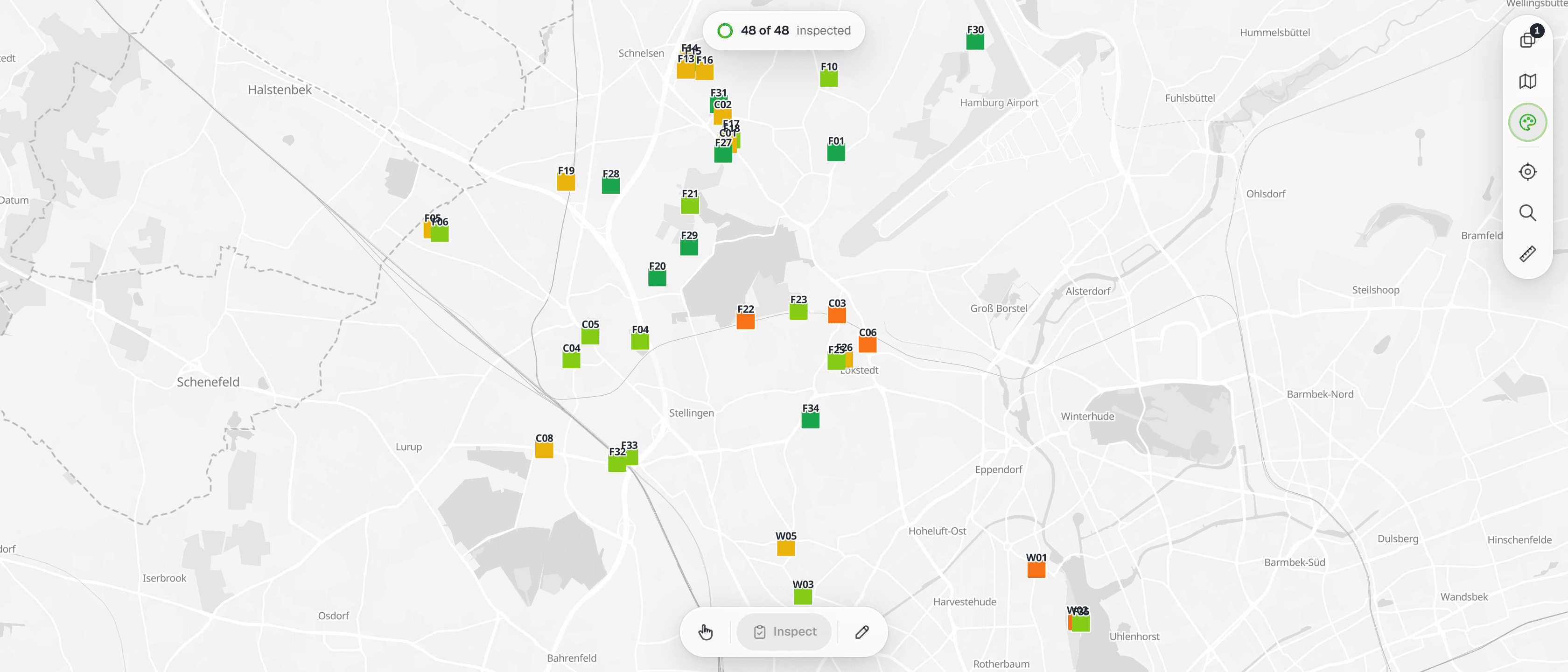
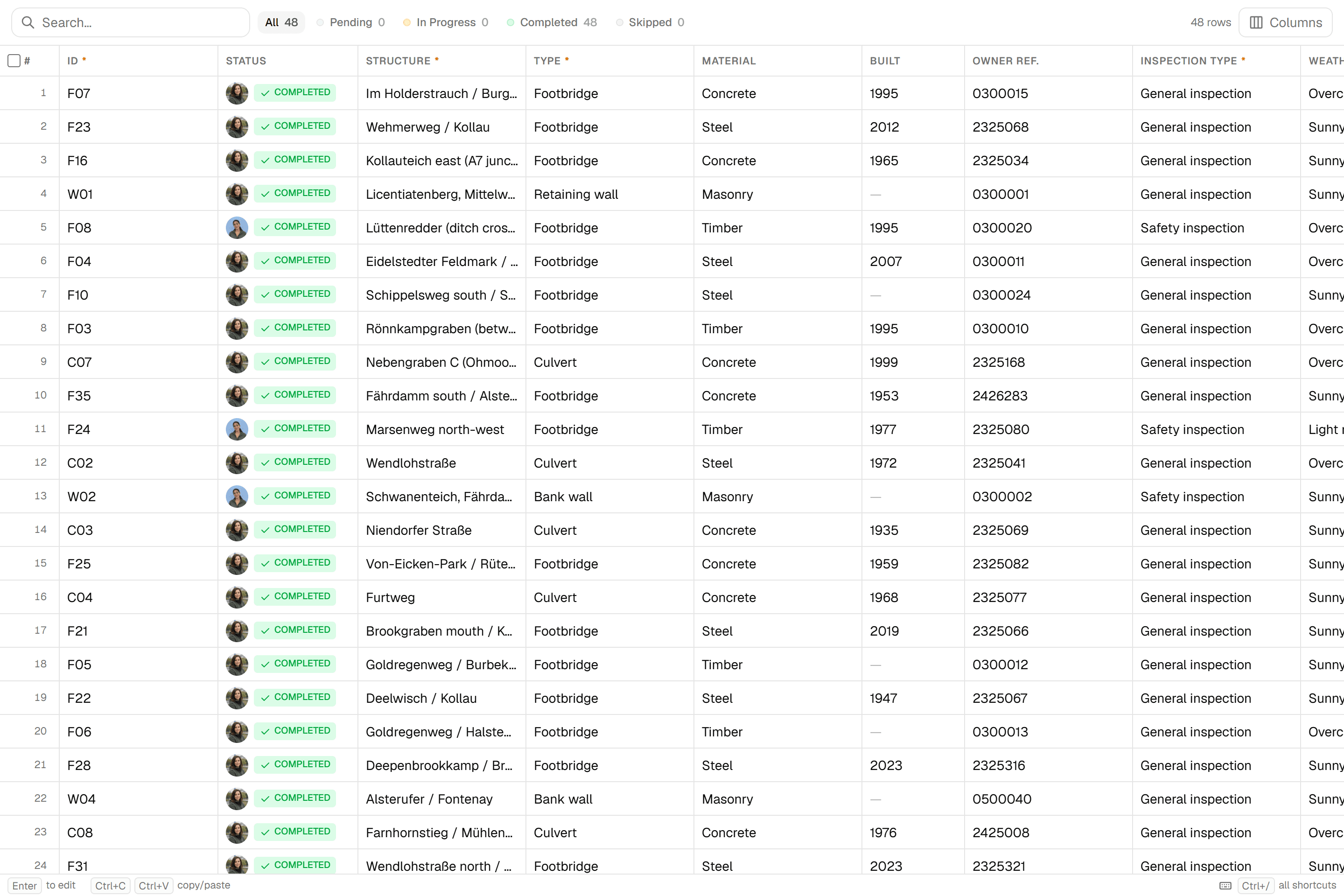
The screenshots on this page are not mock-ups. They come from the Geocadra demo workspace, where 48 culverts, footbridges and walls in Hamburg's Eimsbüttel district were taken from the city's open structure register and inspected in a 2023 round and the 2026 round with one inspection form. Positions, register numbers and construction years are the real published data, the names and types are adapted from it; materials, condition ratings, defects, photos and inspectors are demo data.
Dataset
Bridges and other engineering structures, Hamburg: small structures in Eimsbüttel
- Publisher
- Free and Hanseatic City of Hamburg, state agency for roads, bridges and waters (LSBG)
- Licence
- Data licence Germany – attribution – version 2.0
- Coordinate system
- EPSG:25832 (ETRS89 / UTM zone 32N)
- Extract
- 48 structures, 11 KB GeoJSON
 01
01Import the register extract
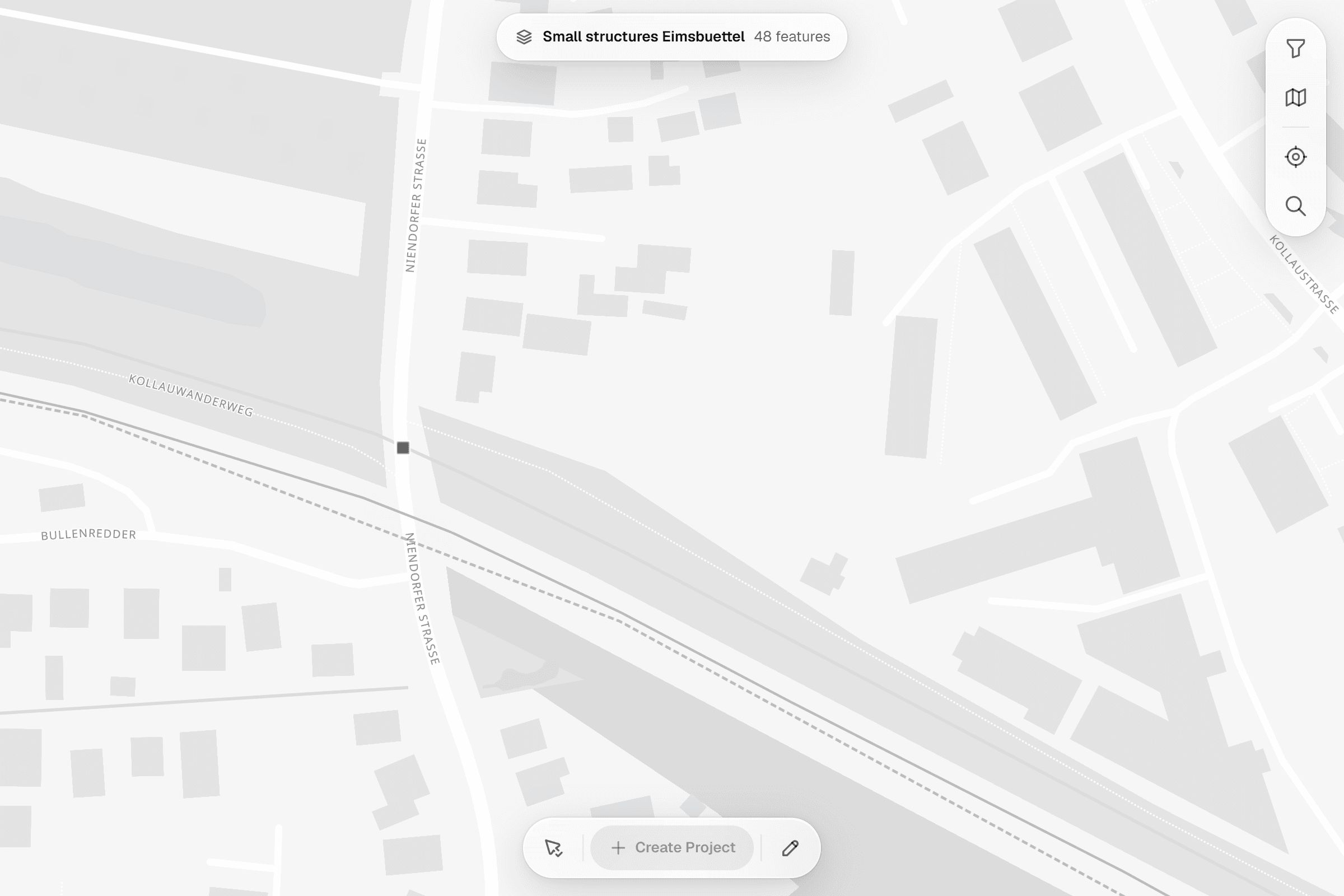
The file declares a projected coordinate system. The importer detects it, places the 48 structures on the map and keeps the structure ID, name, type, construction year and register number as attributes. Save as one layer.
 02
02Set up the inspection form
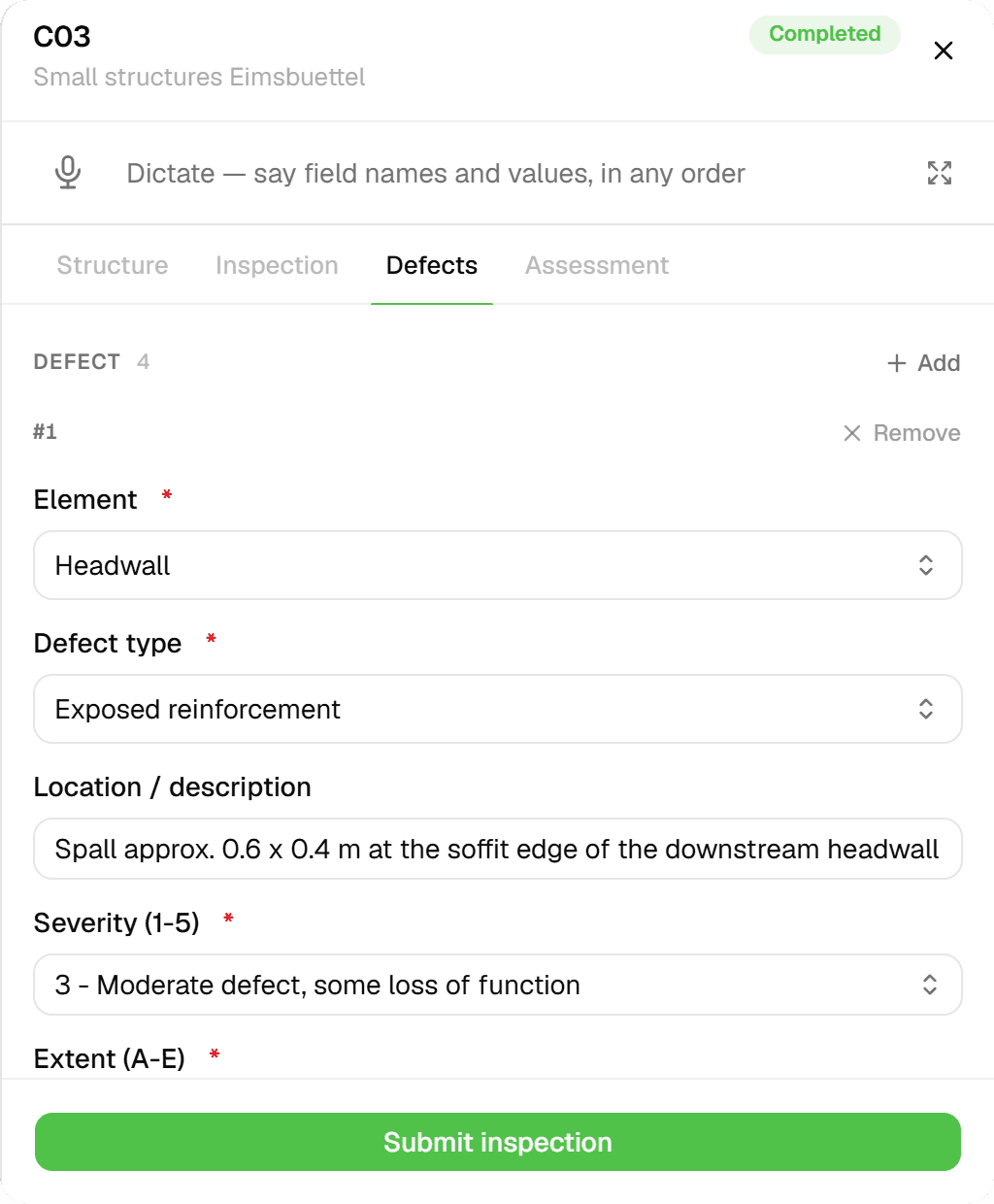
One form per structure: structure data, the inspection with access and limitations, then one entry per defect with element, defect type, severity on a five-step scale, extent, priority, recommended work and photos, and the overall condition. The scales follow the owner's manual, here the UK CS 450.
 03
03Run the round on the district
The 2026 round covers 48 structures and is done in the screenshot: 51 inspections by a team of four, follow-up visits included, the condition report written from it, and the structures on the map.
 04
04Inspect at the structure
Tap the structure, open the form: structure data from the register, the inspection, then one defect after another with element, defect type, location, severity, extent, priority and recommended work, then the assessment.
 05
05Every inspection stays on the structure
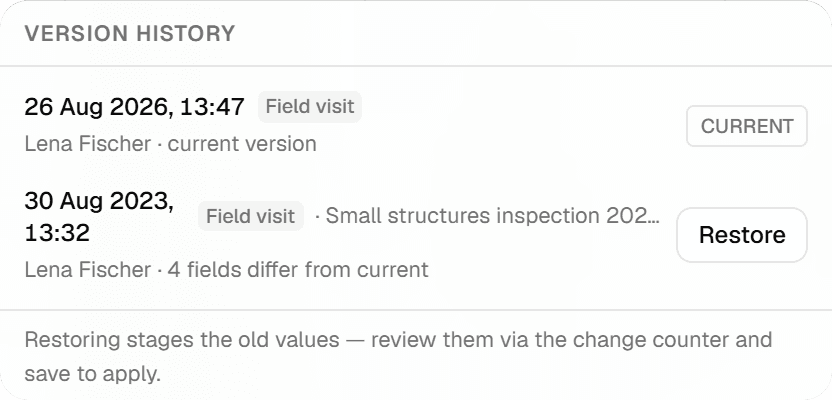
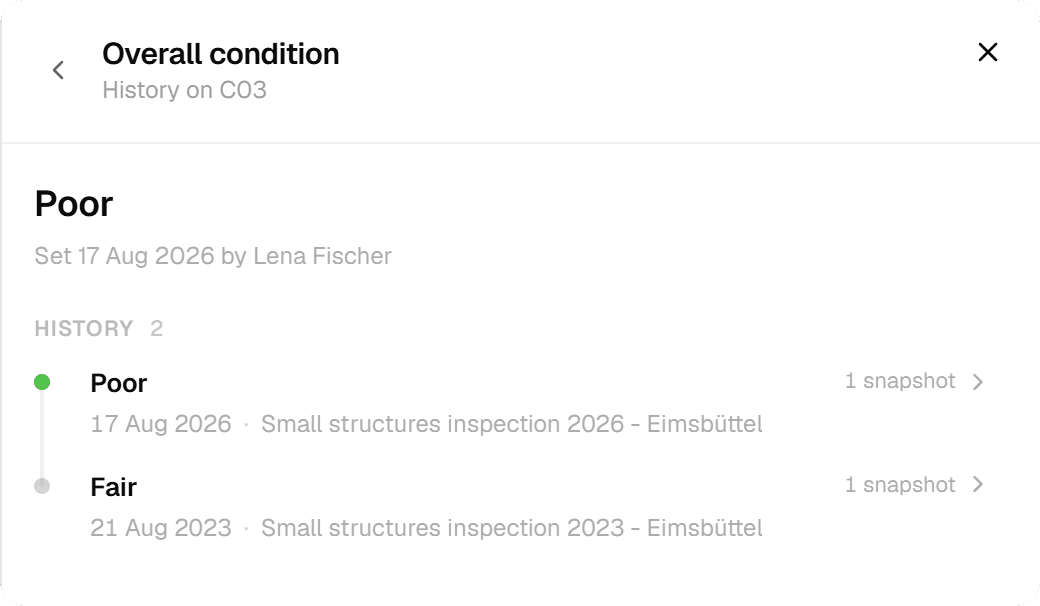
The features grid shows the version history of a structure: the 2026 inspection as the current version and the 2023 inspection with the number of fields that differ. Any version can be staged for restore and reviewed before it is applied.
 06
06Hand it over
Excel with one typed column per form field for the asset register, DXF with the structure IDs on a label layer for the drawing office, PDF for the condition report. Export the round's current values or a chosen version; the history stays.
The challenge
What a bridge engineer actually deals with
From audit offices, inspection contracts and the trade press on structure inspection. The rulebook differs by country, the pattern does not.
- 01
No complete overview of the stock
One state audit found that a quarter of the municipalities it examined inspected their bridges to the national standard, half inspected somehow, and the rest only when damage was already visible. A first-ever inspection of a bridge in that audit rated it close to the worst grade. Many small owners have one engineer, a filing cabinet and no as-built drawings.
- 02
Hammer, sketch and camera, then relocating damages in the office
Damages are located as free text ("3.5 m from the abutment, left, top"), sketched on paper, photographed with a camera whose files are renamed in the evening to match the report. Photos are a contract requirement for every serious rating, and re-inspected damages must get fresh ones. Every inspector has spent nights on file names.
- 03
Recommendations and follow-ups fall between inspector and owner
Damages flagged to be re-checked at the next simpler inspection must be found again three years later. Urgent recommendations need a decision from the owner. Whether the depot actually removed the vegetation is invisible, and small bridges are forgotten. The condition grade lives in one program the owner may not have.
The solution
How the round runs in Geocadra
Everything below is what the product does today, shown above on a real city structure register.
The register is a layer you import once
Load the structures from the owner's register as GeoJSON, Shapefile, GeoPackage, CSV with coordinates or a CAD drawing. The importer reads the coordinate system and places the file. Structure numbers, names, types and construction years stay on every structure.
Each inspection round is a project on the same layer
The main inspection, the annual observation and this year's round are separate projects bound to the same layer. An inspection is appended to the structure, never overwritten. The features grid shows the version history of any structure, and the structure's sheet lists every inspection with who and when.
Damages with ratings, photos and recommendations on the record
The inspection form carries the damage list with component group, location, extent, the three-way rating, photos and the recommendation with quantity, cost estimate and urgency. The condition grade and the next inspection years are on the summary. The observation form re-lists flagged damages so they are found again.
Hand over in the format the next system wants
Excel with typed columns for the owner's register, a PDF report per structure, GeoJSON or Shapefile for the GIS, and a CAD drawing when the drawing office asks for one. A contractor's inspection lands in the owner's data, not only in a PDF.
How it works
Common Workflows
Six rounds as they run in the field, each backed by a form from the Geocadra marketplace. The steps follow the way the work is tendered and audited, whichever national standard sits behind it.
- 01
Main inspection of a bridge by an engineering firm
Hands-on inspection with access equipment on the multi-year cycle, damage by damage, with the condition grade and the next dates on the summary.
- 1.The owner exports its structure register into the project; the firm receives the assignment with the structure number, the last report and the drawings attached, and announces the inspection window.
- 2.On site with the lift: each damage is recorded with component group, part, description, extent, location and the three-way rating, with photos captioned from the record. Damages flagged in the last inspection appear as a checklist to re-find.
- 3.Recommendations with quantity, cost estimate and urgency are linked to damages; the condition grade and the justification go on the summary. The preliminary report goes to the owner for review.
- 4.The final report is released with signature; the owner keeps the structured data, and the next simpler and main inspection years come from the record.
- 02
Annual observation and special inspection after an impact
The maintenance depot looks at every structure once a year; anything unusual reaches the inspector with a photo, and an impact triggers a special inspection.
- 1.The depot inspector opens the observation form at each structure: any abnormality, with photo and whether it is new since the last inspection.
- 2.Findings marked urgent reach the bridge inspector, who schedules a special inspection on the structure with the cause recorded.
- 3.Serious ratings on a cap or a safety barrier become a short-term recommendation; a traffic restriction is documented on the record.
- 4.After the repair the damage is marked as repaired at the next inspection, and the condition grade is recalculated.
- 03
Retaining and quay walls
Walls above the height threshold of the standard join the cycle: wall condition, drainage, tilt, fall protection, anchors, damages and the grade.
- 1.Filter the register for walls above the threshold; the reserve to it is computed from the visible height.
- 2.Record wall type and material, drainage function, tilt, fall protection and, where present, anchor forces against target.
- 3.Damages as for bridges: component, description, extent, rating, photo, recommendation.
- 4.Summary with condition grade and the next inspection years, filed on the wall next to the earlier inspections.
- 04
Visual road condition survey
Section by section, distress types with extent and photo, a condition class per section, and a ranked list of measures for the council.
- 1.Import the road register with sections and nodes; two staff drive the network and record each section.
- 2.Distress types, extent and photo per section; the condition class is computed and the map shows the sections above the warning and threshold values.
- 3.Export the ranked measures list with area and cost estimate into the road programme.
- 4.After resurfacing the section is re-recorded; the history shows the trend that justifies the budget line.
- 05
Road safety audit with several authorities
Police, road authority, rail operator and motoring club drive the route together; every finding gets a responsible party and a deadline, and open items roll to the next audit.
- 1.The traffic authority prepares the route, invites the participants and attaches the last protocol; the sign layer is preloaded so signs can be tapped.
- 2.Each participant's finding is recorded on the spot; level crossings get their own checklist inline; night audits add reflectivity readings.
- 3.The protocol with numbered findings, decision, responsibility and deadline is signed by all and exported as PDF.
- 4.The depot works off its items and marks them done with a photo; open items roll over to the next audit, which gives the authority the audit trail it could not produce before.
- 06
Dike inspection after the winter
Walking the crest and the landside toe by dike kilometre, findings with sketch, photo and classification, into the dike book.
- 1.The association schedules the inspection with the dike stationing and the dike book plans loaded; the water authority is informed.
- 2.Findings per kilometre and position: seepage, animal burrows, slope damage, with sketch, photo and classification.
- 3.Items rated for repair go to the maintenance plan; immediate measures alert the association head at once.
- 4.The protocol is filed into the digital dike book; the autumn inspection reopens all items to verify repairs.
The impact
What Changes
“The damage that was flagged to be re-checked is found again three years later, because it is on the structure with its photo and location, not in a report in a cabinet. The contractor's inspection lands in the owner's register. When the council asks which bridges need work first, the ranked list comes from the records, with the cost estimates the inspectors entered.”
Standards
Compliance & Standards
The forms follow the way each regime structures the work; the record is what survives the audit.
- Structure inspection cycles
- Main, simpler and annual inspections on fixed cycles, hands-on with access equipment for the main one (for example DIN 1076 in Germany, principal and general inspections in the UK, NBI inspections in the US). The forms carry the inspection type, dates, team, access equipment and the next inspection years.
- Damage rating and condition grading
- Damages rated on stability, traffic safety and durability with a condition grade per structure (for example RI-EBW-PRÜF and the BASt grading in Germany, the NBI condition ratings in the US). The forms hold the rating per damage and the grade with its justification.
- Road condition assessment
- Visual condition surveys per road section with distress types and a condition class (for example the German municipal E EMI method, PASER in the US, UKPMS in the UK). The section form computes the class and the map shows the threshold exceedances.
- Road safety audits
- Periodic joint inspections of the road network by the responsible authorities with a signed protocol, responsibilities and deadlines. The protocol form numbers the findings and keeps open items for the next audit.
- Flood defence inspection
- Spring and autumn inspections of dikes and flood walls with findings by stationing (for example DIN 19712 in Germany, the USACE levee inspection in the US). The form records position, classification and the follow-up in the dike book.
Standards this page covers
Each standard below has its own page with the inspection regime, the rating system and the form on the marketplace.
- DIN 1076 Bridge InspectionThe German standard for structural inspection of bridges using the RI-EBW-PRÜF three-axis S-V-D damage rating and a 1.0–4.0 Condition Grade.
- DIN 1076 Retaining Wall InspectionThe German standard for structural inspection of retaining walls using the RI-EBW-PRÜF three-axis S-V-D damage rating and a 1.0–4.0 Condition Grade.
- RI-EBW-PRÜF Bridge Inspection ProcedureThe German procedural guideline for bridge inspection under DIN 1076, defining the per-defect Einzelschaden data capture loop, the S-V-D 0–4 rating workflow, extent classification, and measure/urgency assignment.
- RI-EBW-PRÜF Retaining Wall Inspection ProcedureThe German procedural guideline for retaining wall inspection under DIN 1076, covering 11 ASB-ING wall types, per-defect S-V-D 0–4 rating, extent classification, and EP-Kennzeichnung recheck tracking.
- FHWA NBIS/SNBI Bridge InspectionThe U.S. federal standard for bridge safety inspection with a dual-tier system: 0-to-9 component condition ratings and CS1–CS4 element-level structural assessment.
- FHWA NTIS Tunnel InspectionThe U.S. federal framework for element-level tunnel inspection, distributing each element's quantity across four Condition States (CS1 Good through CS4 Severe) for quantitative, comparable data.
- CS 450 Bridge Inspection (DMRB)The UK DMRB standard for inspecting highway structures — bridges, culverts, retaining walls, and gantries — using Severity (1–5) and Extent (A–E) defect rating to produce a Bridge Condition Indicator (BCI) from 0 to 100.
- NCHRP 903 Retaining Wall AssessmentThe US National Cooperative Highway Research Program standard for highway retaining wall inspection, with a 1-to-5 O&M condition rating, dual safety/mobility consequence scoring, and GAM planner integration.
- NEN 2767 Infrastructure StructuresThe Dutch methodology for condition assessment of infrastructure and civil engineering structures — bridges, tunnels, quay walls, locks — using a 1-to-6 condition score with defect classification by severity, intensity, and extent.
- ASTM D6433 PCI Road SurveyThe standard methodology for calculating the Pavement Condition Index on road networks using a Branch–Section–Sample Unit hierarchy and 38 distress types.
- ASTM D6433 Parking Lot InspectionThe standard practice for Pavement Condition Index (PCI) surveys of parking lots, recording AC and PCC distress types, severity levels, and quantities to produce a 0–100 PCI score.
- SHRP LTPP Pavement Distress SurveyThe FHWA Long-Term Pavement Performance distress survey protocol with 15 distress types across five categories, three severity levels, and SI-unit quantification for research-grade pavement condition data.
- FGSV E EMI Pavement ConditionFGSV E EMI 2012 is the German guideline for visual condition assessment of municipal roads. Inspectors record distress type, severity, and extent within defined segments to produce a Zustandsnote from 1.0 (Very Good) to 5.0 (Inadequate).
- UKPMS CVI Road InspectionThe UK standard for rapid, vehicle-based road condition surveys recording carriageway and footway defects by type, chainage, and lateral extent to generate network-level condition indices.
- AASHTO MASH Guardrail InspectionThe US standard for inspecting highway guardrail systems per AASHTO MASH crash-testing criteria, rating rail corrosion, wood post damage levels, and end terminal condition on a 1-to-4 overall scale.
- EN 1317 Road Barrier InspectionThe European standard for road vehicle restraint systems, classifying barriers by containment level (N1–H4b), working width (W1–W8), and impact severity (ASI A–C), with a 1-to-5 field condition rating.
- MUTCD Sign Retroreflectivity AssessmentThe U.S. FHWA standard for maintaining minimum sign retroreflectivity per MUTCD Section 2A.08, using five approved assessment methods and Table 2A-3 thresholds by sign color and sheeting type.
- FHWA Bicycle Road Safety AuditThe US Federal Highway Administration standard for bicycle-specific road safety audits, evaluating road design, intersections, and cyclist-perspective hazards using five prompt list categories.
- LTN 1/20 Cycle Level of Service (CLoS)The UK Department for Transport standard for assessing cycling infrastructure quality using 25 indicators across five design principles, producing a Red/Amber/Green traffic-light score with Critical Fail overrides.
- ERA 2010 Cycling InfrastructureThe German FGSV standard for cycling infrastructure assessment using the HEBRA loss-point methodology, producing Quality Levels A through F for facility geometry, surface condition, and safety.
- ATE Route CheckThe UK Active Travel England assessment tool for evaluating cycling and walking infrastructure quality across Policy, Safety, Path, and Placemaking modules.
- USACE Levee Safety InspectionThe U.S. Army Corps of Engineers standard for evaluating levee systems under PL 84-99, using an Acceptable / Minimally Acceptable / Unacceptable rating that determines federal rehabilitation eligibility.
Questions
Frequently Asked Questions
- Does Geocadra schedule the inspection cycles?
- No. A recurring round is a manual pattern: you create the next project on the same layer, and the history is kept because inspections are appended, never overwritten. The forms compute the next inspection years, but there is no scheduler that generates projects on a calendar.
- Does Geocadra compute the official condition grade?
- The forms compute what can be derived within one damage record, such as the damage's rating figure, and carry the grade per structure as an entered value with its justification. The official grading algorithms of national programs are not reproduced; export the damages to that program where it exists.
- Our structures already have numbers. Do we have to renumber?
- No. Imported attributes stay on the feature, and the form's identity field is filled with the existing structure number. The worked example uses Hamburg's own structure numbers unchanged.
- Can an inspection firm work in our project?
- Yes. The firm is invited to the project with its own seat and submits into your layer, so the inspection lands in your register rather than in a PDF you have to file. Viewer access for the owner's staff or the council is free within your plan's allowance.
- Is this only for bridges?
- No. The marketplace holds forms for tunnels, noise barriers, sign gantries, culverts, other structures, footway and kerb inspection, safety barriers, level crossings, dikes, bus stops, traffic signs, road markings, cycle paths and road condition, in German and English versions.
See your own fieldwork in Geocadra
Set up a project, run an inspection and export the result. Free for 14 days, no credit card.
No credit card requiredFree trial included