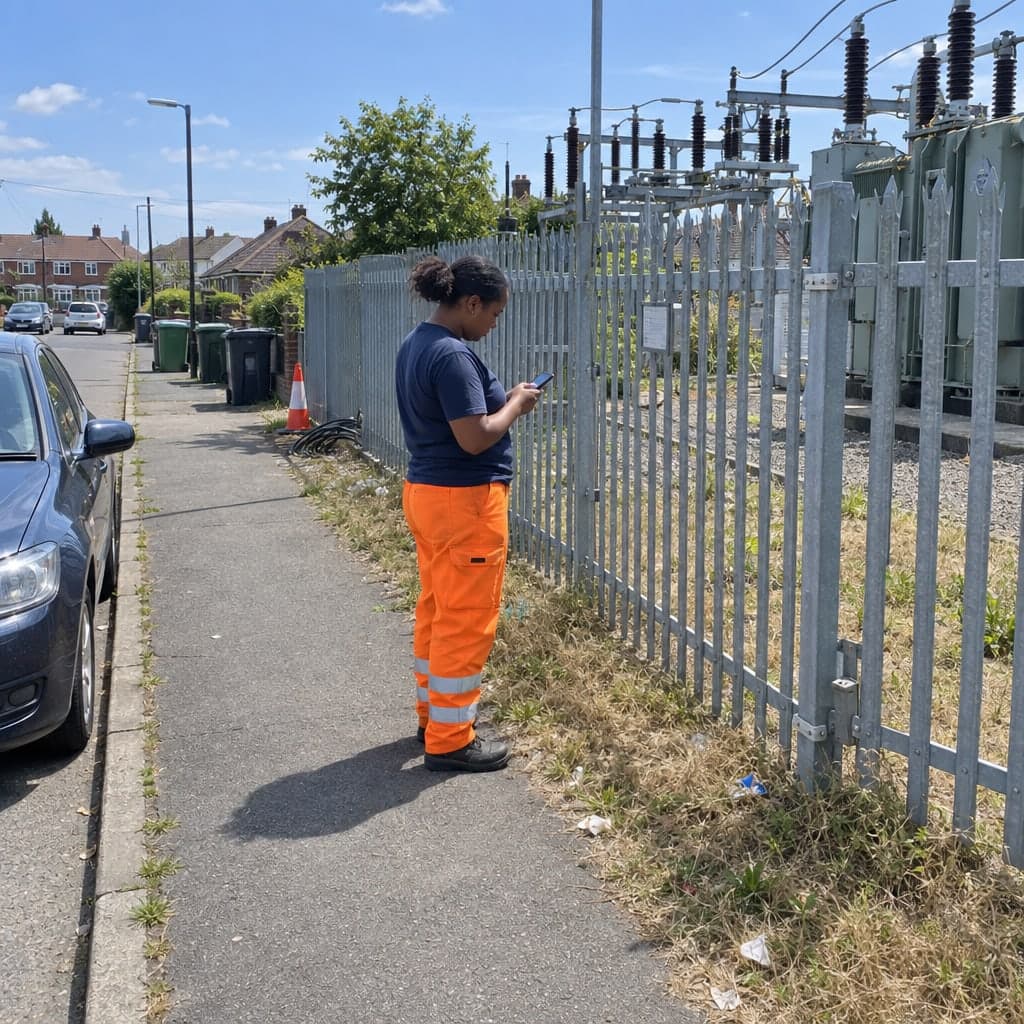
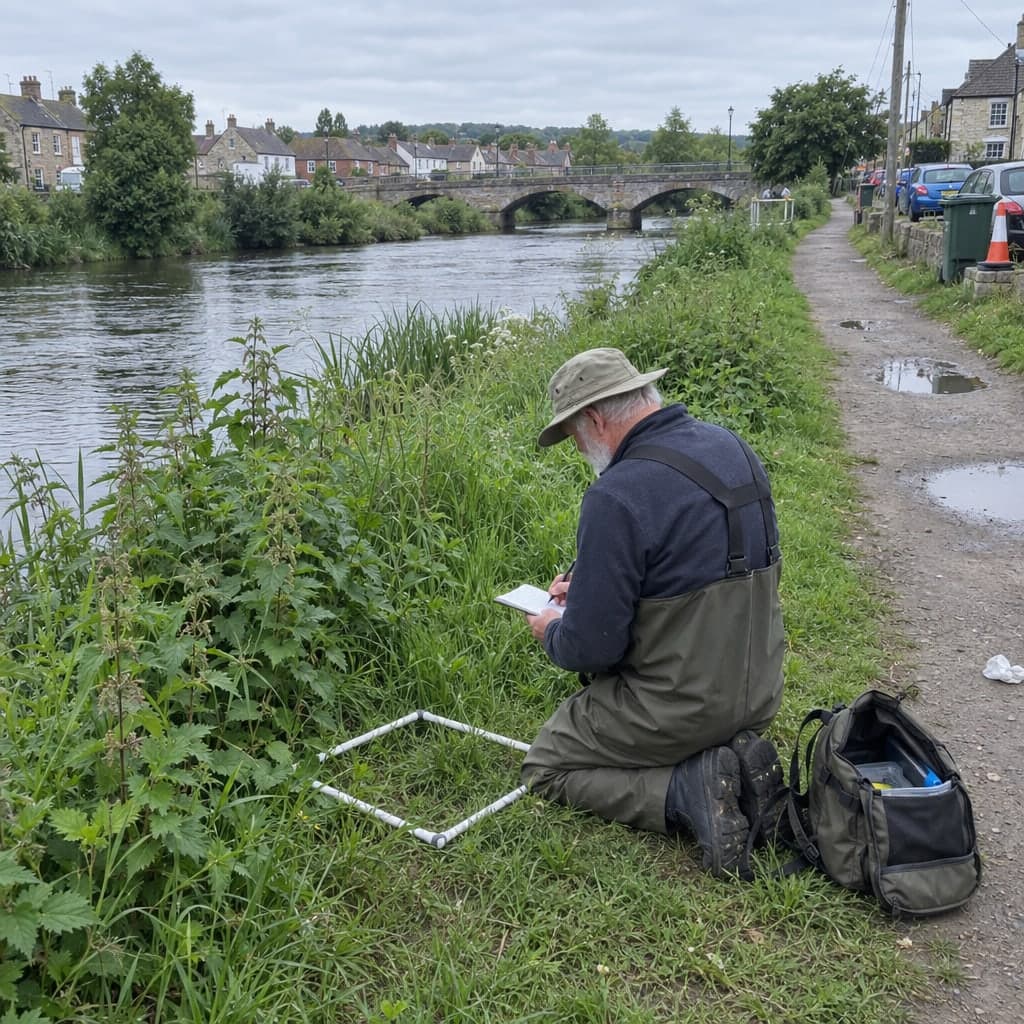

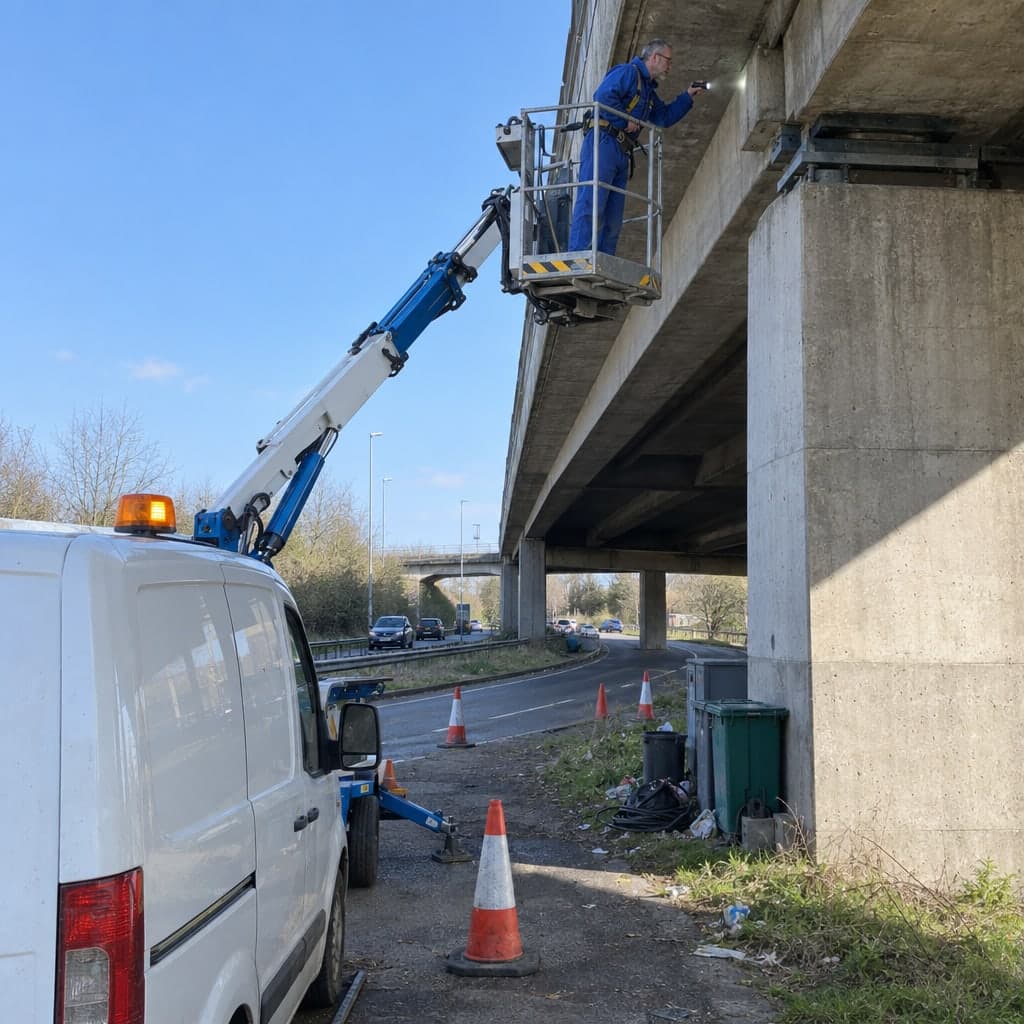

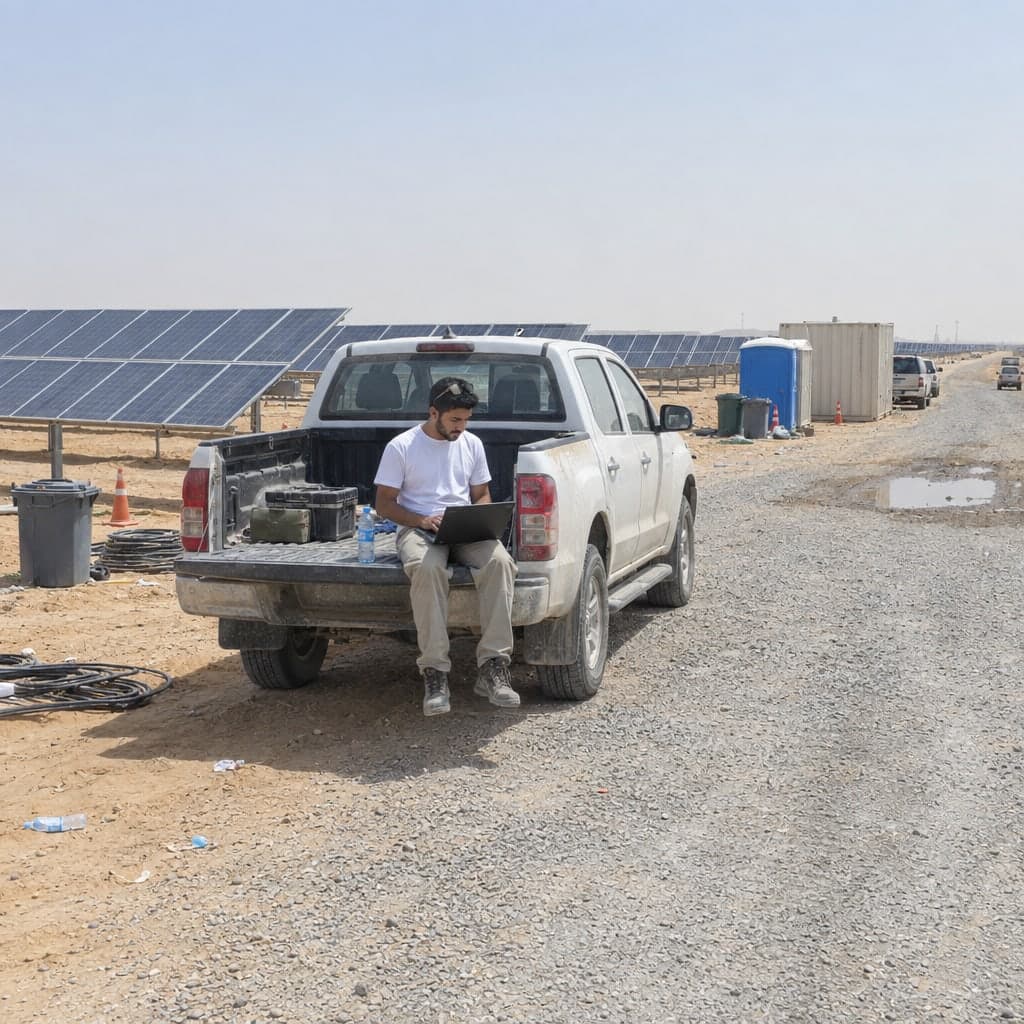
Lighting columns, poles, sewers and charge points inspected on a map, with every round appended to the asset
Recurring rounds on lighting columns, hydrants, valves and manholes, on a register you keepNetwork assets are inspected on a cycle: a visual round every year, an electrical test every few years, a structural test at a certain age. Geocadra keeps the assets on one layer, runs each round as a project on it, and appends every submission to the asset, so the first inventory and this year's patrol sit on the same record.
Worked example
A district's street lighting, patrolled at night
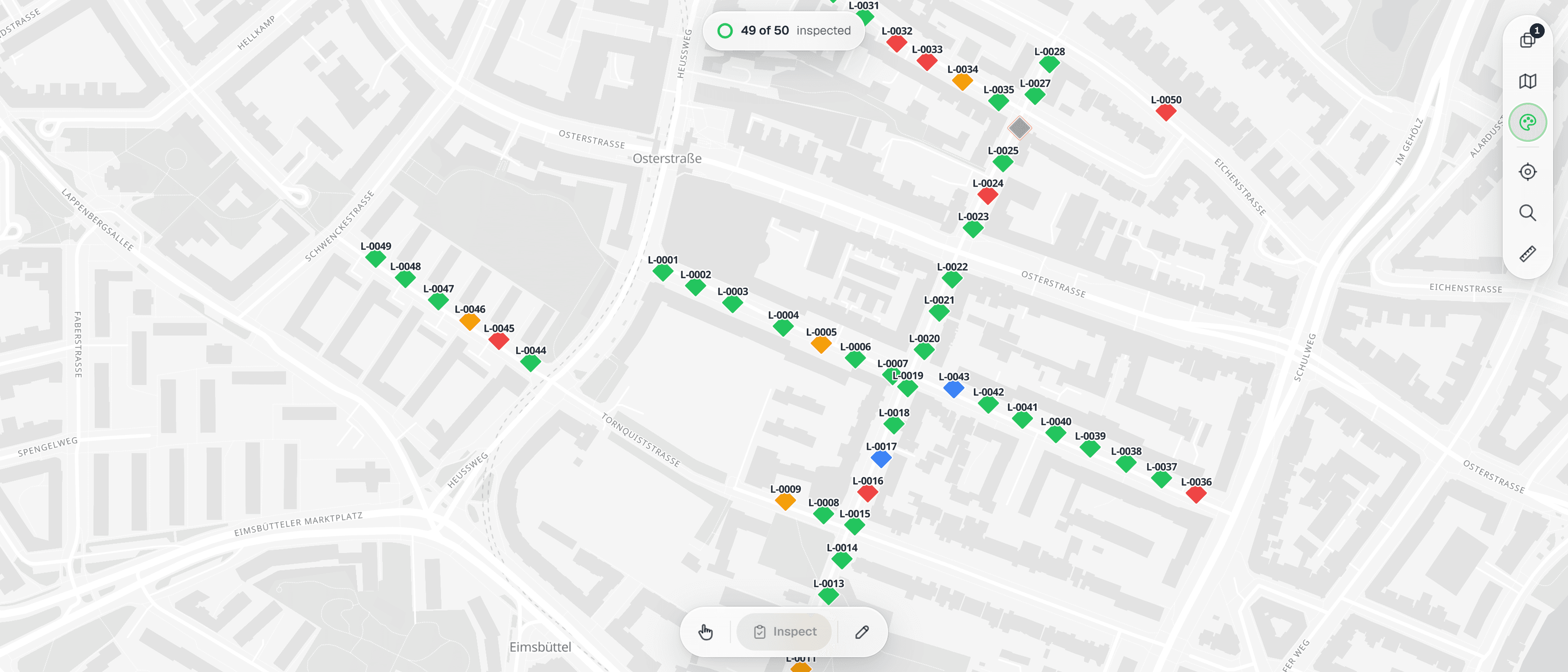
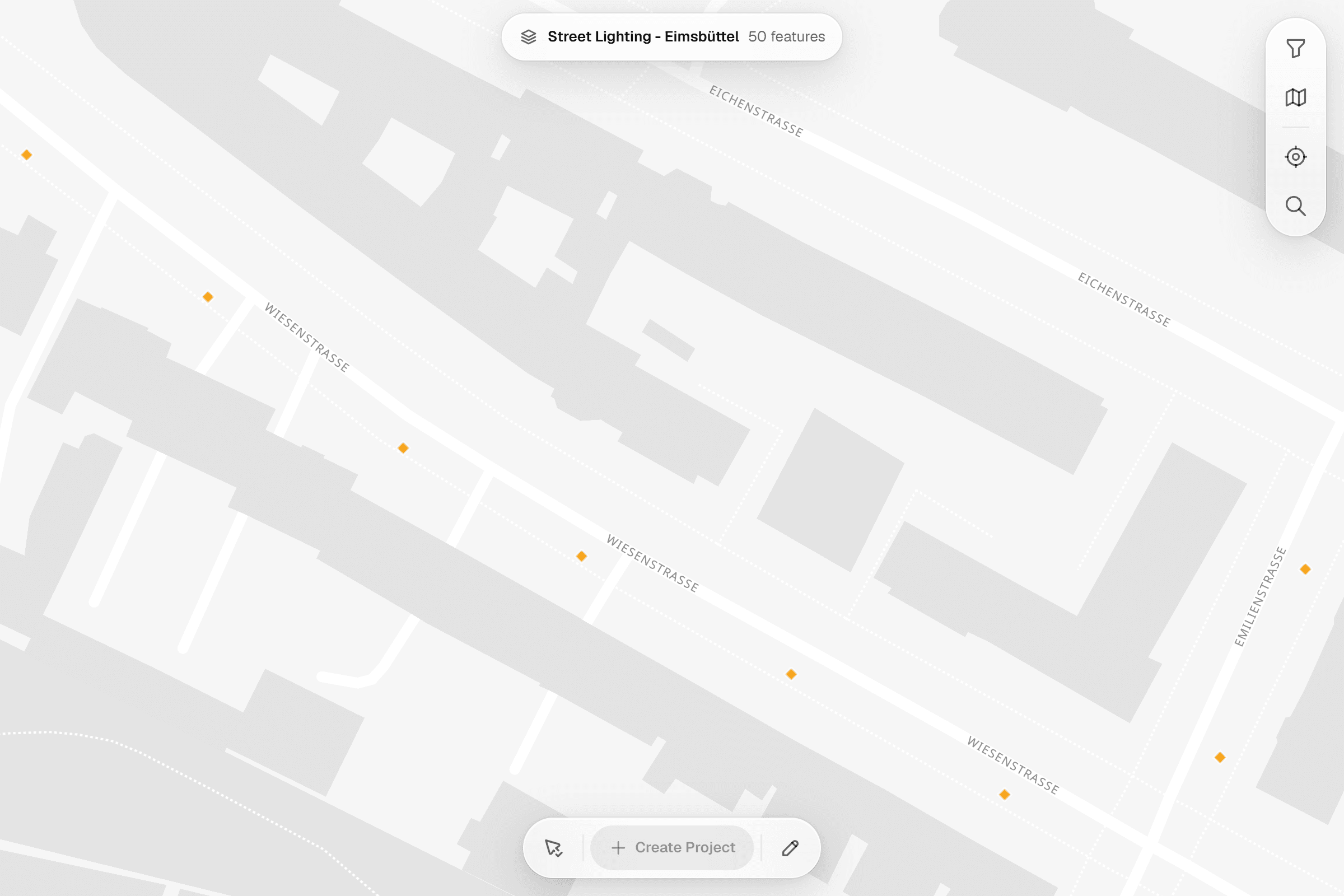
The screenshots on this page are not mock-ups. They come from the Geocadra demo workspace, where 50 lamp posts on six streets of Hamburg's Eimsbüttel district were checked in a February night patrol with one street-lighting form. The street network is real OpenStreetMap data; the lamp posts, their findings and the inspectors are demo data placed along it.
Dataset
Street lighting, Hamburg-Eimsbüttel (demo layer)
- Publisher
- Geocadra demo data, placed along the OpenStreetMap street network
- Licence
- Street network © OpenStreetMap contributors, Open Database Licence (ODbL) 1.0
- Coordinate system
- EPSG:4326 (WGS 84)
- Extract
- 50 lamp posts, 8 KB GeoJSON
 01
01Import the lamp posts
The file is in WGS 84. The importer reads it, places the 50 lamp posts on the map and keeps the post number, street and mast height as attributes. Save as one layer.
 02
02Set up the patrol form
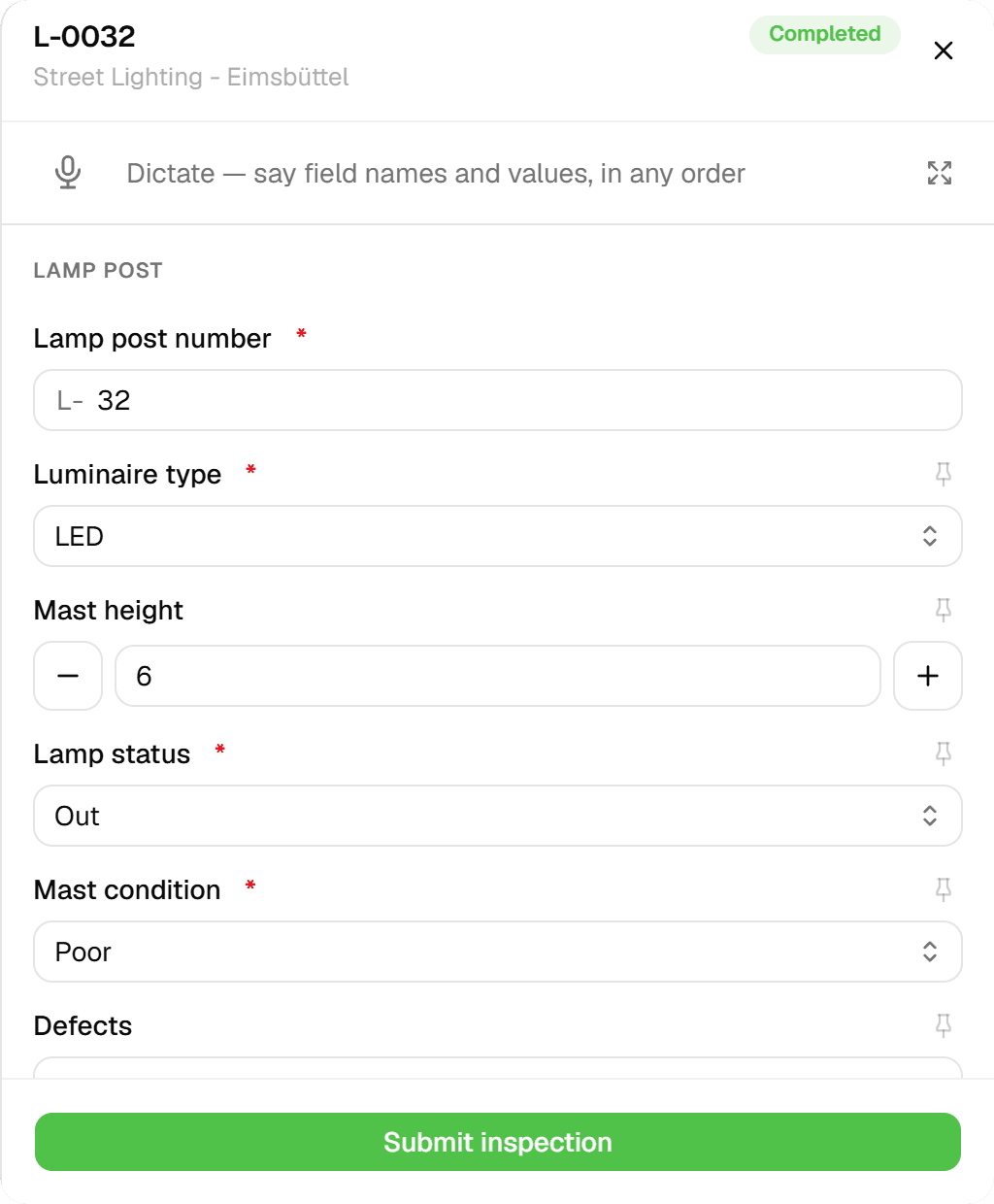
One short form per lamp post: post number, luminaire type and mast height, whether the lamp is working, flickering, out or burning by day, the mast condition, the defects seen, the recommended action, photos and notes.
 03
03Run the patrol on a route
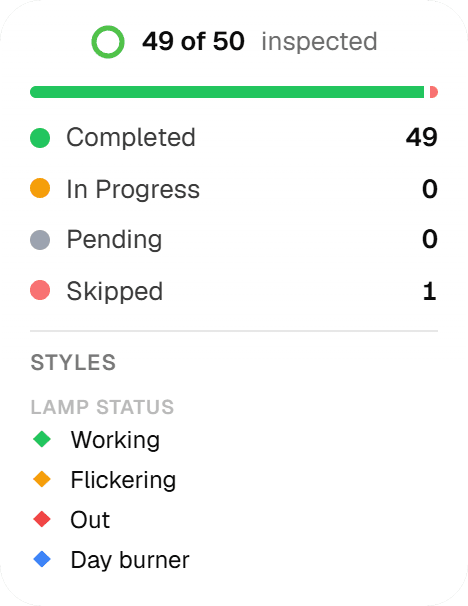
The February night patrol covers 50 lamp posts on six streets and is done in the screenshot: 49 checked, 15 of them with a lamp flickering, out or burning by day, and one skipped because its street was closed for roadworks. The map colours every post by lamp status.
 04
04Check at the post
Tap the post, open the form: lamp status, mast condition, the defects seen and the recommended action, with photos and notes when there is something to show.
 05
05Every post in one grid
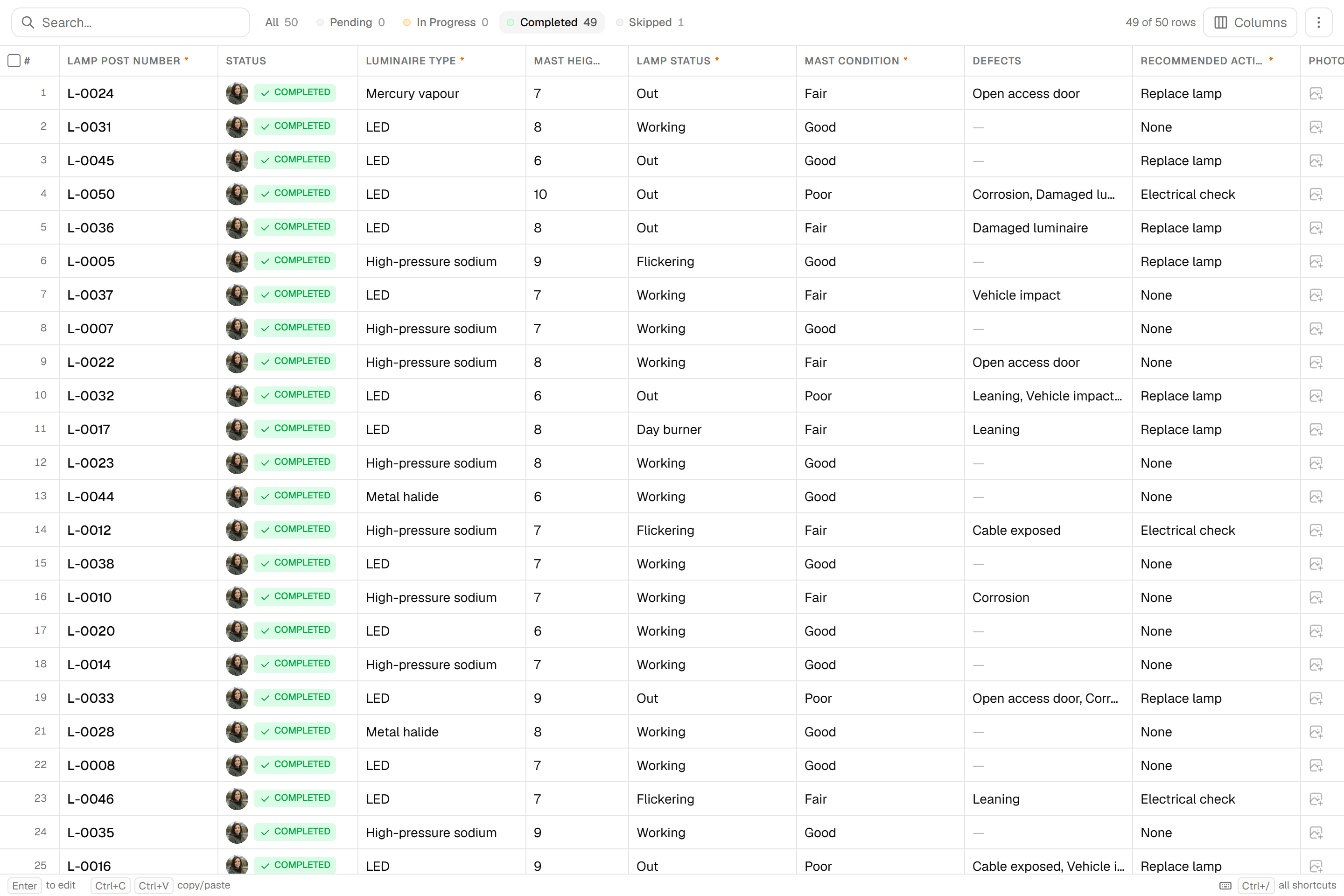
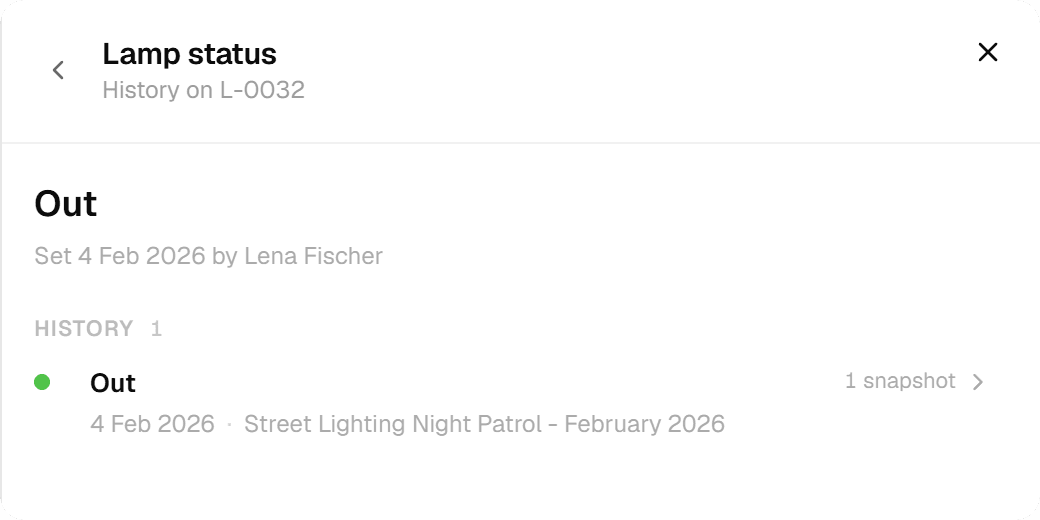
The features grid lists every post with the values of its last check: luminaire type, mast height, lamp status, mast condition, defects and the recommended action. The next round on the same layer adds its check to each post's history.
 06
06Hand it over
Excel with one typed column per form field for the repair order, GeoJSON or Shapefile for the GIS, a DXF with the post numbers on a label layer for the drawing office. Export the round's current values or a chosen version; the history stays.
The challenge
What the person responsible for the network actually deals with
From audit reports, tender documents and testing contractors' own marketing, across several countries. The details differ, the pattern does not.
- 01
No register, or a register in a spreadsheet
Many operators cannot say how many columns, hydrants or cabinets they own, how old they are, or what maintenance costs. One state audit office in Germany found that two thirds of the municipalities it examined had no lighting register at all. Where a register exists it is often a spreadsheet, which cannot hold a photo, a coordinate or a history, and which drifts out of date the moment two people edit it.
- 02
Test results live outside the asset record
Structural tests come back as a force-displacement chart and a PDF per column. Electrical tests come back on the contractor's certificate template. Thermography is a separate report. Guidance in several countries says these should be filed against the asset in the register. That guidance exists because it normally does not happen.
- 03
The liability sits with the responsible engineer
A column that falls or a charging point that injures someone lands on the person responsible for the network. The defence is a documented multi-year inspection plan and a record of what was found on each asset, by whom and when. That record has to be in one place, not spread across contractors' PDFs and a shared drive.
The solution
How the round runs in Geocadra
Everything below is what the product does today, shown above on a demo lighting layer along real streets.
The register is a layer you import once
Load the columns, hydrants or manholes from a GeoJSON, Shapefile, GeoPackage, CSV with coordinates or a CAD drawing. The importer reads the file's coordinate system and places it, or lets you pick one when the file has none. The existing asset numbers stay on every feature.
Each round is a project on the same layer
The initial inventory, last year's visual check and this year's round are separate projects bound to the same layer. A submission is appended to the asset, never overwritten. The features grid shows the version history of any asset, and the asset's sheet lists every submission with who and when.
One form per asset class, ready in the marketplace
Inventory and visual check for lighting columns, night patrol and fault report, column structural test, periodic electrical inspection of cabinets and feeder pillars, hydrant inspection and flow test, valve exercising, manhole inspection with condition coding, charging point tests. The marketplace holds versions written to British, Dutch, US and German practice. Copy the form, adjust the option lists to your own terms, and the crew answers the same questions on every asset.
Hand over in the format the next system wants
Excel with typed columns for the register, a PDF report for the council or the client, GeoJSON or Shapefile for the GIS, and a CAD drawing with labelled layers when the drawing office asks for one. No one retypes an asset number.
How it works
Common Workflows
Six rounds as they run in the field, each backed by a form from the Geocadra marketplace. The steps follow the way the work is tendered and audited, whichever national standard sits behind it.
- 01
Lighting column inventory and visual check
The first round builds the register; every later round is a visual check that appends to it: column, bracket, luminaire, lamp, cut-out, then condition, action and urgency.
- 1.Import the columns with their existing numbers, or capture them with the phone's GPS on the first round. Each point carries its number as its identity.
- 2.Record the support: column type, height, material, year of installation, condition and defects such as corrosion at ground level or a missing door.
- 3.Record luminaire, lamp type and wattage, and the protective devices in the cut-out. One photo per column is the minimum; the nameplate and the open door are the useful extras.
- 4.Close with function, road safety, action and urgency. Columns marked urgent are filtered out the same evening and become the work list.
- 02
Night patrol and fault reporting
A few patrols a year under the maintenance contract, plus public reports. Only the faults become records; the rest of the route is not touched.
- 1.The dispatcher opens a project on the district's columns and loads open fault reports so known faults are not reported twice.
- 2.After dark the crew taps each dark, flickering or day-burning lamp and picks the fault pattern. Several dark lamps in a row become one circuit fault with the cabinet number.
- 3.Lamps reachable from the ground are replaced on the spot and marked resolved. The form sets the response deadline from the fault pattern.
- 4.The next morning, the open findings are the work list for the lift truck, batched by street, and the monthly fault statistics for the client come from the same records.
- 03
Column structural testing
A testing contractor works through a lot selected by age and condition; the result must land in the owner's register, not only in a PDF per column.
- 1.Filter the register by year of installation and last test. Columns past the age threshold your regime uses, or of unknown age, form the lot.
- 2.On site, the visual check of ground line, door area and root, then the non-destructive test your contractor uses: bending in two axes, natural frequency, ultrasound or wall-thickness measurement. Readings and the chart photo go into the form.
- 3.The form computes the remaining wall thickness and the year of the next test from the retest interval. The verdict is pass, pass with conditions, or fail with the required action.
- 4.The owner receives the layer with results and next-test year, the summary spreadsheet and the PDF per column, all from the same submissions.
- 04
Periodic electrical inspection of cabinets and feeder pillars
The repeat inspection your electrical safety regime requires, with instrument readings per circuit and a three-level verdict.
- 1.Open the cabinet asset with its number, type and supply arrangement. Take the outside and inside photo first, so there are no surprises later.
- 2.Inspect, test, measure: residual-current device test, then per circuit the continuity, insulation and loop readings at the farthest column, with the instrument and its calibration date recorded once a day.
- 3.Verdict: satisfactory, defects with protection still effective, or unsatisfactory. Defects with photos become repair orders; the next inspection date is set from your interval.
- 4.The certificate per cabinet and the spreadsheet of all circuits come from the record, and finally sit in the register next to the structural results.
- 05
Hydrant inspection and flow test
Operability, condition and an optional flow test, with the distinction between functional failures and minor defects that drives the next interval.
- 1.Filter hydrants by next inspection due and by street; a day's route is about forty hydrants.
- 2.Record findability, access, marker and surface box before opening. Then standpipe, slow opening, flushing, closing, and whether the drain empties.
- 3.Record static and residual pressure and flow when a flow test is due. The form keeps functional failures, such as cannot be operated or spindle broken, separate from minor defects such as a missing marker.
- 4.The fire service gets the spreadsheet with flow results, the network operator gets the repair orders, and the hydrant map is updated from the same records.
- 06
Manhole and chamber inspection
A share of the network a year, coded to whichever condition coding standard your register uses, with a condition grade that sets the renovation priority.
- 1.Export the manhole numbers of the catchment from the sewer register and import them as the round's layer.
- 2.Open the cover, take the standard photos, rate cover, frame, steps, shaft and channel, and code observations with the standard's defect codes.
- 3.Set the condition grade with the criterion it fails on: watertightness, structural integrity or operation. The worst grades create renovation orders immediately.
- 4.Export the condition data for the sewer register and the periodic report your regulator expects.
The impact
What Changes
“The register stops being a spreadsheet nobody trusts. The night patrol's findings are the lift truck's work list the next morning. The testing contractor's result lands on the column, next to the electrical certificate and the photo of the open door. When the council asks how many columns failed, or an insurer asks what was inspected when, the answer is the record itself.”
Standards
Compliance & Standards
The forms follow the way each regime structures the work; the record is what survives the audit.
- Asset management (ISO 55000)
- Asset management systems require documented evidence of condition assessments and maintenance decisions. Every submission stores its condition fields, photos, timestamp, user and location, and stays on the asset's record.
- Periodic electrical inspection
- Repeat inspection of fixed electrical installations, on the cycle your national code sets (for example BS 7671 in the UK, the NEC and NESC in the US, DIN VDE 0105 in Germany). The cabinet form records instrument, calibration date and per-circuit readings, with a three-level verdict.
- Column structural testing
- Column testing regimes select by age and condition and set retest intervals from the result (for example ILP GN22 in the UK, DIN EN 40 based testing in Germany, age-triggered stability tests in the Netherlands). The form keeps material, height, year, method, readings and the next test year on the column.
- Hydrant and valve maintenance
- Hydrant and valve programmes work on intervals of a few years and flow classes (for example AWWA and NFPA 291 in the US, DVGW W 331 and W 400-3 in Germany). The forms count functional failures separately from minor defects, which is what the interval depends on.
- Sewer and manhole condition coding
- Manhole and pipe condition is coded to the standard your register uses (NASSCO PACP and MACP in the US, MSCC5 in the UK, EN 13508-2 in Europe) with a grade that sets priority. Records are exported for the sewer register and the regulator's periodic report.
Standards this page covers
Each standard below has its own page with the inspection regime, the rating system and the form on the marketplace.
- BS 7671 Lighting EICR InspectionThe UK wiring regulations standard for electrical installation condition reports (EICR) covering lighting systems, with C1/C2/C3/FI observation classification codes.
- ILP GN22 ATOMS Lighting Column InspectionThe UK standard for structural inspection of street lighting columns, sign poles, and CCTV masts using Severity (1–5) and Extent (A–E) defect grading to produce the Column Condition Index (CCI).
- IEC 61851 EV Charging InspectionIEC 61851 is the international standard for electric vehicle conductive charging systems. It defines safety verification procedures for Mode 3 AC charging stations including electrical tests, Control Pilot protocol validation, and RCD protection checks.
- EN 13508-2 Sewer CCTV CodingThe European standard for coding visual observations during CCTV inspection of drains and sewers, using a structured main code, characterisation, and quantification syntax.
- NASSCO PACP Sewer InspectionThe North American standard for CCTV-based sewer pipe defect coding with a four-family observation code system and 1–5 condition grading.
- NASSCO MACP Manhole AssessmentThe North American standard for systematic manhole condition assessment with a two-tier inspection protocol and 1–5 condition grading.
- NASSCO LACP Lateral Sewer InspectionThe NASSCO Lateral Assessment Certification Program for CCTV inspection of sewer lateral connections, using structural and O&M observation codes with a 1-to-5 condition grade scale.
- WRc MSCC5 Sewer InspectionWRc MSCC5 is the UK and Irish standard for coding sewer and drain defects during CCTV inspection. Aligned with BS EN 13508-2, it translates visual observations into alphanumeric codes that feed into the SRM grading system, producing separate structural and service condition grades from 1 to 5.
- NZPIM Sewer Pipe InspectionThe New Zealand Pipe Inspection Manual for CCTV assessment of sewer and stormwater pipes, using distance-based observation logging with 13 defect code categories and a 1-to-5 condition grade scale.
- DWA-A 138 Stormwater InfiltrationThe German standard for planning, construction, and operation of stormwater infiltration facilities, covering soil permeability assessment, system sizing, and pre-treatment requirements.
- CIRIA C753 SuDS InspectionThe UK framework for maintaining Sustainable Drainage Systems through structured performance inspection with a three-tier maintenance hierarchy and A-to-E condition rating.
- EPA NPDES BMP InspectionEPA NPDES BMP inspections are required under the US Clean Water Act for Municipal Separate Storm Sewer Systems (MS4s). Inspectors evaluate structural stormwater controls using a Pass / Pass (Needs Maintenance) / Fail rating to determine regulatory compliance.
- Carlson TSI Water QualityThe Carlson Trophic State Index (TSI) is the global standard for classifying the biological productivity of lakes and reservoirs using three parameters — Secchi disk transparency, chlorophyll-a, and total phosphorus — to produce a score from 0 to 100.
- PWTAG TN67 Water Feature InspectionPWTAG Technical Note 67 is the UK guidance for managing water quality and Legionella risk in decorative water features. It mandates chlorine levels of 3–5 mg/L, pH 7.0–7.4, monthly bacteriological testing, and BS 8580-aligned risk assessments.
Questions
Frequently Asked Questions
- Does Geocadra schedule the rounds?
- No. A recurring round is a manual pattern: you create the next project on the same layer, and the history is kept because submissions are appended, never overwritten. There is no scheduler that generates projects on a calendar.
- Our assets already have numbers. Do we have to renumber?
- No. Imported attributes stay on the feature, and the form's identity field is filled with the existing number. The worked example uses the city's own column numbers unchanged.
- Can a testing contractor work in our project?
- Yes. A contractor is invited to the project with their own seat and submits into your layer, so the test results land in your register rather than in a PDF you have to file. Viewer access for the council or the client is free within your plan's allowance.
- Which formats can we import and export?
- Import GeoJSON, Shapefile, GeoPackage, CSV and Excel with coordinates, KML, DXF and DWG. Export Excel, CSV, GeoJSON, Shapefile, GeoPackage, PDF reports and DXF. The importer reads declared coordinate systems and lets you pick one when the file has none.
- Is this only for street lighting?
- No. The marketplace holds forms for distribution substations, cable cabinets, overhead-line poles, cathodic protection test posts, gas pressure regulating stations, gas network surveys, hydrants, valves, meter changes, manholes, pumping stations, stormwater structures, district-heating chambers and charging points, in English and German versions.
- How do we pick the columns for the next structural test?
- Filter the register by year of installation, material and last test. If the register does not carry those, the first inventory round captures them, and the next lot is selected from data instead of guesswork.
See your own fieldwork in Geocadra
Set up a project, run an inspection and export the result. Free for 14 days, no credit card.
No credit card requiredFree trial included