


Report template
Inspection report template: what a report should contain
Most templates are a blank page with a box for the logo. This inspection report template is the outline: the parts a report needs, in order, with what goes in each, for inspections of many assets in the field. Download it as a Word file to write in or as a PDF to print, or let the software fill it from the round.
- The parts of a report, in order
- A record per item, a report per round
- For rounds over many assets
Inspection report format: the outline in eleven parts
Eleven parts, in the order they stand in the document. Seven of them are what ISO/IEC 17020, the international standard for accredited inspection bodies, asks of a report; the other four make a field report usable.
The outline as a document to write in
The eleven parts as headings, each with a line on what belongs there and a table where the part is one. Write into the Word file, or print the PDF and fill it in by hand.
Editions it names: ISO/IEC 17020:2012, clause 7.4.2 · ISO/IEC 17020:2026, clause 7.6.2
Word: 106 KB · PDF: A4, 3 pages, 143 KB
Word and PDF, free. No sign-up, no e-mail address.
- 1
Issuer and client
The inspecting company or department, and the client the report is written for.
- 2
Report number and date of issue
So the report can be cited, and so a corrected version can name the one it replaces.
- 3
Dates of inspection
Not the date of writing. For a round over several days: the period, with the date per item in the results.
- 4
Items inspected
The items, identified so they can be found again: an asset number and a location for each.
- 5
Basis of inspection
The standard, the client's specification or your own method, with its edition, and a statement of conformity where one applies.
- 6
Scope and limits
What was not inspected and why, the conditions on the day, and the methods used.
- 7
Summary
Counts and a few sentences: how many items, how many with findings, what needs action first.
- 8
Results
What was found, per item: condition, defects and measurements, with the previous result beside it.
- 9
Actions
Each finding that needs one, with its urgency, and the date the next inspection is due.
- 10
Map and photo appendix
Where the items are, and the photos of each finding, numbered as in the results.
- 11
Signature and approval
The inspector's name, and the person who authorises the report.
Parts 1 to 5, 8 and 11 cover the items of clause 7.4.2 of ISO/IEC 17020:2012. The third edition, ISO/IEC 17020:2026, moves the list to clause 7.6.2 and adds to it: read the current text if you work under accreditation. The standard serves here as a reference for contents only. Using this outline does not make a document an accredited inspection report.
Checklist, record, report, certificate
Four documents that all get called a report. Knowing which one you are being asked for saves a rewrite.
| Document | What it is | Who reads it | How long it lives |
|---|---|---|---|
| Checklist | The questions, before anyone has answered them | The inspector | Until the method changes |
| Inspection record | The answers for one item on one visit: observations, measurements, photos | The inspector, and the next inspector | Kept on the item and added to at every visit |
| Inspection report | The issued document: what was inspected, the results, and what follows from them | The client | Fixed once issued; a correction is a new revision |
| Inspection certificate | A short statement that an item conforms, traceable to a report | A third party | As long as the report it rests on |
ISO/IEC 17020 draws the same line between inspection records and inspection reports. A template that mixes the two gives you a form too long to fill in and a report too raw to send.
Why template reports get sent back
Five things a client sends a report back for.
A blank shell
A header, ‘Findings’, ‘Recommendations’ and a signature line. It tells the writer nothing about what the reader needs. Start from the outline above.
One report per item
Three hundred lighting columns become three hundred PDFs. Write one report for the round, with a table and an annex page per item.
Nothing on what was not inspected
The reader assumes full coverage. Say what was left out, and why.
A result with no earlier result
‘Condition: fair’ says little alone. Next to last year's ‘good’ it is a finding.
Numbers typed in twice
Counts in the summary that do not match the table behind them. Let the summary be counted from the records.
A report made from the records
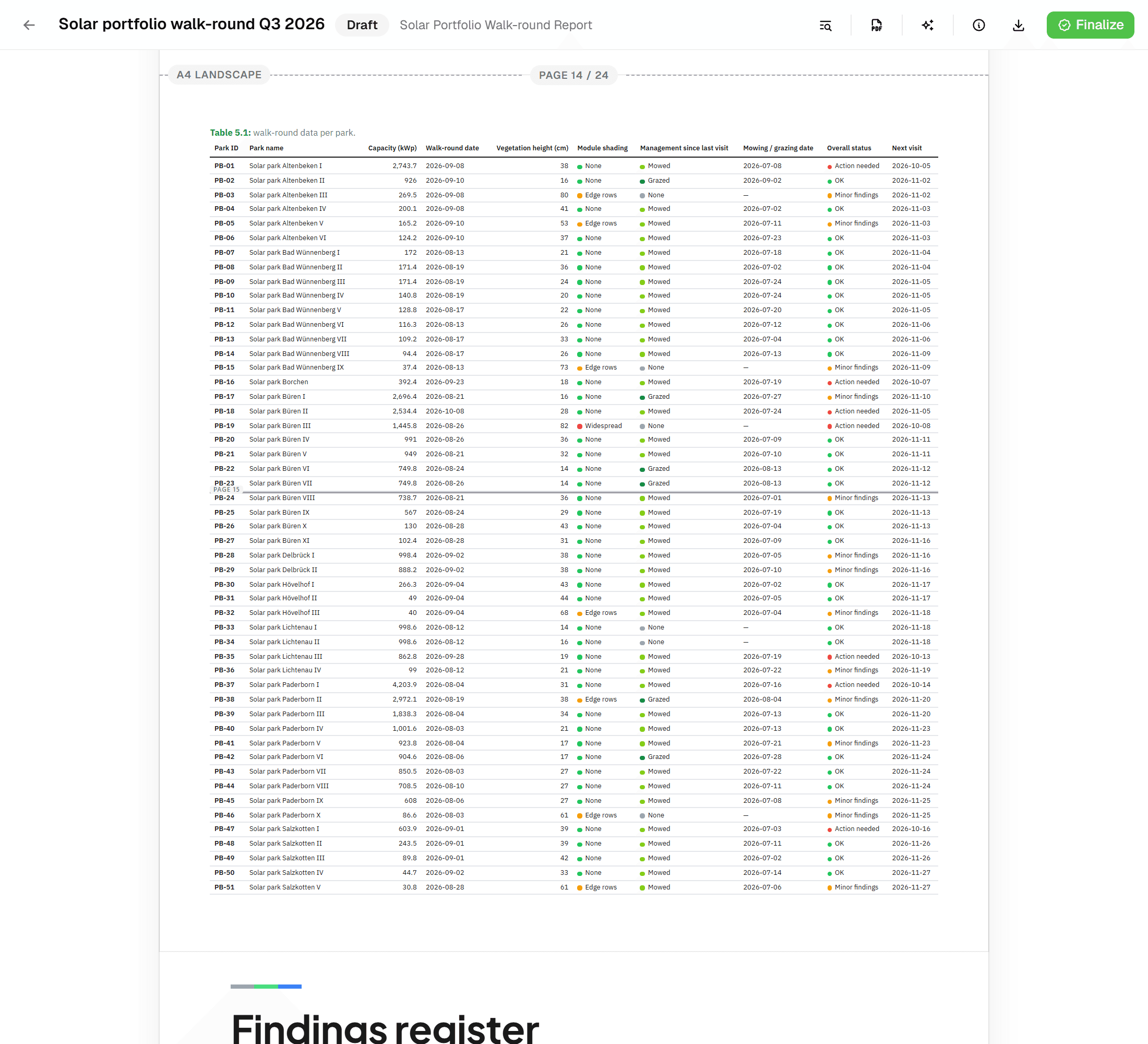
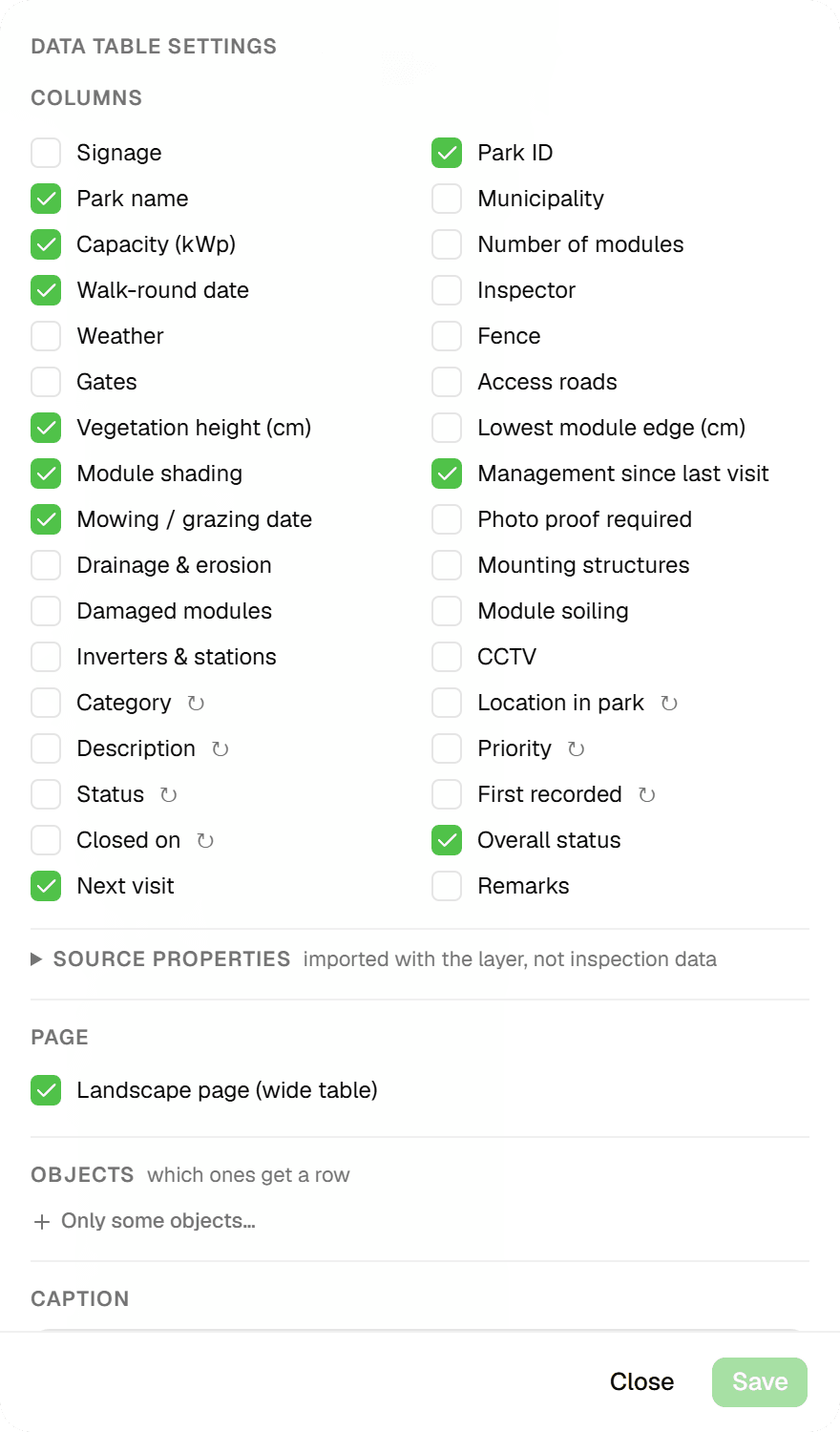
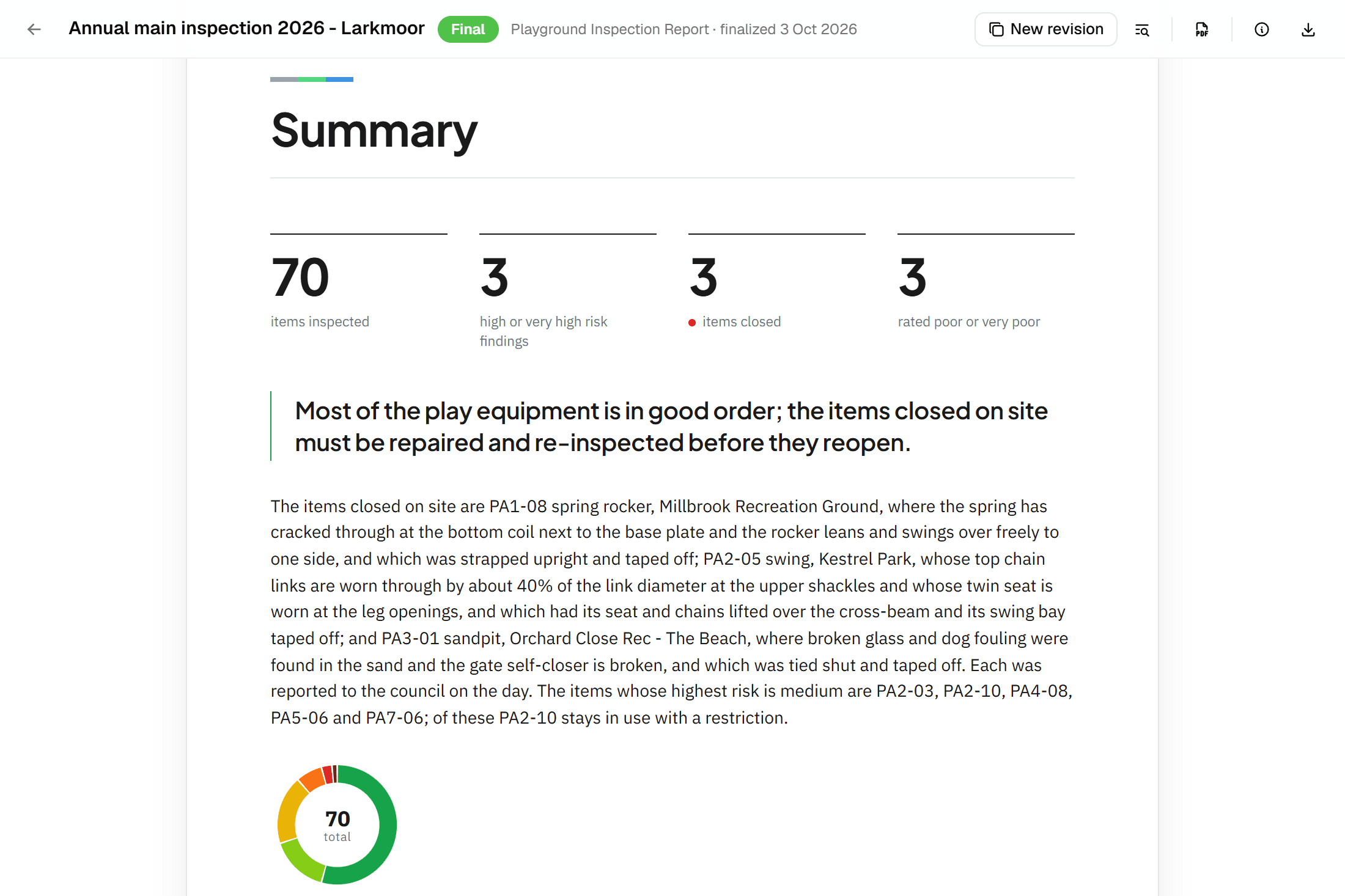
In Geocadra the record comes first: an inspection form per item on the map, filled in on the round. The report is a document built on those records in the report builder, so its tables, counts, map and photo appendix are the data and not a copy of it. For a walk over one site, see the site inspection report template.
Blocks that read the data
A table of the fields you choose from the latest inspection per item, counts per answer, a photo appendix from the photo fields and a map figure from the current positions.
A draft written from the round
An assistant writes the text from the inspection data, only while the report is a draft. You decide what stays.
Finalize, then revise
Finalizing freezes the report as a PDF with a snapshot of its data. A later correction is a new revision, labelled as one.
Your layout
Report templates are set up per workspace together with us, with your fonts, colours and logo.

Reports for a specific standard
Where the round follows a standard, its page explains what the form records, and so what the report can say.
- EN 1176 Playground InspectionPlay areas: the inspection level, defects by risk and the items closed.
- BS 5837 Tree SurveyTrees on development sites: the survey schedule that goes with the plan.
- CS 450 Bridge Inspection (DMRB)Highway structures: severity and extent for each defect.
- ASTM E2018 Property Condition AssessmentProperty condition assessments of commercial buildings.
- NASSCO MACP Manhole AssessmentManholes: the inspection coded component by component.
Questions about inspection reports
What should an inspection report include?
Who issued it and for whom, a unique number and date, the dates of inspection, the items inspected, what they were inspected against, the results, and a signature. A field report adds the scope and its limits, a summary, the actions with their urgency, and a map and photos.
Is there a standard for inspection reports?
ISO/IEC 17020 lists what the report of an accredited inspection body shall contain. Some laws list contents for their own inspections: in Great Britain, Schedule 1 of the Lifting Operations and Lifting Equipment Regulations 1998 and Schedule 7 of the Work at Height Regulations 2005. For asset inspections in the field the format usually comes from the client's specification.
What is the difference between an inspection record and an inspection report?
The record is the raw result for one item on one visit, kept so the next inspector can compare. The report is the document issued to the client about the whole inspection. One round produces many records and one report.
Can I download this as a Word or PDF template?
Yes, both are free. The Word file has the eleven parts as headings, a line under each on what belongs there, and tables for the items, the results and the actions. The PDF is the same outline to print and fill in by hand. If you only want the headings, the button under the outline copies them. In Geocadra there is nothing to fill in by hand: the report is built from the inspection records and comes out as a PDF.
Does this cover home inspection or vehicle inspection reports?
No. Those have their own formats and their own software. This outline is for inspections of many located assets for a client: play equipment, trees, structures, street lighting, buildings from the outside.
Can an inspection report be written automatically?
A draft can. In Geocadra an assistant writes the text from the inspection data, and the tables, counts and photo appendix come straight from the records. A person reads it, asks for changes and finalizes it.
More checklists and templates
Each page carries its document in full and links the standards it is drawn from.

Write the report from the round
Import your assets, inspect a few and read the first draft of the report. Free for 14 days, no credit card.
No credit card requiredFree trial included